③ Clean the Printer Using Alcohol Swab and Cleaning Pen
Do not use any liquid / gel containing a high content of alcohol or solvent to clean
the printer as it may cause discoloration or fissure on its surface. Make sure to use
authorized alcohol swabs and cleaning pen only.
Caution
You can clean the printer's TPH and sensor and wipe the ink and dusts using
an alcohol swab and cleaning pen.
1) Clean the Inside of the Printer Using Alcohol Swab
2. Turn off the printer connected to a PC, and unplug the power adapter.
1. Open the Top Cover and remove the ribbon. Press the “EJECT” button located
in front of the printer to eject any card inside the printer. .
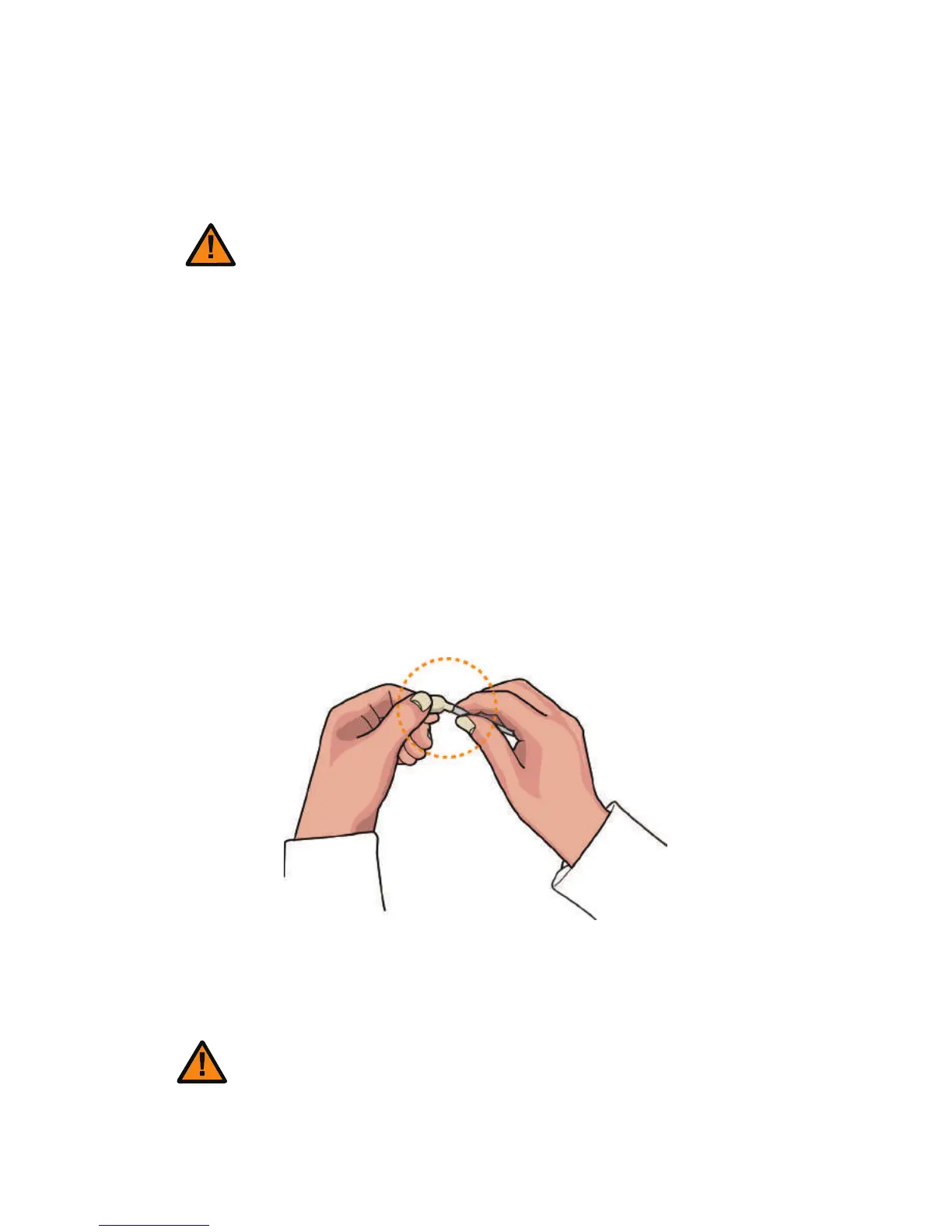
3. Take out an alcohol swab from the Cleaning Kit and fold it at the end as
shown in the picture.
4. Squeeze the transparent part until liquid comes out. Then, clean
places in the printer where you cannot reach with your hands.
Do not use the printer for 2-3 minutes
until the alcohol solution is fully dried.
Caution
73
CIM User Guide Manual



 To Next Page