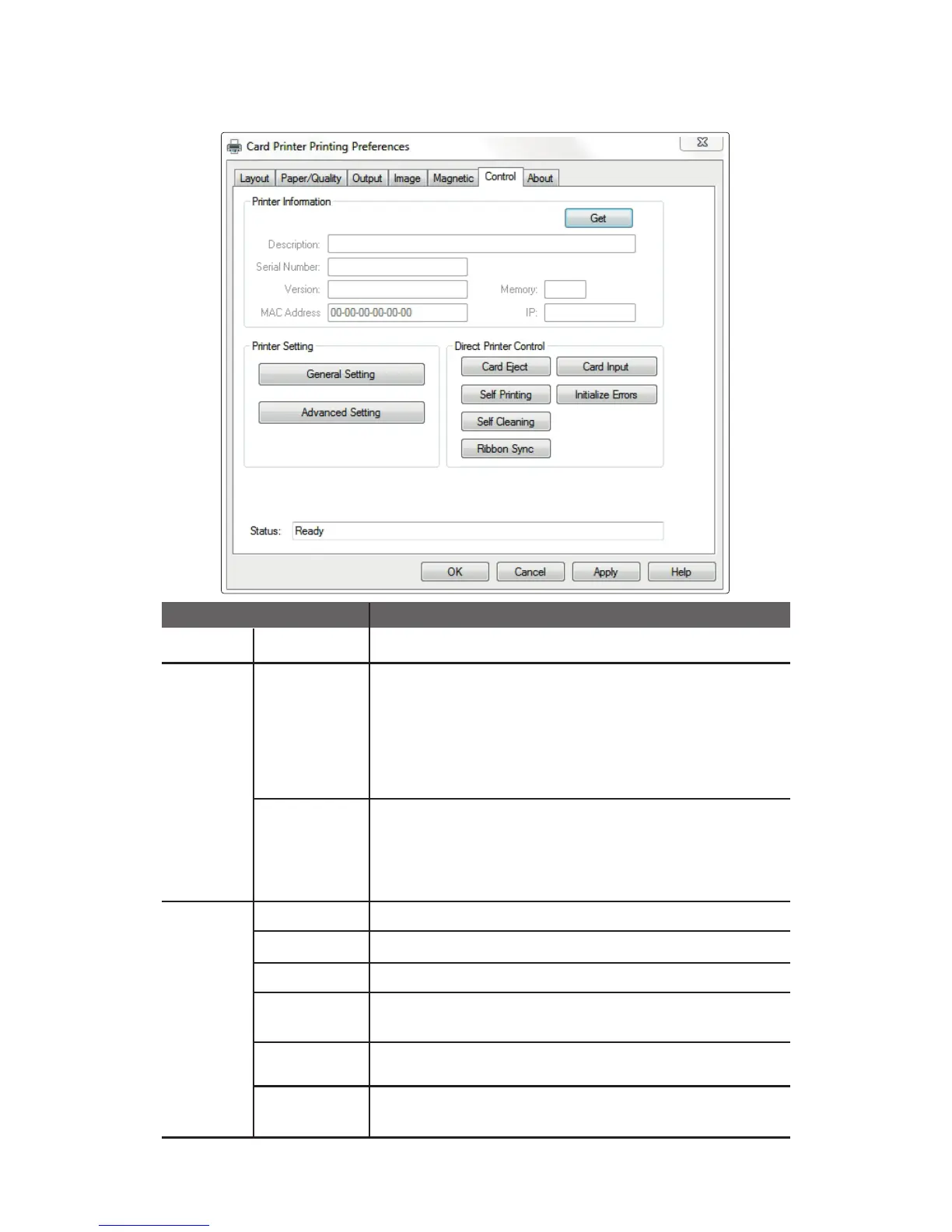
⑥ Control
Get Retrieves and displays the information from the printer.
General
Setting
Retrieves/changes the printer settings.
- Print Speed (Mono): Normal, Low
- Auto Ribbon Sync: No, Yes
- Card Ready Position: Eject, Internal
- Card Input Option: External, Internal
- Card Eject Time: 0 - 30 seconds
- Card Insert Time: 2 - 20 seconds
Advanced
Setting
Retrieves/changes the printer settings.
-TPH Resistance: 2400 ~ 3600
-TPH Model: KEE, KPE, KPE2
- Card Margin Setting: X-Start, X-End, Y-Offset
- Intensity: Color/Mono Ribbon
Card Eject Ejects the card inside the printer.
Card Input Inserts the card placed in the slot.
Self Printing Prints a self-test card.
Self Cleaning
Ribbon Sync
Synchronizes the ribbon. It performs the same function as the
“RIBBON SET” button.
Initialize Errors
Removes the error status of the printer. This does not solve any errors,
but only removes the status so it can process the next command.
Printer
Infomation
Printer
Setting
Direct
Printer
Control
Item Description
Initializes the cleaning cycle. Make sure that the cleaning
card is available.
61
CIM User Guide Manual



 To Next Page