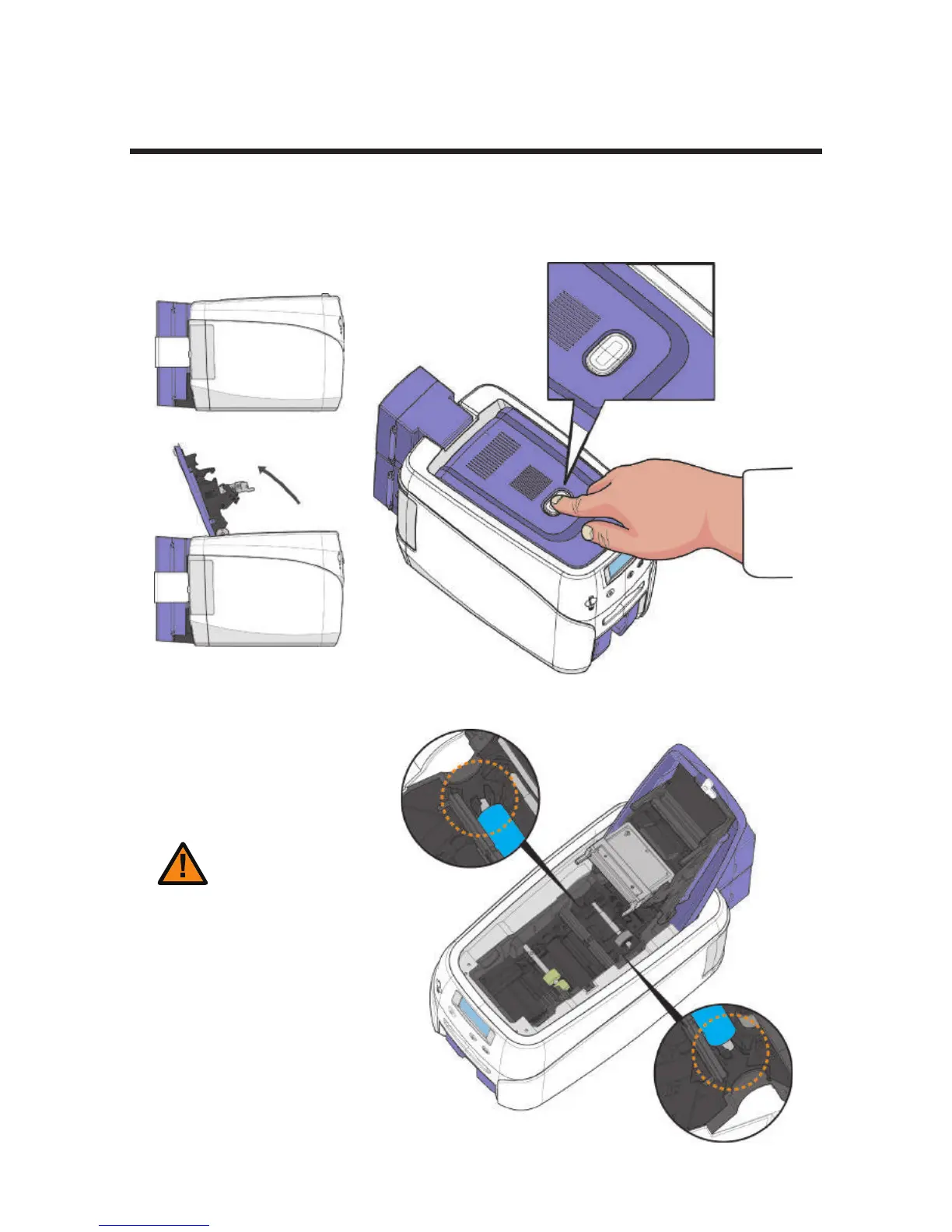
-Load Blue Cleaning Roller
1. Press the “Open” button and lift the Top Cover all the way as shown in
the picture.
Load Blue Cleaning Roller & Ribbon
2. Place the Blue cleaning roller into the “U-shaped holder” and push it
down.
Caution
22
Install printer and ready
- Wash the cleaning roller using running
water and dry every 7 days if the printer
is used frequently or when replacing the
ribbon.
- If the cleaning roller is not cleaned properly,
then the card may be printed unevenly or with
marks across the card.. This may also cause
serious damage to parts (e.g. print head).



 To Next Page