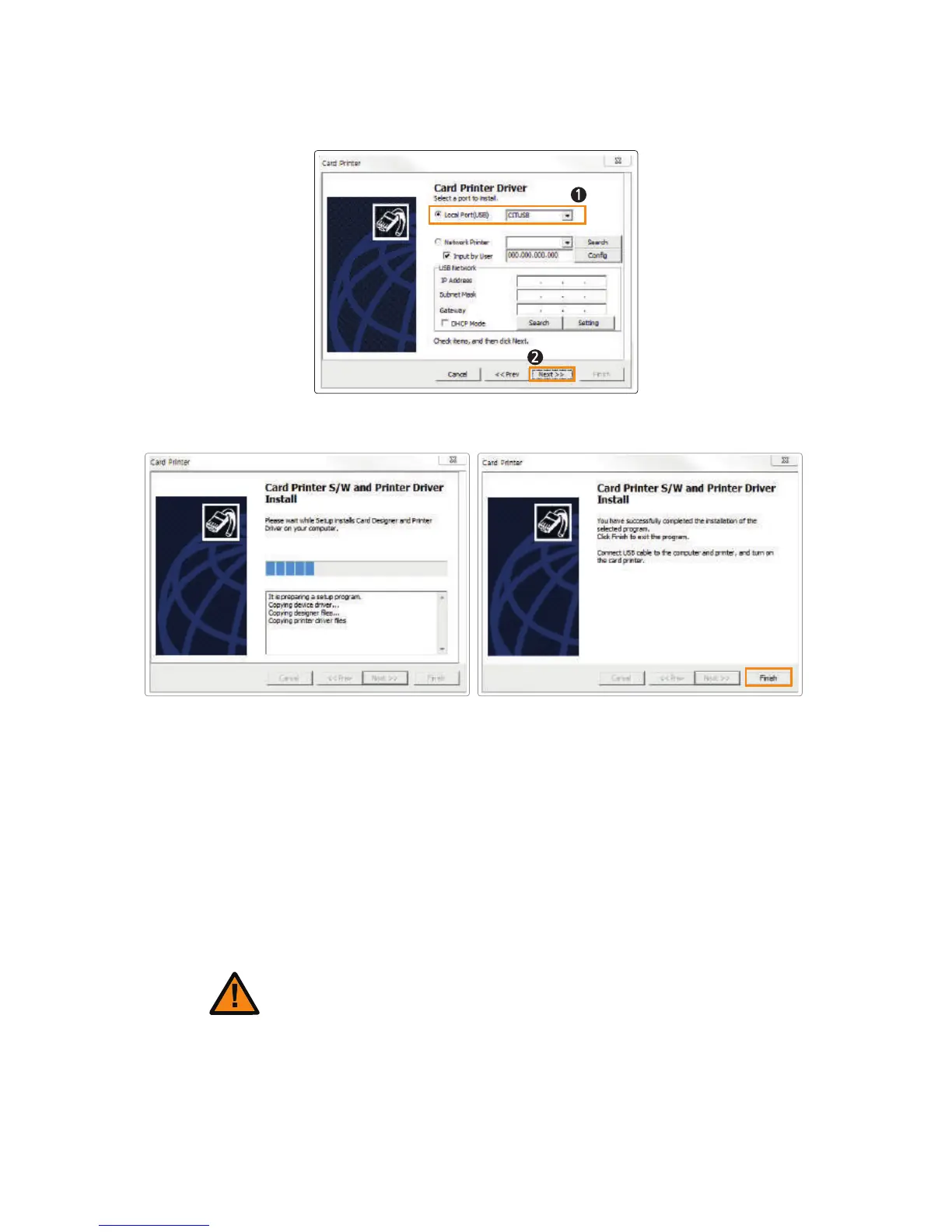
5. Specify the Port Type and click “Next”.
(Select “CITIUSB” when connecting the printer directly to the PC using a USB cable.)
6. Click “Finish” to complete the installation process.
For "Card Printer Driver", check:
"Start → All Programs → CIM → Printer"
Go to "Devices and Printers" and make sure "Card Printer" has been
installed.
7. Make sure that the following programs are installed.
For "Card Designer Software", check:
"Start → All Programs → CIM → Card Designer"
1. Insert the CD into the PC’s CD-ROM drive and the setup program will
start automatically. If the program does not start automatically, then go to
the CD-ROM drive’s root directory and run “install.exe” manually.
② Install Software for Network Printer
Conect the LAN cable between the Ethernet port and the router/server
PC should be connected to network.
Caution
35
CIM User Guide Manual



 To Next Page