2) DHCP (Dynamic Host Configuration Protocol)?
DHCP (Dynamic Host Configuration Protocol)?
DHCP is a network protocol that automatically allocates TCP/IP to the client PC.
The DHCP server sends the client's network settings (e.g. IP Address,
Subnet Mask, Gateway, DNS server) automatically.
If "Obtain an IP Address automatically" is set in your TCP/IP settings, it means
that DHCP Mode is enabled.
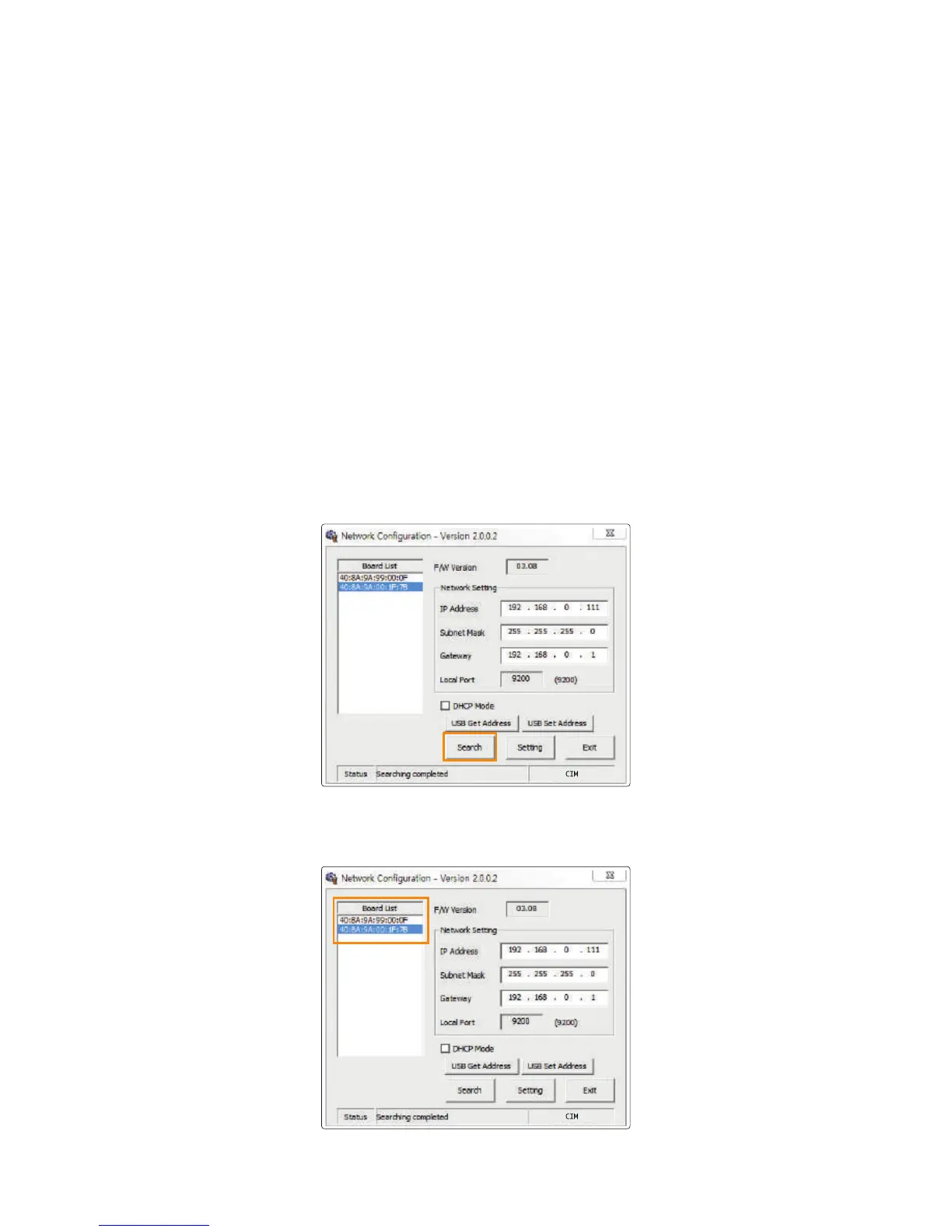
3) Network Setting - Automatic (DHCP supported)
1. Go to “Start → All Programs → CIM → Network” and click OK to
open the settings window.
2. In the Network Configuration window, click “Search” to search the connected
network board.
3. Select the MAC Address from the Board List.
41
CIM User Guide Manual



 To Next Page