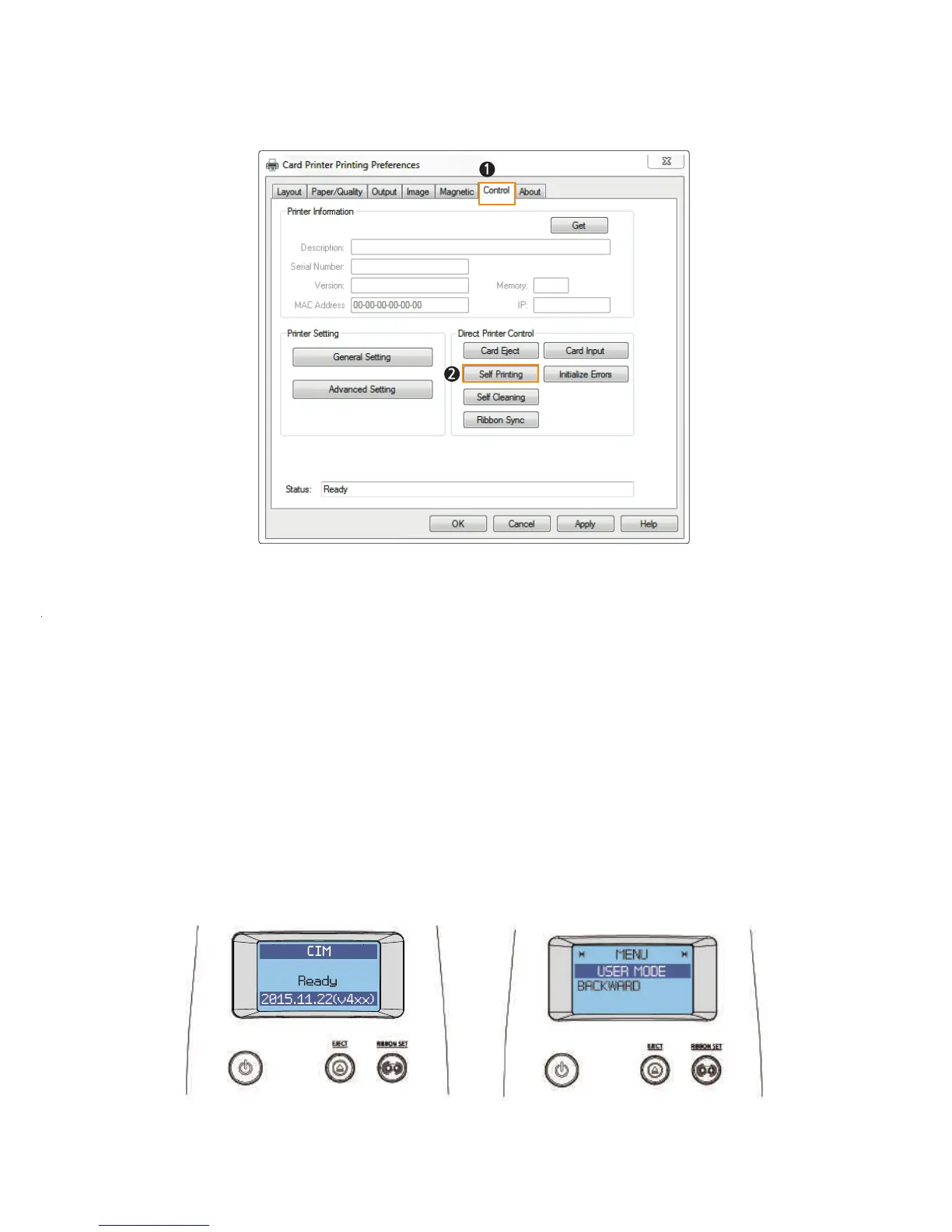
② If Not Connected to a PC: User Mode
1. Turn on the printer (there is no need to connect it to a PC).
2. Insert a single card into the slot or load it on the Input Hopper and load
the ribbon.
STAND-BY MODE USER MODE
3. Hold down both the “EJECT” and “RIBBON SET” buttons until “USER
MODE” is indicated on the LCD display.
5. Select “Card Printer” and Right click → Printing preferences → Control tab
→ Direct Printer Control → Self Printing.
6. “Self Printing” is indicated on the LCD display as a test card is printed so
that you can check the printing quality.
65
CIM User Guide Manual



 To Next Page