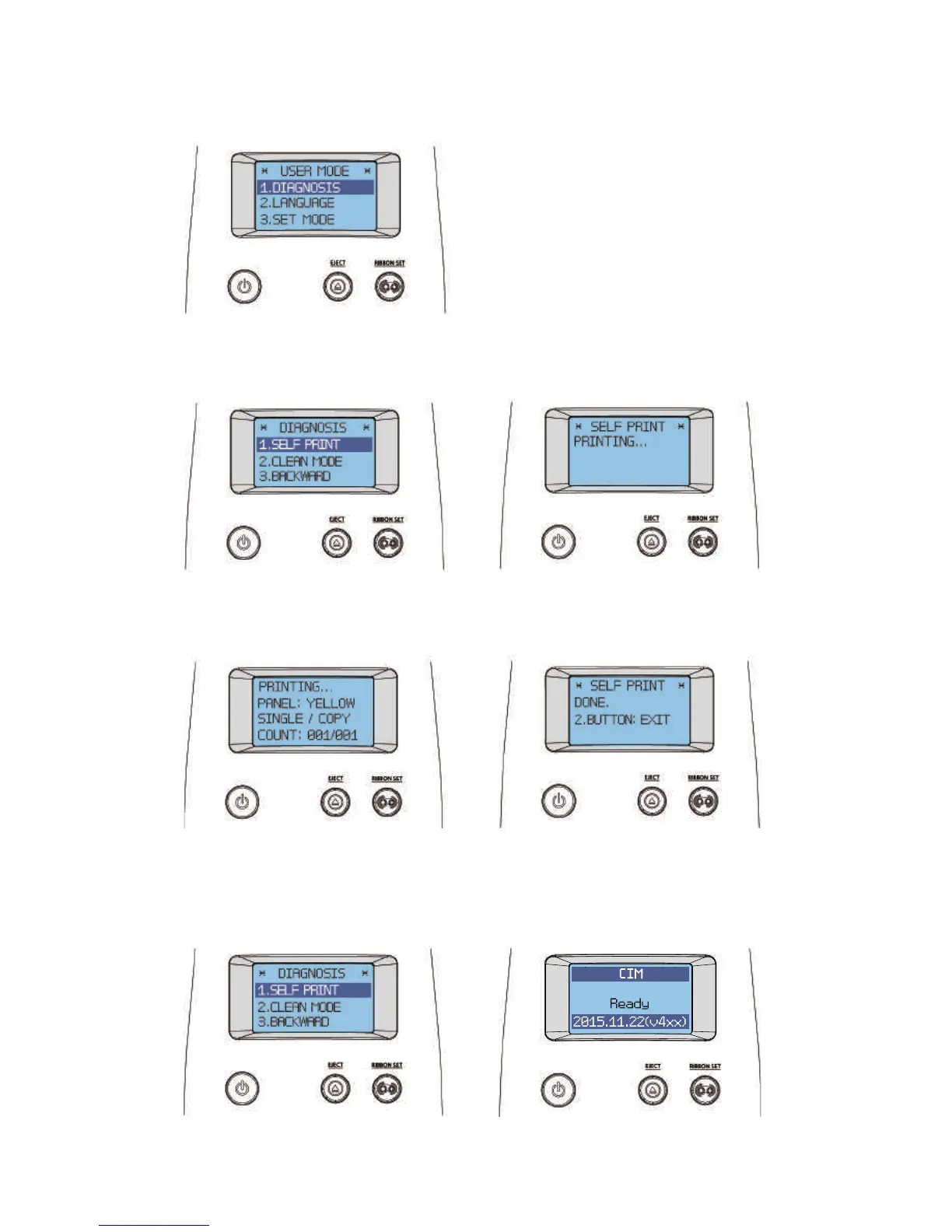
DIAGNOSIS
4. Hold down the “RIBBON SET” button in the USER MODE, and go
into the “1. DIAGNOSIS” menu.
5. Hold down the "RIBBON SET" button in the "DIAGNOSIS → 1. SELF
PRINT" menu to start printing a test card.
STAND-BY MODE
SELF PRINTING
SELF PRINTING MODE
6. The printing progress is indicated on the LCD display. The card will be
ejected when the printing is completed.
SELF PRINTING DONE
SELF PRINTING
7. When the "SELF PRINTING DONE" message displays, hold down both the
"EJECT" and "RIBBON SET" buttons to go back to the "DIAGNOSIS-SELF PRINT
MODE" mode. To go into STAND-BY mode, hold down the "EJECT" button.
SELF PRINTING MODE
66
Install printer and ready



 To Next Page