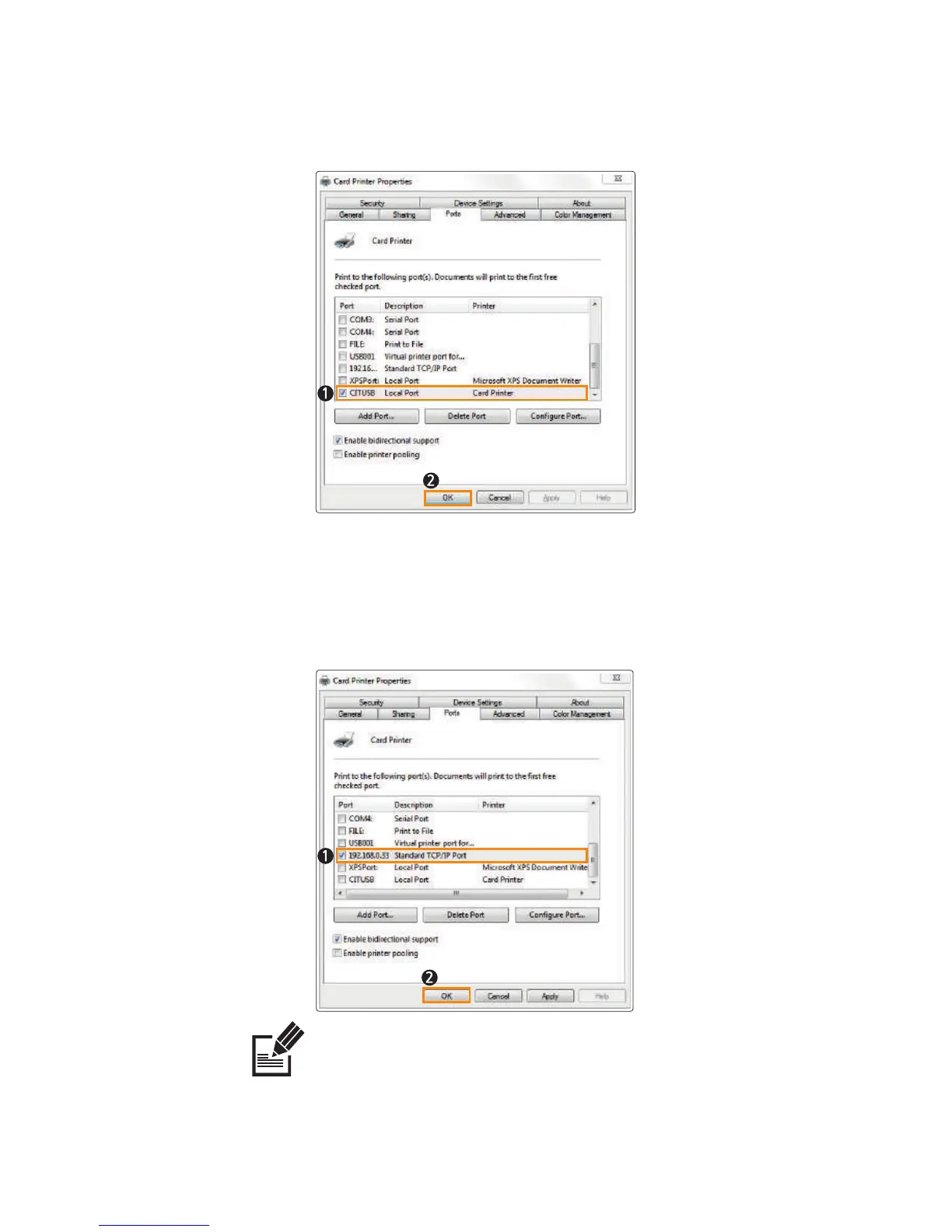
Network Port: Refer to "Configure Network Settings" (P40) and select
the port (IP Address) accordingly.
Note
When the driver is installed successfully, "Two-Way Communication" will be selected automatically.
If there is any problem printing through the network port, make sure to disable "Two-Way
Communication".
4. Select the port you want to use and click “OK”.
USB Port: CITUSB (Local Port)
51
CIM User Guide Manual



 To Next Page