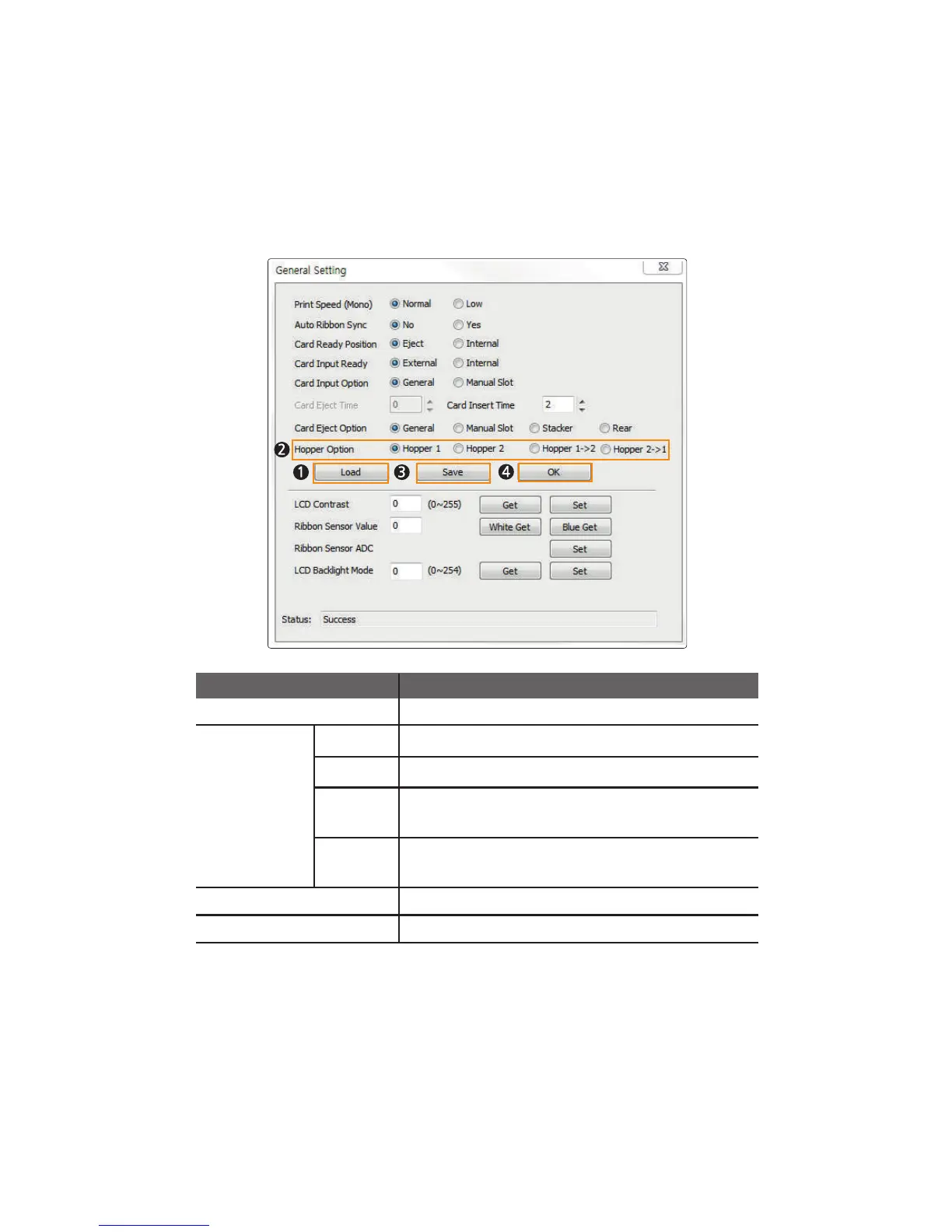
3. Make sure that the printer is on, and click “Load” to activate the Input
Hopper Option.
4. Select “Hopper Option” and click “Save” to save the new settings.
5. Click “OK” to close the General Setting tab.
Load Load the General Settings of the printer.
Hopper Option
Feed cards only from the upper Input Hopper.
Feed cards only from the lower Input Hopper.
Item Description
Feed cards from the upper Input Hopper first. When it is
empty, the printer feeds cards from the lower Input Hopper.
Save the General Settings of the printer.
Hopper 1
Hopper 2
2 →1 reppoH
Hopper 2→ 1
Feed cards from the lower Input Hopper first. When it is
empty, the printer feeds cards from the upper Input Hopper.
Close the General Settings window.
Save
OK
53
CIM User Guide Manual



 To Next Page