Go up the menu: Press the “EJECT” button.
Go down the menu: Pre ss the “RIBBON S ET” button.
Check
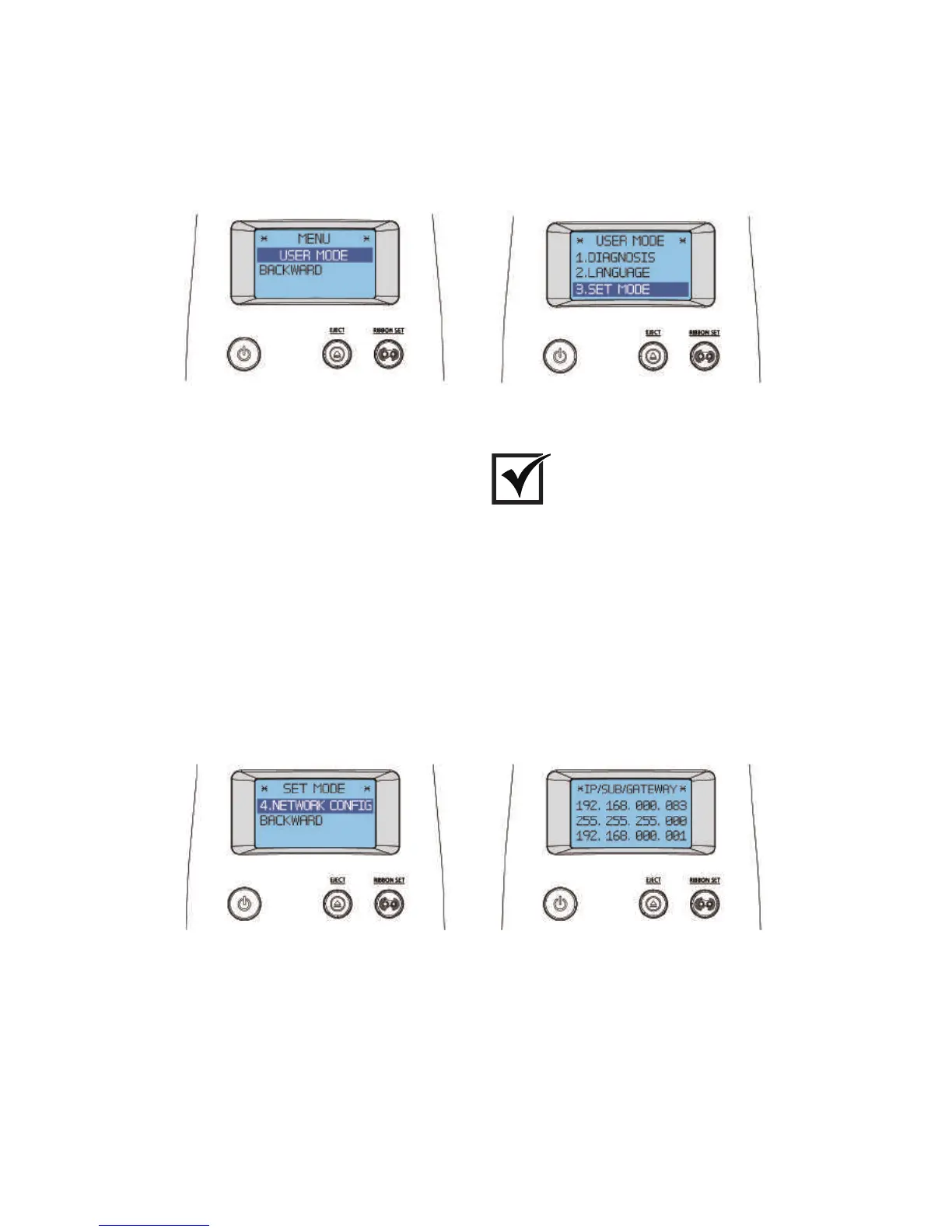
3. When “SET MODE” is indicated in the LCD display, press the “RIBBON
SET” button several times to go to “4. NETWORK CONFIG”. Then, hold
down the “RIBBON SET” button until the IP address displays on the screen.
SET MODE
NETWORK CONFIG IP/SUB/GATEWAY
2. When “USER MODE” is indicated on the LCD display, press the
“RIBBON SET” button to go into “3. SET MODE”. Then, hold down
the “RIBBON SET” button.
USER MODE
63
CIM User Guide Manual



 To Next Page