GE+ ACDC Installation and operation manual v11
80 / 121
3. Slave ID. If the connection of the Cinergia equipment is not in serial (RS485 or RS232),
this parameter is not important because the Modbus is based in a point-to-point
communication. When the equipment is using a serial communication, set this
parameter according to the other equipment in the same net.
4. Send. Once all the parameters are ready, press this button and they will be send to the
converter.
When the user changes the IP of the equipment, it will go to alarm state
(Heartbeat alarm). If the interface is running with the old IP, it will be
disconnected and to reconnect it will be necessary to use the new introduced IP.
Local touchscreen will turn on automatically after maximum 2 minutes.
e. UTC Conf.
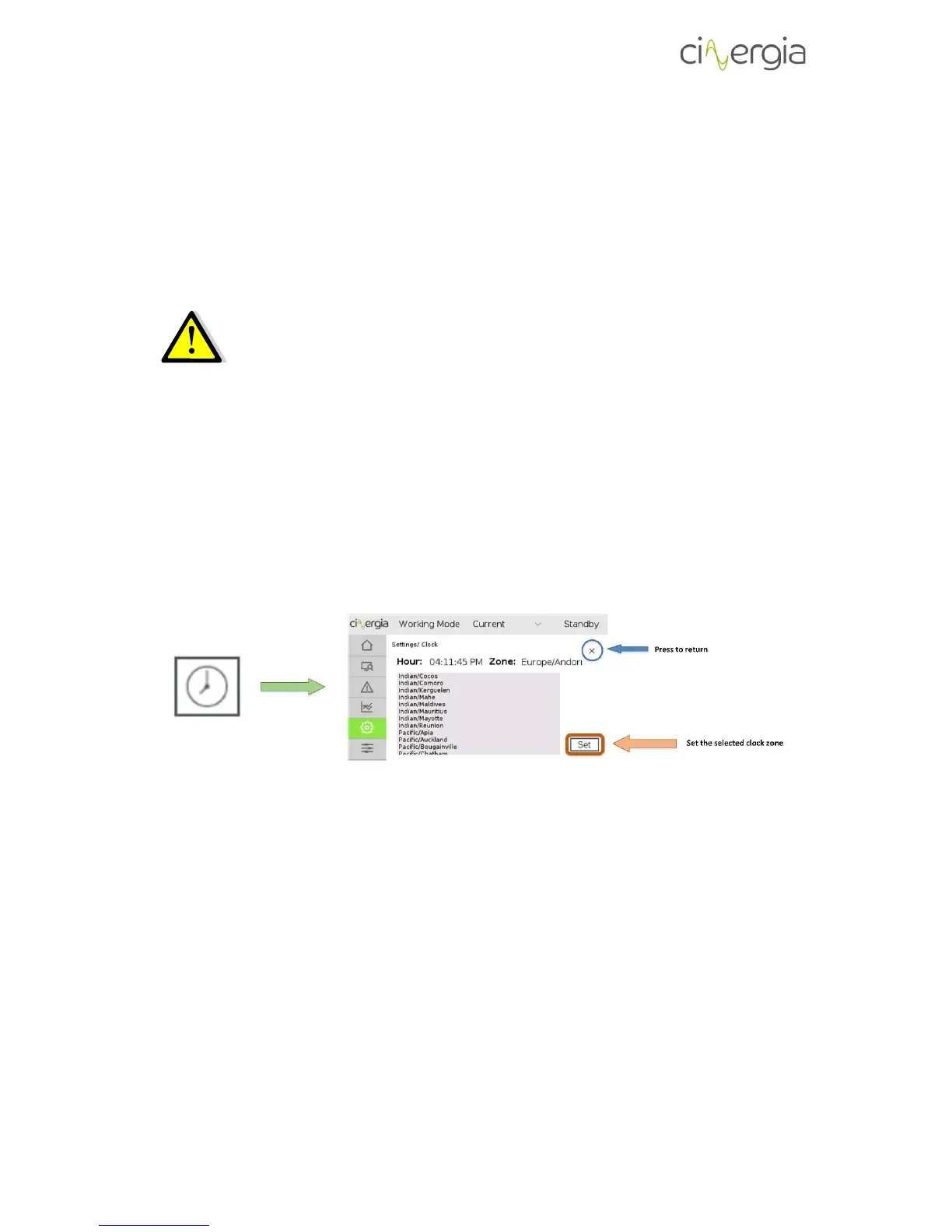
This menu allows to configure the clock zone where the equipment is working. It is used for the
Historic of the alarms and the horizontal axis of the plots in the LCD and the PC interface.
Move the finger up and down in the window to find the desired time zone and press it when it
is found. Afterwards select it and press Set. It will be changed automatically.
f. TSC Cal.
(TouchScreen Calibration). Select this option to calibrate the touchscreen. To do so, follow the
instructions that appear in the LCD. It is only necessary to touch the four red crosses that will
appear:



 To Next Page