GE+ ACDC Installation and operation manual v11
79 / 121
d. Connections
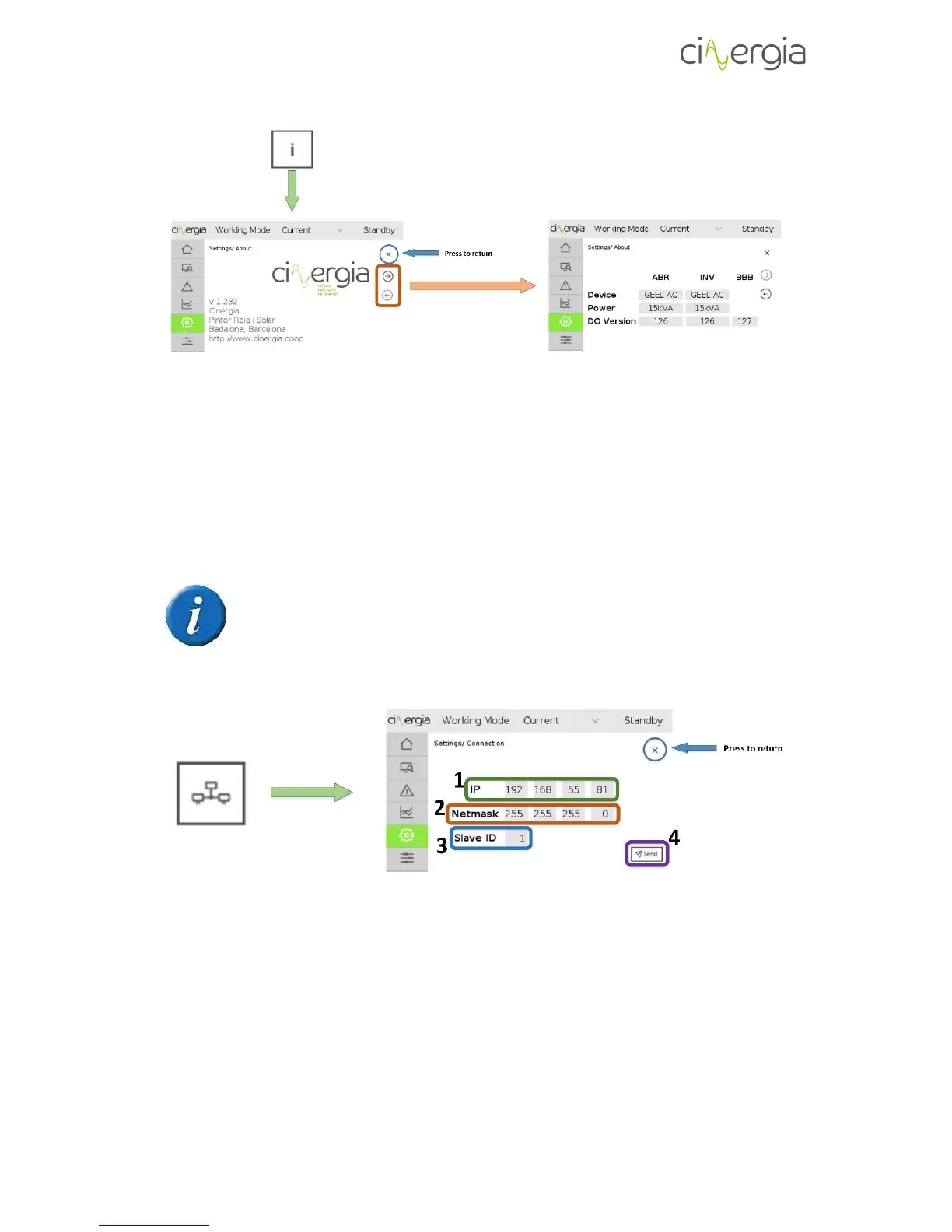
This is the menu where the user can visualize all the connections parameters.
To know more about these parameters, please read the document Connecting
Cinergia units to PC.
To change the values of the following parameter, touch the number and the LCD will go to the
keyboard explained in the chapter 3.2. Keyboard of this manual.
1. IP. There are four parts to be filled and they depend on the required or desired net
where the converter will be connected. To change the IP, touch on each window with
numbers.
2. Netmask. Configure the Netmask according with the PC netmask.



 To Next Page