Page 16 | 53
Figure 4-6
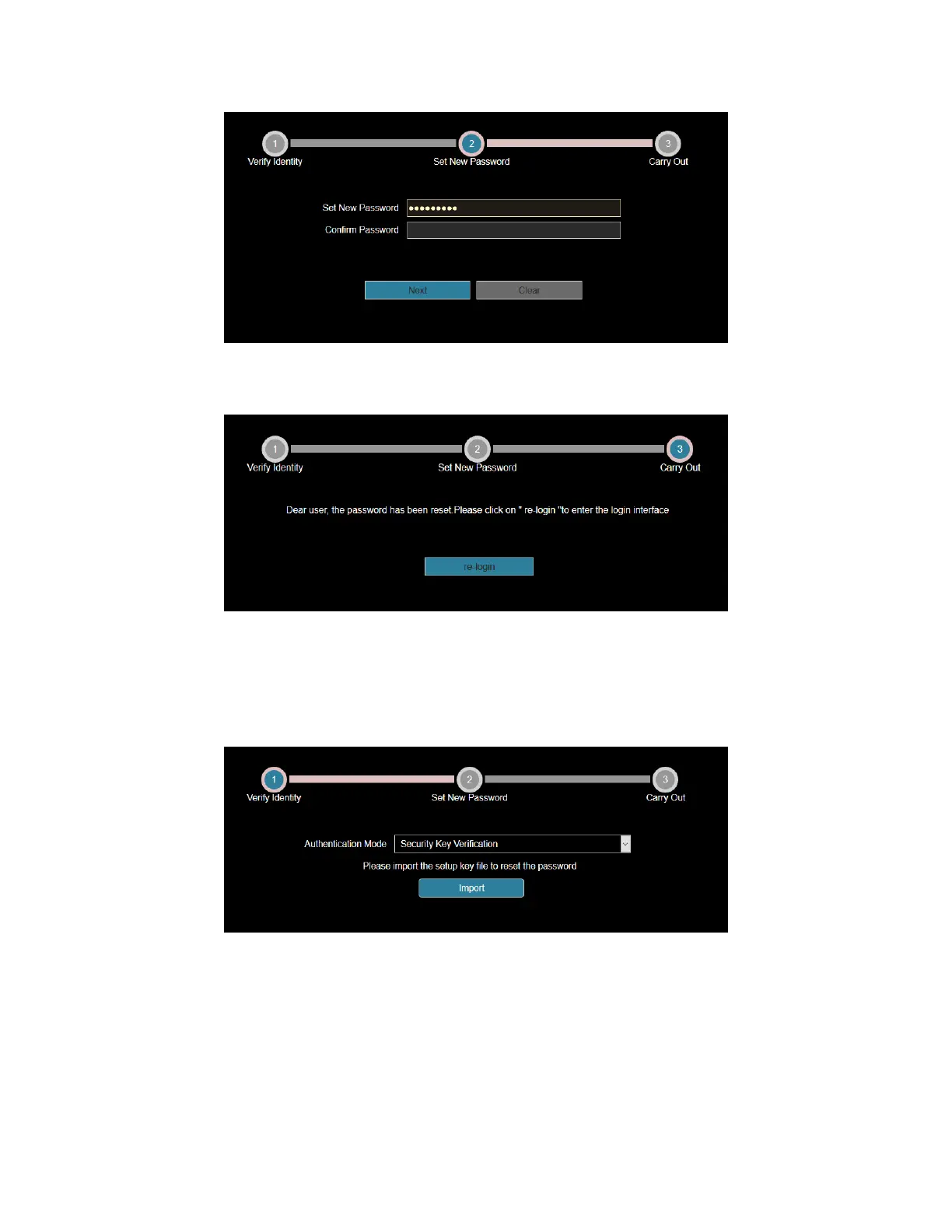
4. Click "Re-login" to return to the login interface (as shown in Figure 4-7).
Figure 4-7
Security Key verification
1. On the login interface, click "Forgot Password".
2. Select the verification method as "Security Key Verification" (as shown in Figure 4-8) and click "Import" to
import the key file exported when the password is modified.
Figure 4-8
3. Enter the new password and confirm the password (as shown in Figure 4-9) and click "Next".



 To Next Page