Page 46 | 53
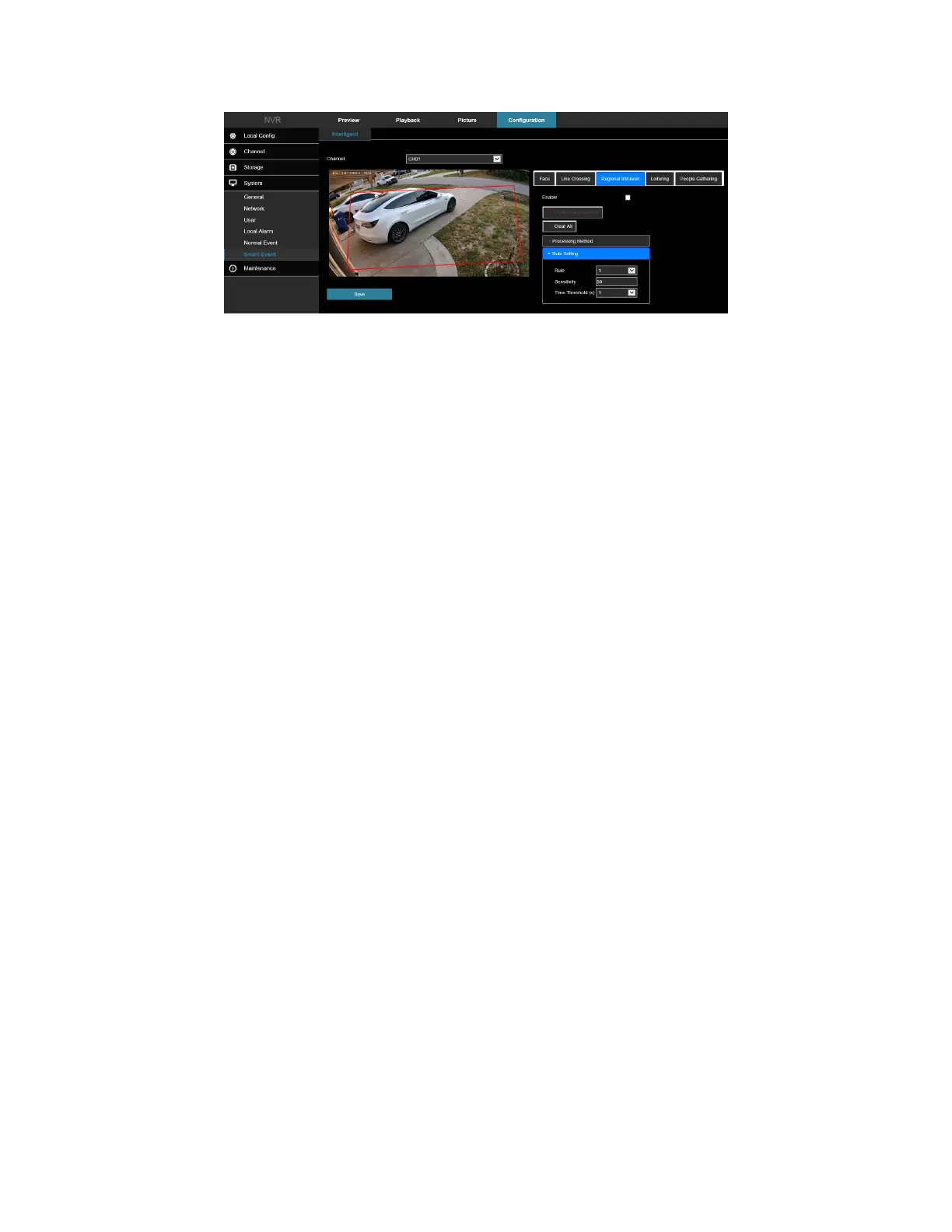
Figure 7-57
1. Select the channel to set the regional intrusion, and then click "Regional Intrusion" to enter regional
intrusion setting mode.
2. Check “Enable” → Rule Setting to set the rule of regional intrusion.
a. In the "Rules" drop-down list, select any rule as you need.
b. Regional intrusion can set any 4 rules.
c. Set the Time Threshold (Seconds) and sensitivity of the rule.
Sensitivity: Set the size of the control target object. The higher the sensitivity, the easier the object is
judged to be the target object. The lower the sensitivity, the larger the object will be judged as the
target object. The sensitivity can be set in the range of 0 to 100.
Time Threshold (s): An alarm is generated after the target enters the warning zone for a continuous
dwell time. If the time threshold is set to 5 seconds, the target intrusion zone is triggered for 5
seconds. The range is 1 to 10 (seconds).
d. Click Draw A Quadrilateral, and then move the mouse to the preview screen and click the left
mouse button in sequence to draw the endpoints of the quadrilateral warning zone to complete
the zone drawing.
NOTE: You can modify the drawn warning line using Clear All and Draw A Quadrilateral.
3. Click "Processing Method", set the alarm linkage (Buzzer, E-mail Notification, Channel Recording, Full
Screen Monitoring), and then Trigger Alarm Output.
4. Click "Apply" to save the settings.
7.5.4 Loitering
In the main interface, click Configuration → System → Smart Event → Loitering to enter the Wandering detection
setting interface, Figure 7-58. Here you could set the alarm for people stay detection. The loitering function can
detect the dwell time of the target in the set area. When the dwell time exceeds the set time threshold, an alarm
linkage is triggered.



 To Next Page