Page 22 | 53
Chapter 5: Configuration
5.1 Configuration
5.1.1 Local Configuration
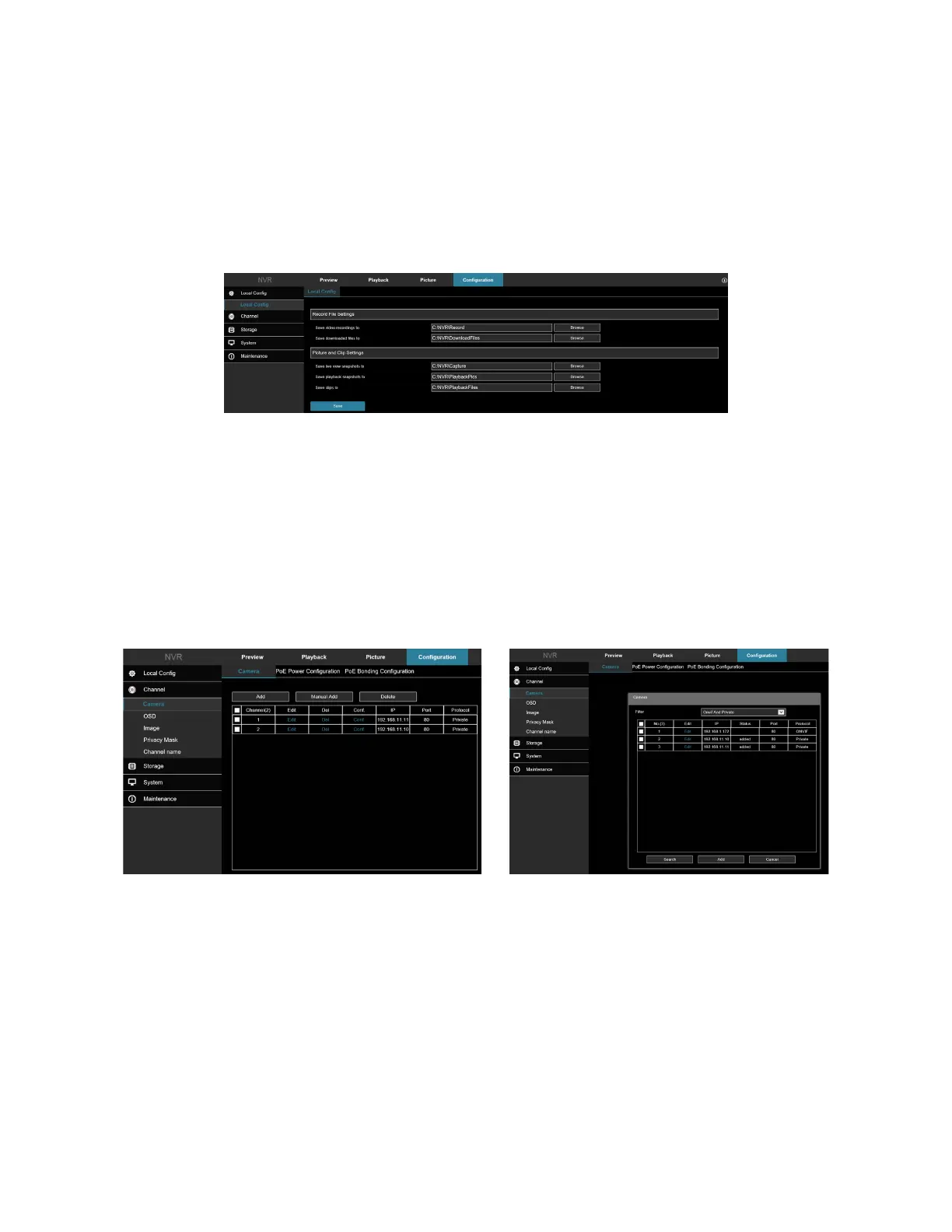
In the main interface, click Configuration → Local Config → Local Config to enter the local configuration interface,
Figure 5-13. Here you can the local file recording settings including captured video and clips to the local computer's
save path, click Browse to select the path to save, and click Save to complete the path settings.
Figure 5-13
5.2 Channel
5.2.1 Camera
In the main interface, click Configuration → Camera → Camera to enter the add camera interface, Figure 5-14 and
5-15. Here you can add, edit, and delete devices as needed.
Add: Assign ClareVision and ONVIF-compatible cameras to a channel.
Manual Add: Manually input camera parameters and settings to assign to a channel.
Delete: Delete selected camera channels.
Figure 5-14 and 5-15
5.2.2 PoE Power Configuration
In the main interface, click Configuration → Camera → Add Camera → PoE Power Configuration to enter the PoE
Power Configuration interface. Here you can check the connection status of each channel and adjust the power
configuration for each channel according to the distance of the tether. Figure 5-16.



 To Next Page