Page 32 | 53
Chapter 7: System
7.1 General
7.1.1 Device Settings
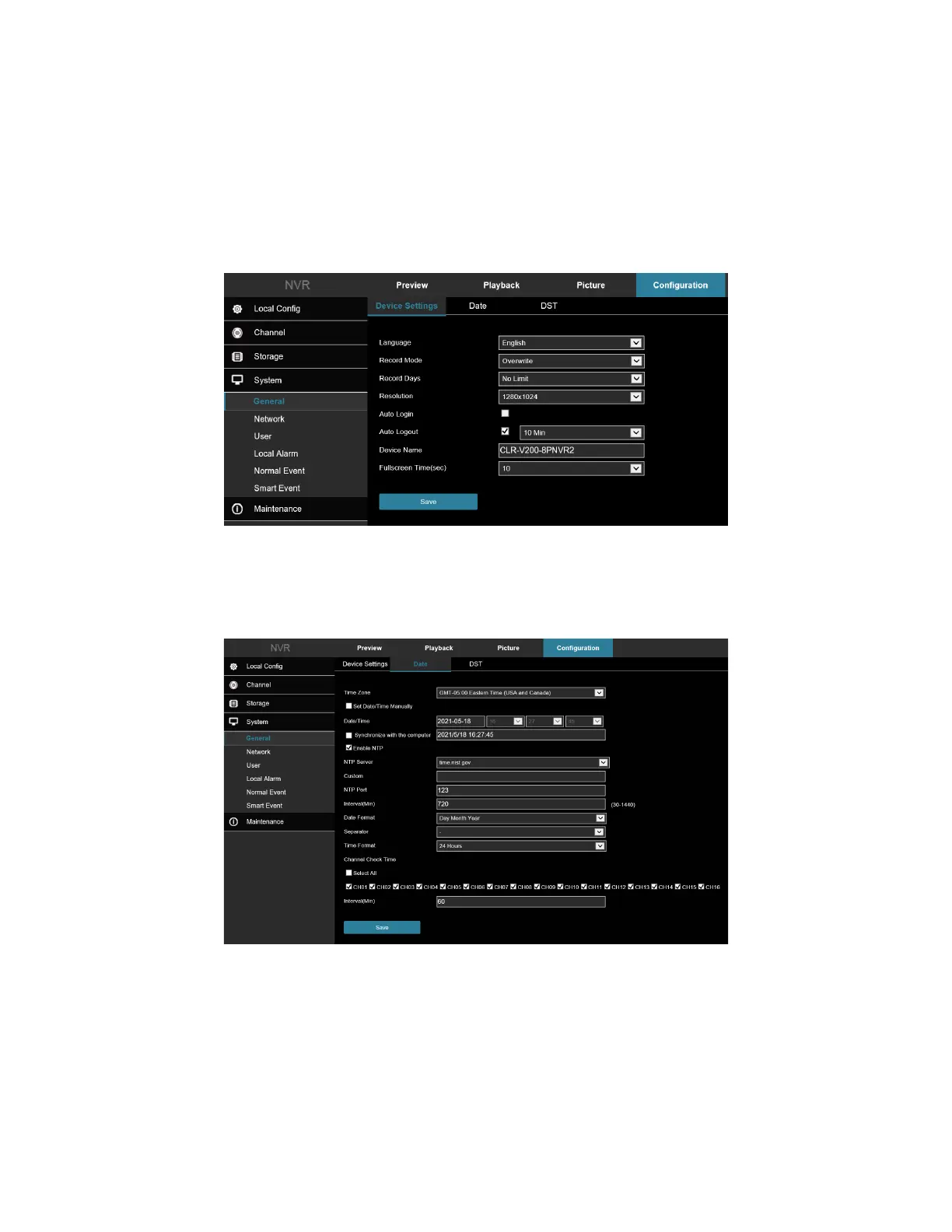
In the main interface, click Configuration → System → General to enter the device setting interface, Figure 7-35.
Here you could view and adjust language settings, record mode, record days, video standard, resolution, and other
information. Click Save to complete the setting.
Figure 7-35
7.1.2 Date
Set the system date of the device, and manually set the system time, synchronize with the computer, or set the
system date using the Network Time Protocol (NTP) function as needed.
Figure 7-36
Set the system date as follows:
1. Access the main interface, click Configuration → System → General → Date to enter the date setting
interface, Figure 7-36.
2. Select the setting date type (3 ways):



 To Next Page