Page 43 | 53
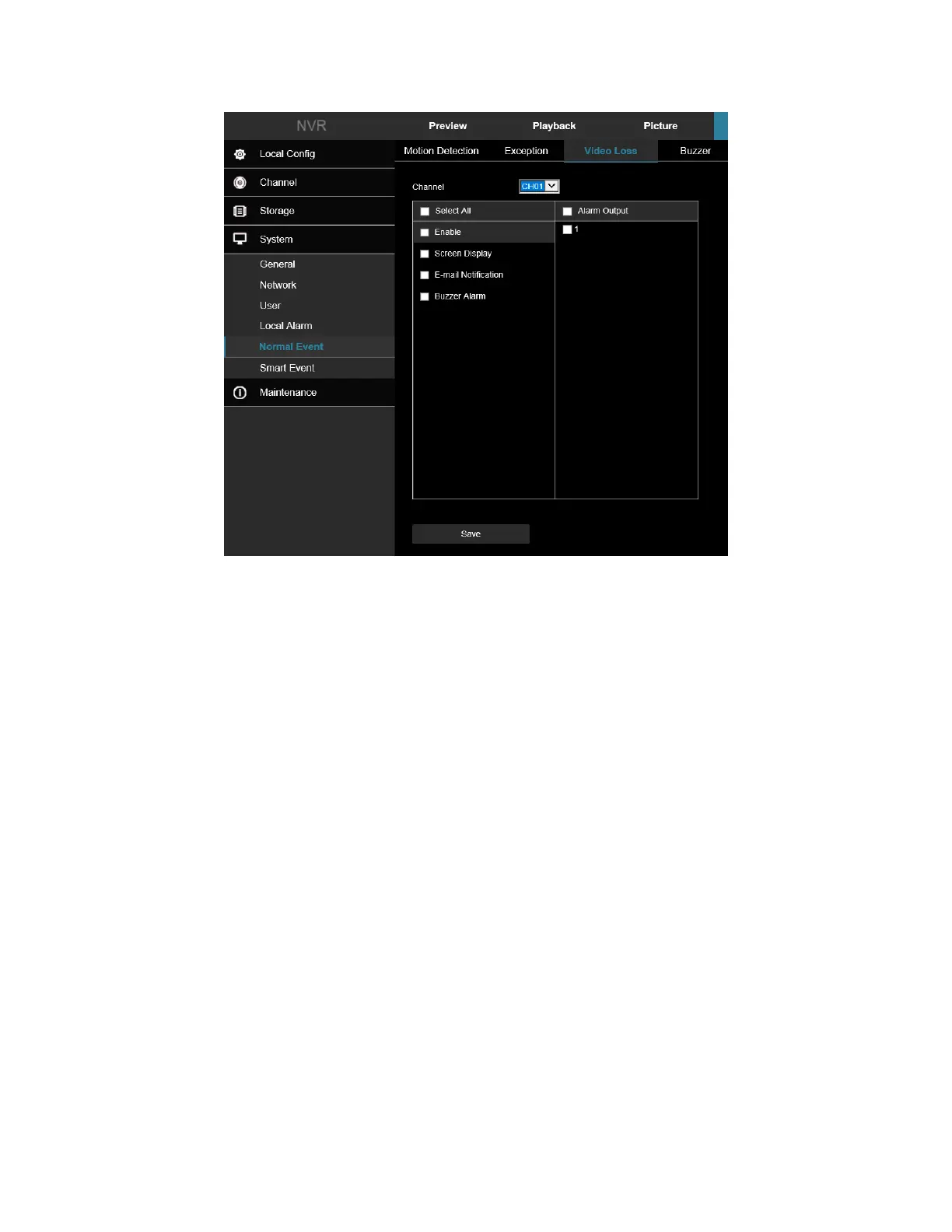
Figure 7-53
• Channel: Select the channel.
• Enable: Check to turn on/off video loss alarm.
• Screen Display: When an alarm occurs, the device pops up an alarm screen to show a warning.
• E-mail Notification: When an alarm occurs, the device sends an email as a warning.
• Buzzer Alarm: When an alarm occurs, the device beeps to give a warning.
7.5.4 Buzzer
In the main interface, click Configuration → System → Normal Event → Buzzer to enter the buzzer alarm setting
interface, Figure 7-54. Here you could set the duration of the buzzer alarm. The related parameters are consistent
with the local settings of the NVR.
1. Set the buzzer time for the alarm.
2. Click "Apply" to save the settings.



 To Next Page