Page 29 | 53
Chapter 6: Storage
6.1 Record
6.1.1 Record
How to configure video settings:
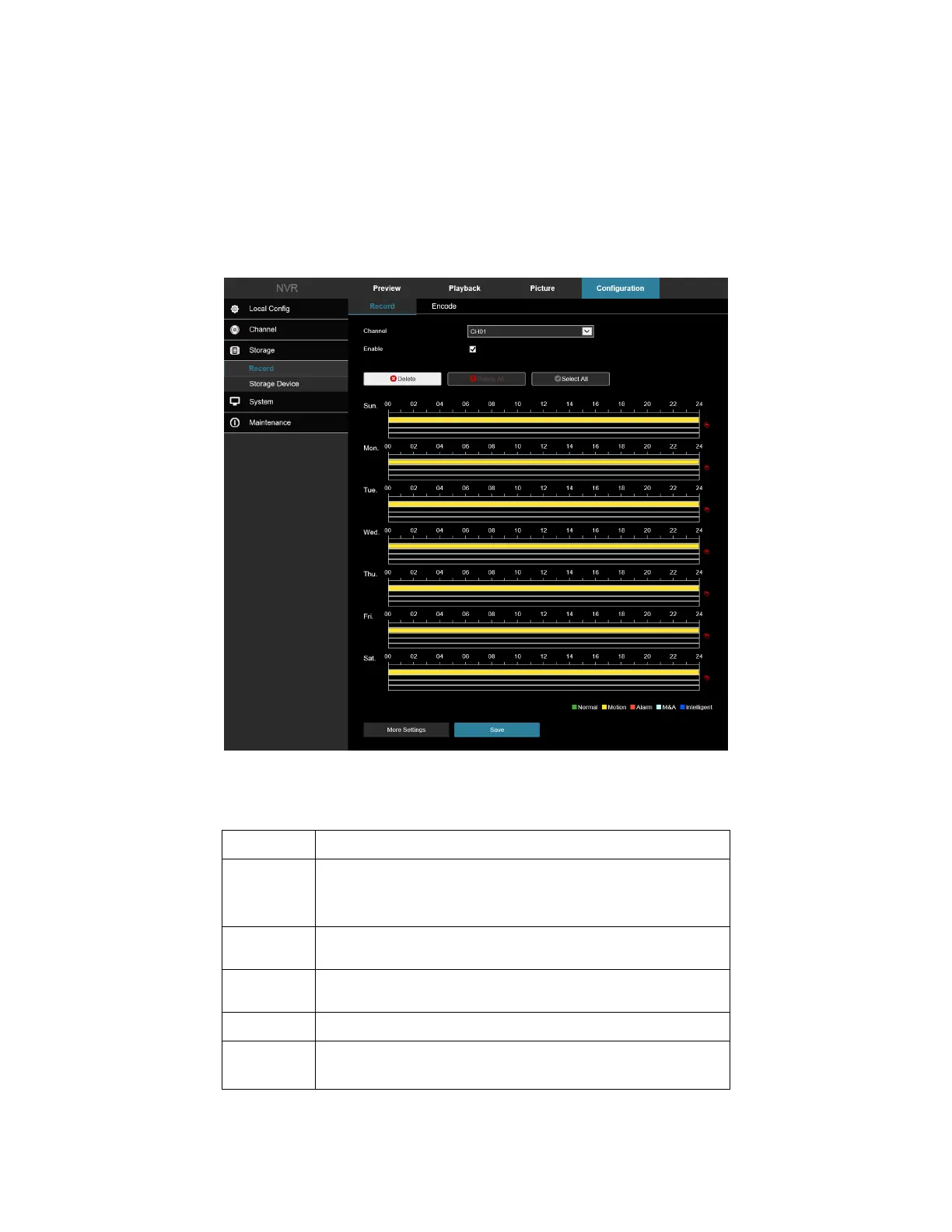
1. Access the main interface, click Configuration → Storage → Record → Record to enter the recording
setting interface, Figure 6-30.
Figure 6-30
2. Set parameters using the table below.
Channel
Select the channel number for setting the recording, and you
can set different recording plans for different channels. If you
set the same for all channels, select "All".
Enable Enable/Disable the current channel recording function.
Del Delete the selected recording time period.
Click to delete all recording settings.
Selected All
Click to set all channels to normal video and motion detection
recording from Monday to Sunday.



 To Next Page