Chapter 2: Get started
20 Start up the system
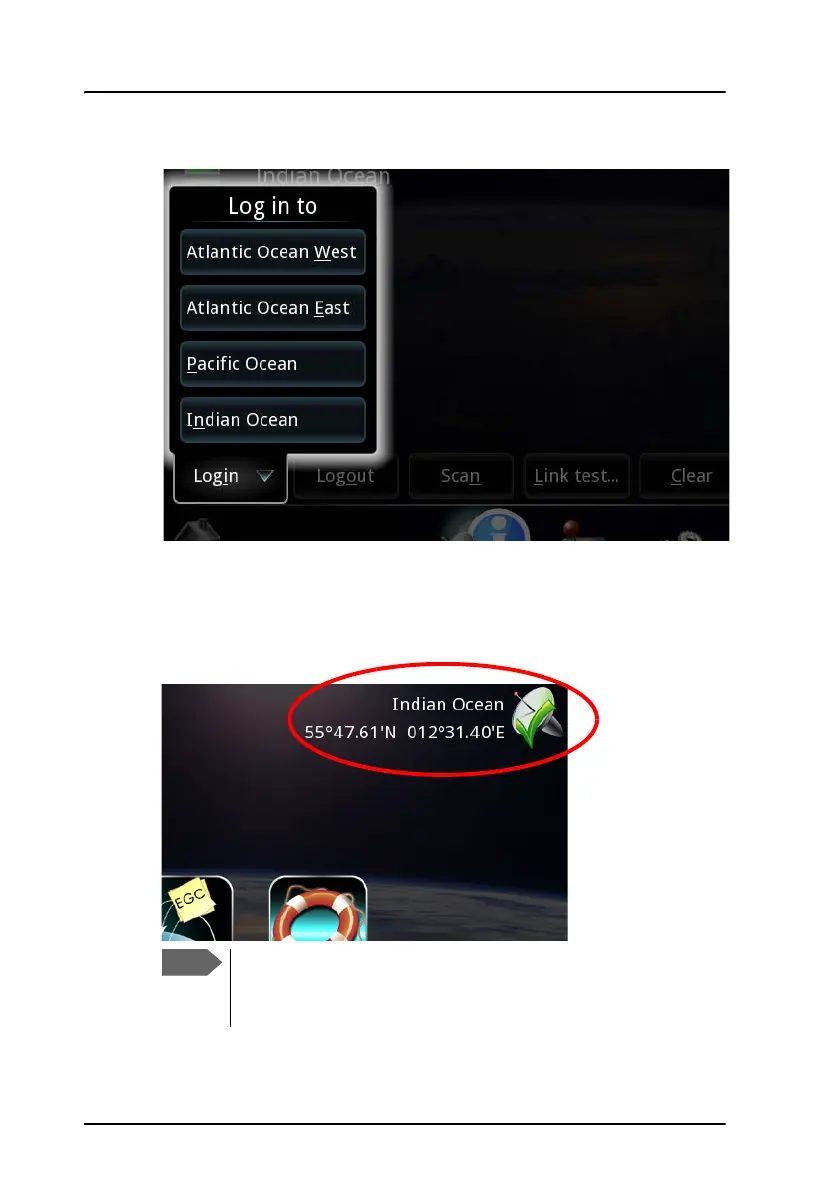
2. On the Network Status page select Login.
3. Select the Ocean Region to which you want to log in.
If the selected satellite is available, the system will now log in.
When the display shows the Ocean Region and the position, and there is
a green check mark at the satellite symbol, the system is ready for use.
The Ocean Region is only displayed if the system is idle and
there are no errors - otherwise the text will show the current
status.









 To Next Page