Chapter 3: To use easyMail
56 Set up Inmarsat Service Providers (ISP)
Set up Inmarsat Service Providers (ISP)
The Inmarsat Service Providers are already set up when you receive your
system. However, if an Inmarsat Service Provider e.g. changes the format
for email, you can change these settings to match the new format.
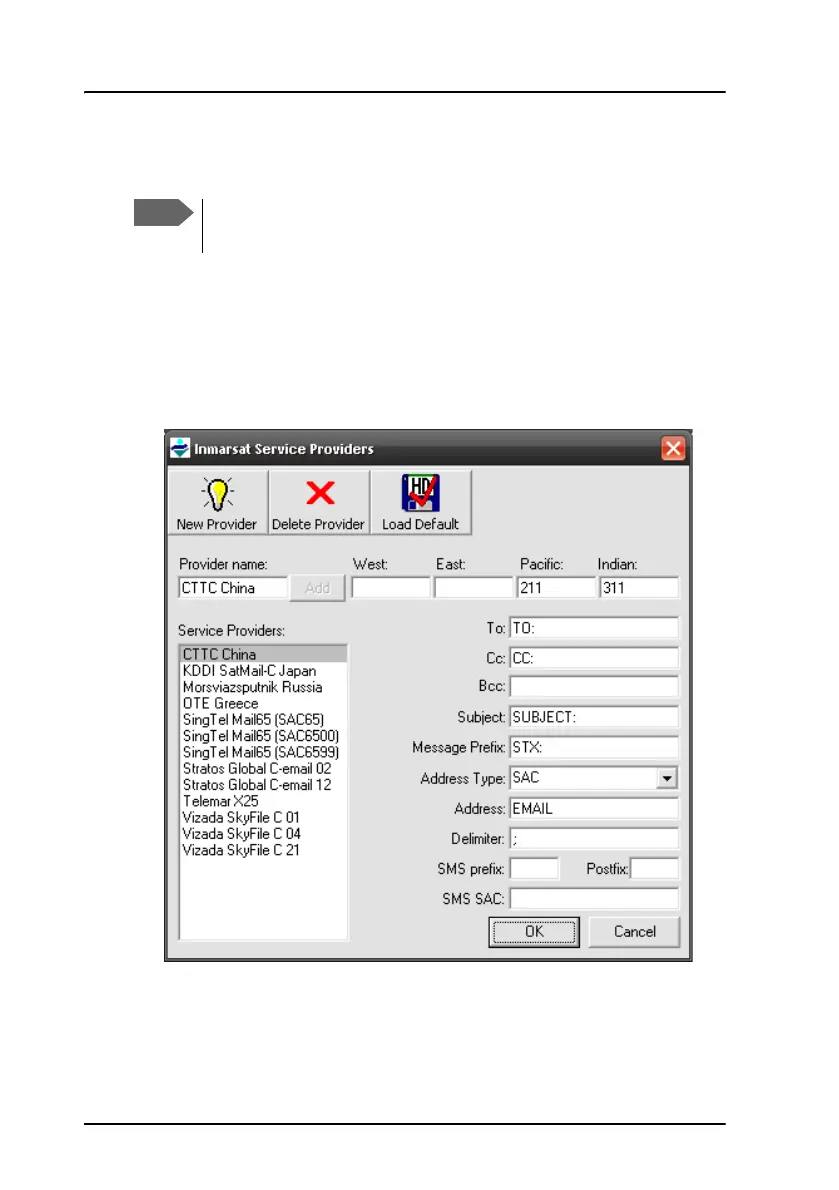
To set up the Inmarsat Service Providers in the SAILOR 3027, do as follows:
1. Select Setup > Inmarsat Service Providers (ISP).
2. To edit the information for a provider, select the provider from the list
and fill in the new information as specified from the provider.
3. Click OK.
Do not change these settings unless you know the exact formats
to enter.









 To Next Page