Chapter 3: To use easyMail
22 Overview of easyMail
Overview of easyMail
For information on how to install and start up easyMail, see easyMail
application on page 14.
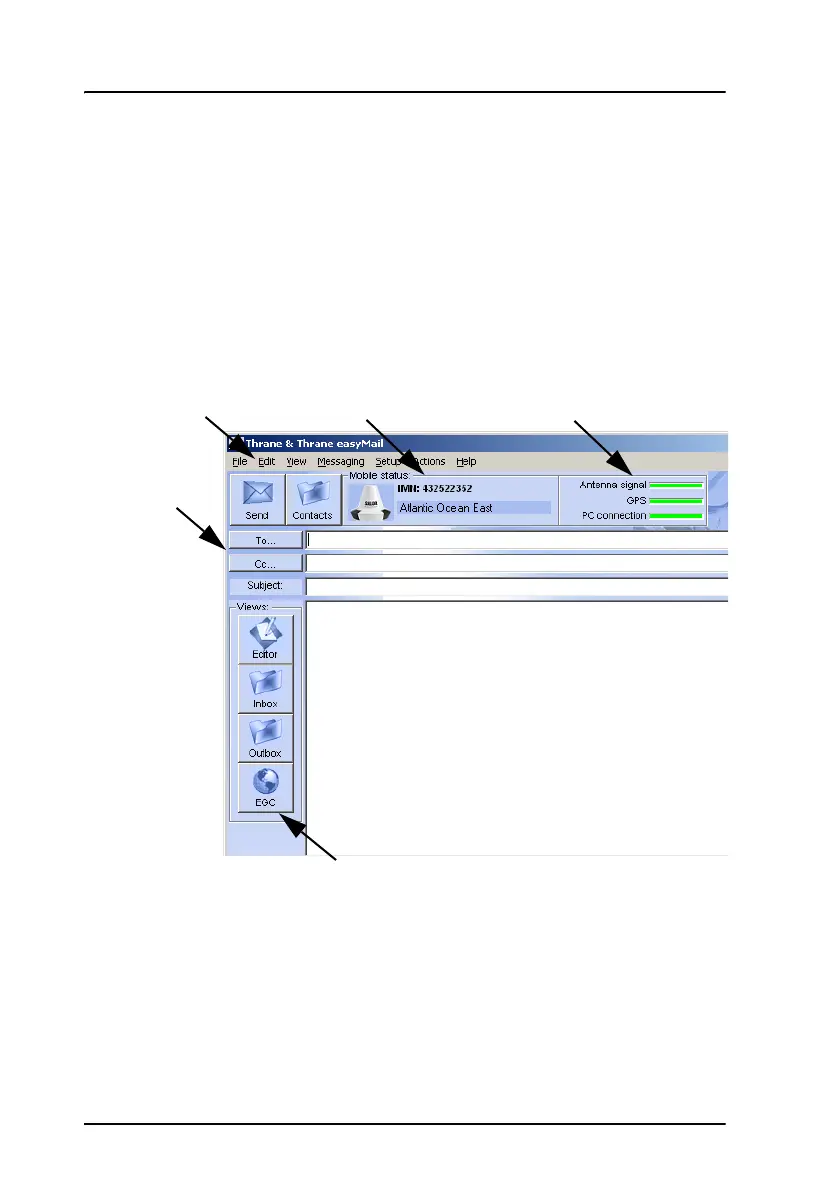
Overview of the screen
Below is an overview of the main screen in easyMail.
•The menu bar holds the menus. For an overview of all menus, see
Menu overview, easyMail on page 24
• Mobile status shows the status of your SAILOR 3027. When
connected and logged in, this field shows the mobile number (MMI) and
the ocean region to which your SAILOR 3027 is logged in.
Menu bar Connection statusMobile status
Shortcut buttons
Contents
Message
header









 To Next Page