65
Chapter 4
4444
To use Distress and SSA buttons4
This chapter describes how to send Distress alerts with the SAILOR 3042E
Non-SOLAS Alarm Panel or the SAILOR 6018 Message Terminal, and how to
send a Ship Security Alert with the SSA buttons.
It has the following sections:
• To send a Distress Alert (SAILOR 6150 only)
• To send a Ship Security Alert (SAILOR 6120 only)
To send a Distress Alert (SAILOR 6150 only)
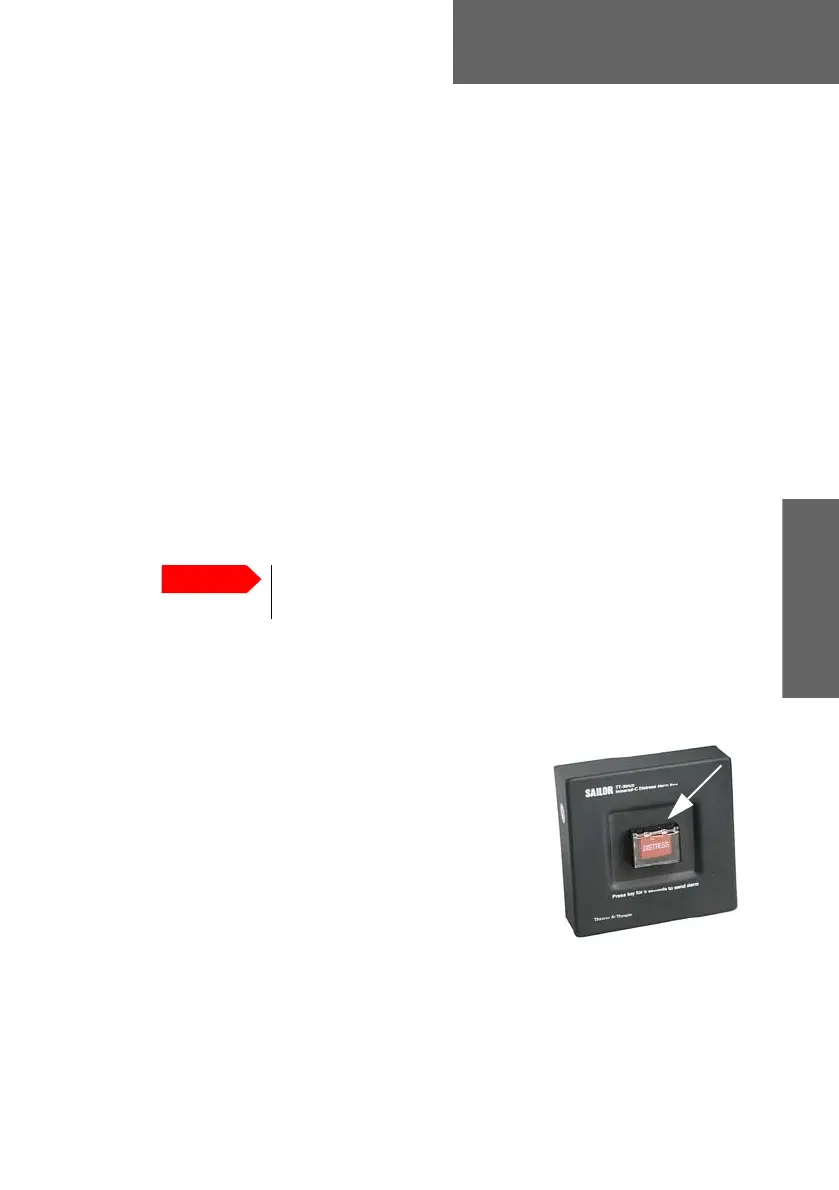
Distress alert with SAILOR 3042E
With the SAILOR 6150 system you may have a SAILOR 3042E Inmarsat C
Distress Alarm Box installed.
To send a Distress Alert, do as follows:
1. Open the cover for the Distress button.
2. Press and hold the button until the light is
steady and the buzzer stops (more than 5
seconds).
During this time the button light flashes and
the buzzer sounds. After 5 seconds the red
light goes steady on and the buzzer is silent.
You must have a computer with easyMail in a
SAILOR 6150 system with SAILOR 3042E. You can use easyMail to see the
status of the Distress and to follow up. See Distress functions (only SAILOR
6150) on page 25.
Only send a Distress Alert if you are in immediate danger!
The Distress Alert can be compared to a MAYDAY call.









 To Next Page