Chapter 4: To use Distress and SSA buttons
To send a Ship Security Alert (SAILOR 6120 only) 69
4444
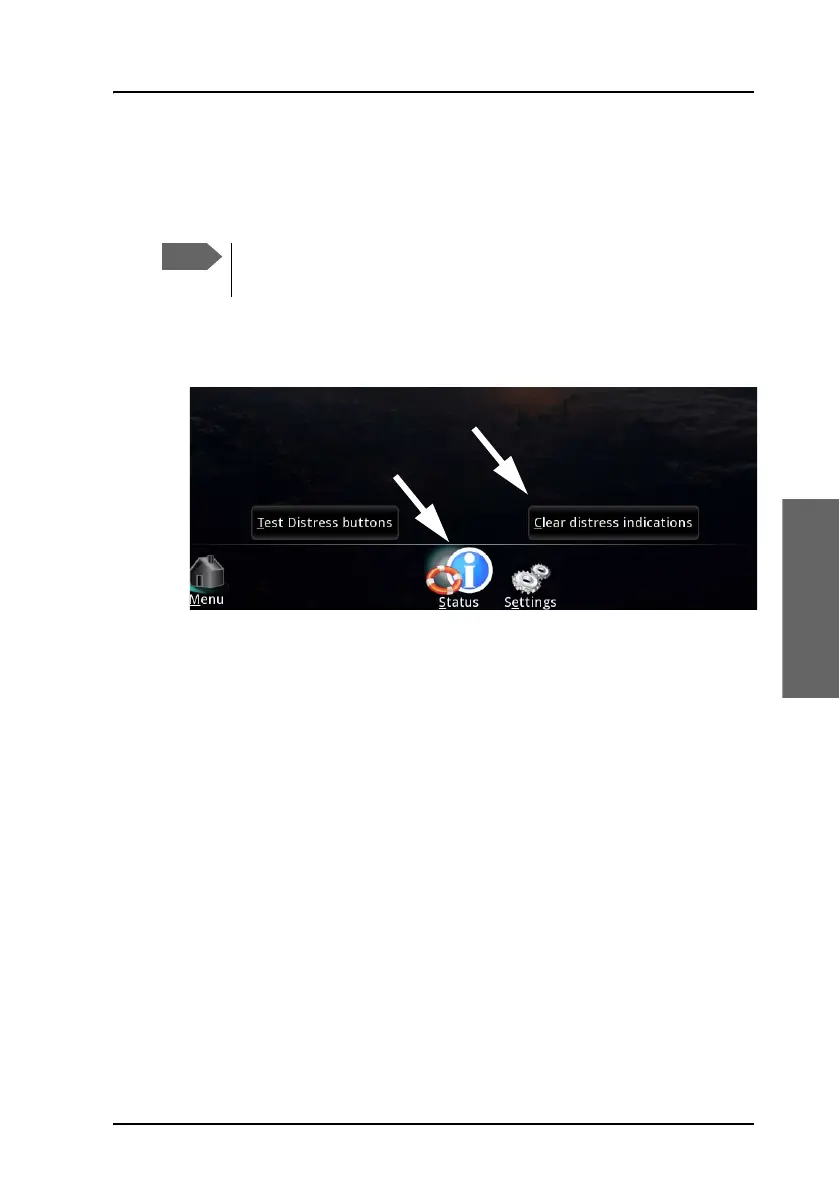
To clear distress indications
If you want to turn off all distress indications while a Distress Alert is still
active, do as follows:
1. On the SAILOR 6018, select Distress.
2. Select Status.
3. Select Clear distress indications.
To send a Ship Security Alert (SAILOR 6120
only)
The recipient(s) of the Ship Security Alert must be configured in the SAILOR
3027 according to the Flag Administration under which the vessel is sailing.
The recipients can be e-mail addresses, phone numbers (SMS), fax numbers
or telex numbers.
Install the SSA buttons and configure the SAILOR 3027 as described in
SAILOR 6194 Terminal Control Unit, Installation and user manual [4] and
SAILOR 6120/30/40/50, Installation manual [1].
This function will only turn off the visual and audible indications
on board. It will not cancel the transmission of the Distress Alert.









 To Next Page