Keep network connected
This option allows you to define whether the unit remains connected to its network in standby
mode. This is necessary for App operation, audio streaming in Music Player mode, and recapturing
the time after a power outage (if Auto Update from Network is selected). We strongly recommend
keeping the network connected.
Note: This option is forced to ‘Yes’ when part of a multi-room group.
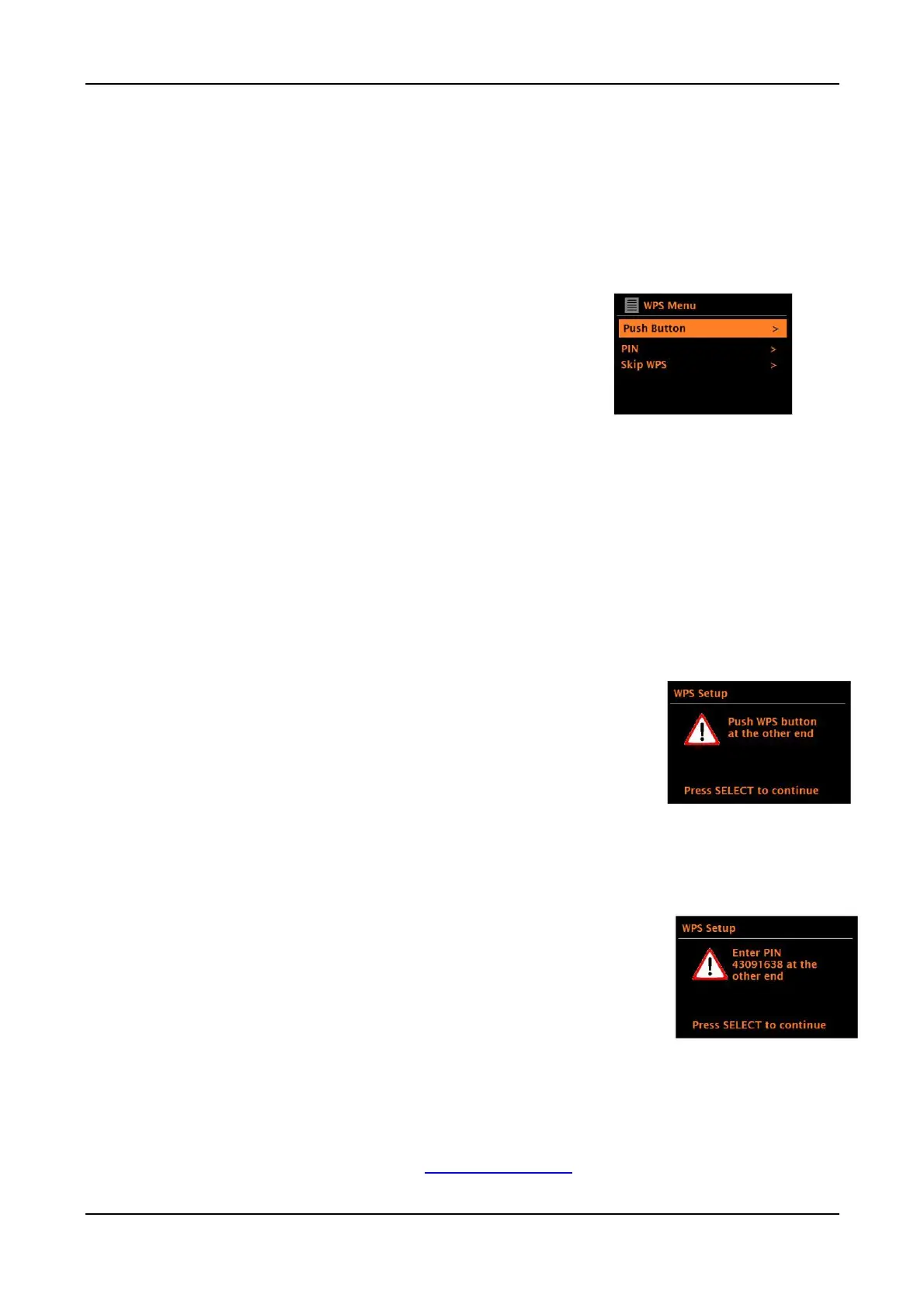
WPS (Wi-Fi Protected Setup)
WPS encrypted networks are identified by ‘[WPS]’ at the
start of the network name, and have two methods of
connection. Select one and follow the prompts. When
using the network wizard, an additional option to ‘Skip
WPS’ is available. Most users will select “Skip WPS”.
“Skip WPS >”:
Enter your password for a standard encrypted
network.
“Push Button >”:
You will be prompted to press the connect button on your router, then press the Menu
knob in briefly to select.
“Pin > (code number)”:
An 8-digit code number will be generated which you enter into your wireless router access point.
For more information on setting up a WPS encrypted network, see your
WPS router’s instructions.
Selecting a network
When the Network wizard is activated, a scan will initiate for available wireless networks and
presents a list of SSID’s (Service Set IDentifier) for the networks. Those options, starting with WPS
in brackets, indicates encrypted networks offering Wi-Fi Protected Setup (WPS). You can also
visit our web site for setup help videos: www.comoaudio.com
14



 To Next Page