Bluetooth
Bluetooth mode allows Bluetooth devices to pair with the unit, stream music, and display information
(if available) about the track playing.
To enter Bluetooth mode, either press and hold the Menu knob > Main menu > Bluetooth, or rotate the
Source knob to scroll through the mode icons until Bluetooth is highlighted and press the Source knob in to
select. When changing from Bluetooth to a different source, you may need to re-adjust the volume level.
To pair a Bluetooth device
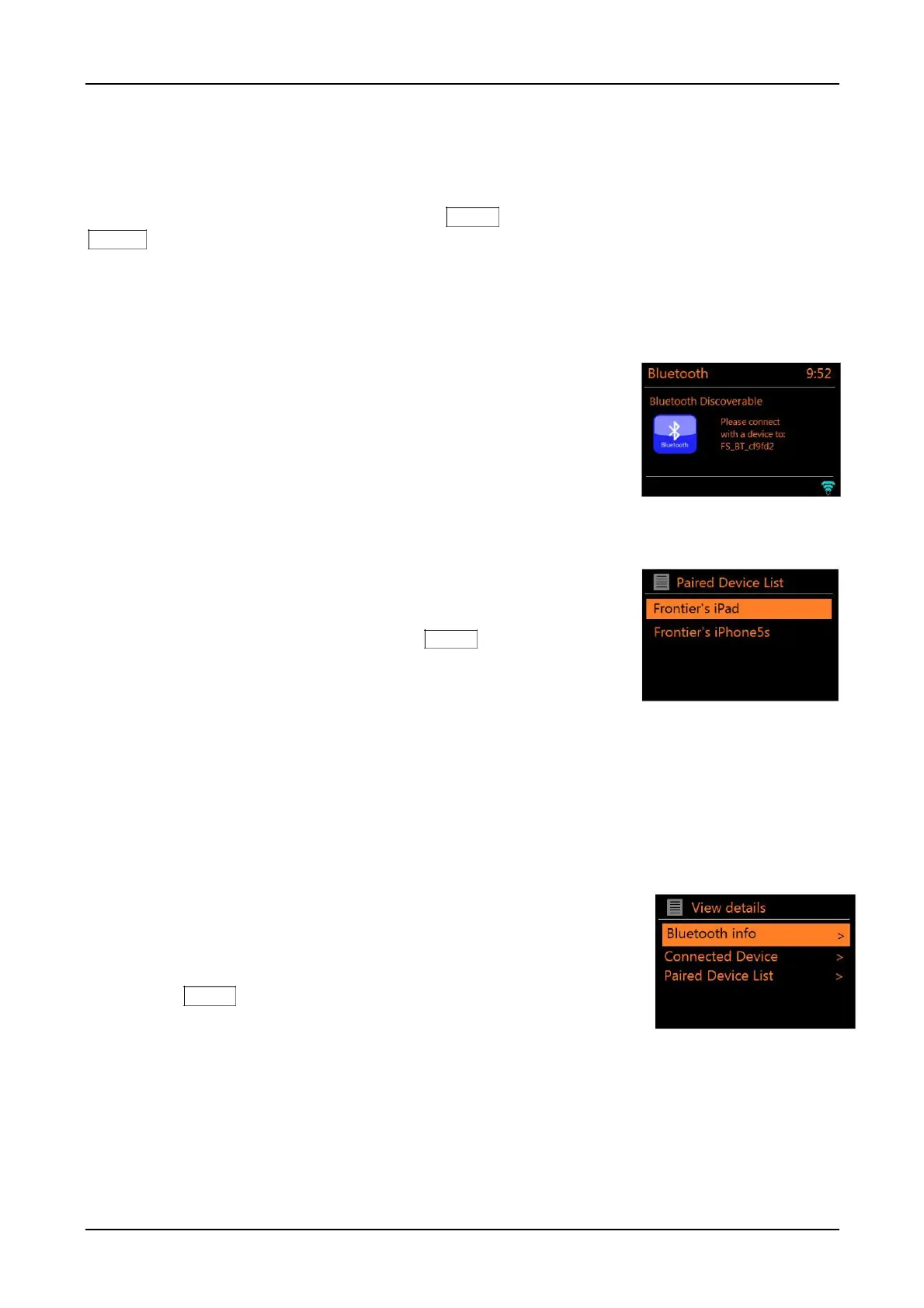
Upon changing the source to Bluetooth mode, this automatically puts the unit into
discoverable mode in approximately 15 seconds.
On your Bluetooth-enabled smart device, such as a phone or tablet, make
sure Bluetooth is on and then scan for devices after you see the Bluetooth
logo flashing in the lower right side of the display. It could take up to 20
seconds for the logo to appear. Select ‘CA Solo’, ‘CA Duetto’, etc. from the
list of available Bluetooth devices. If your smart device prompts you to enter a
passcode, enter “0000”. Your Bluetooth-enabled smart device’s volume
should be set at 100%, and adjust the unit’s volume as desired. Different
tracks can have different volume output levels and may require readjusting the volume. Note: It is
not possible to stream audio from the unit to another Bluetooth device.
Switch to another already paired
Bluetooth device
In Bluetooth mode, press and hold the Menu knob > View details
> Paired Device List, then select the desired device from the list.
Clear all paired devices
To erase the list of all Bluetooth paired devices you must perform a Factory reset. See Page 25
regarding how to perform a Factory reset. Up to 8 paired devices will be remembered. Any newly
paired devices beyond the 8 will result in the oldest device being deleted.
Bluetooth track control
While in Bluetooth mode you can pause, play, jump to next track, and jump to previous track (in
the playlist on the controlling Bluetooth device) using the remote’s keys. Note some smart devices
do not support all of these functions in Bluetooth mode.
Bluetooth connection details
For information on the current state of the Bluetooth connection and
paired Bluetooth devices, in Bluetooth mode, press and hold
the Menu knob > View details
The menu offers the following options:
Bluetooth Info – information on the current state and version of the Bluetooth connection.
Connected Device – details of the currently connected Bluetooth device.
Paired Device List – list of up to eight devices that have been paired.
PRESETS: Bluetooth can be saved as a Preset and Presets can turn on the unit from standby.



 To Next Page