Operation
After the initial setup, the unit is ready for operating in most modes.
To select a mode, rotate the Source knob through the source icons. Press the Source knob in
briefly to switch to the highlighted mode. The mode splash screen is displayed. After a brief
moment the unit switches to that mode. The last station or track previously used in that mode is
selected. If this is not possible, the unit scans for relevant stations, networks, or prompts you for
appropriate input. See the relevant mode section for details of how to use each listening mode.
Menu navigation
The primary control for moving through menus and options is the Menu rotary control. Press and
hold this knob in to call up the menu. Rotate the control to move up or down in a menu. Once the
desired option or value is highlighted, press the Menu knob in briefly to select. All menus and lists
act as loops such that turning the control to go beyond the first or last entry in a menu or list takes
you to the opposite end of the menu or list. Going up from the first entry in a menu will take you to
the last option in the menu, etc.
A scroll bar appears on the right of the screen if there are more options above or below
those visible.
To enter the menu in a particular mode, press and hold the Menu knob.
To move back a menu level, press the Source knob in briefly or rotate the Menu knob to scroll
down to “[Back]” at the bottom of the menu page (if available) and select it.
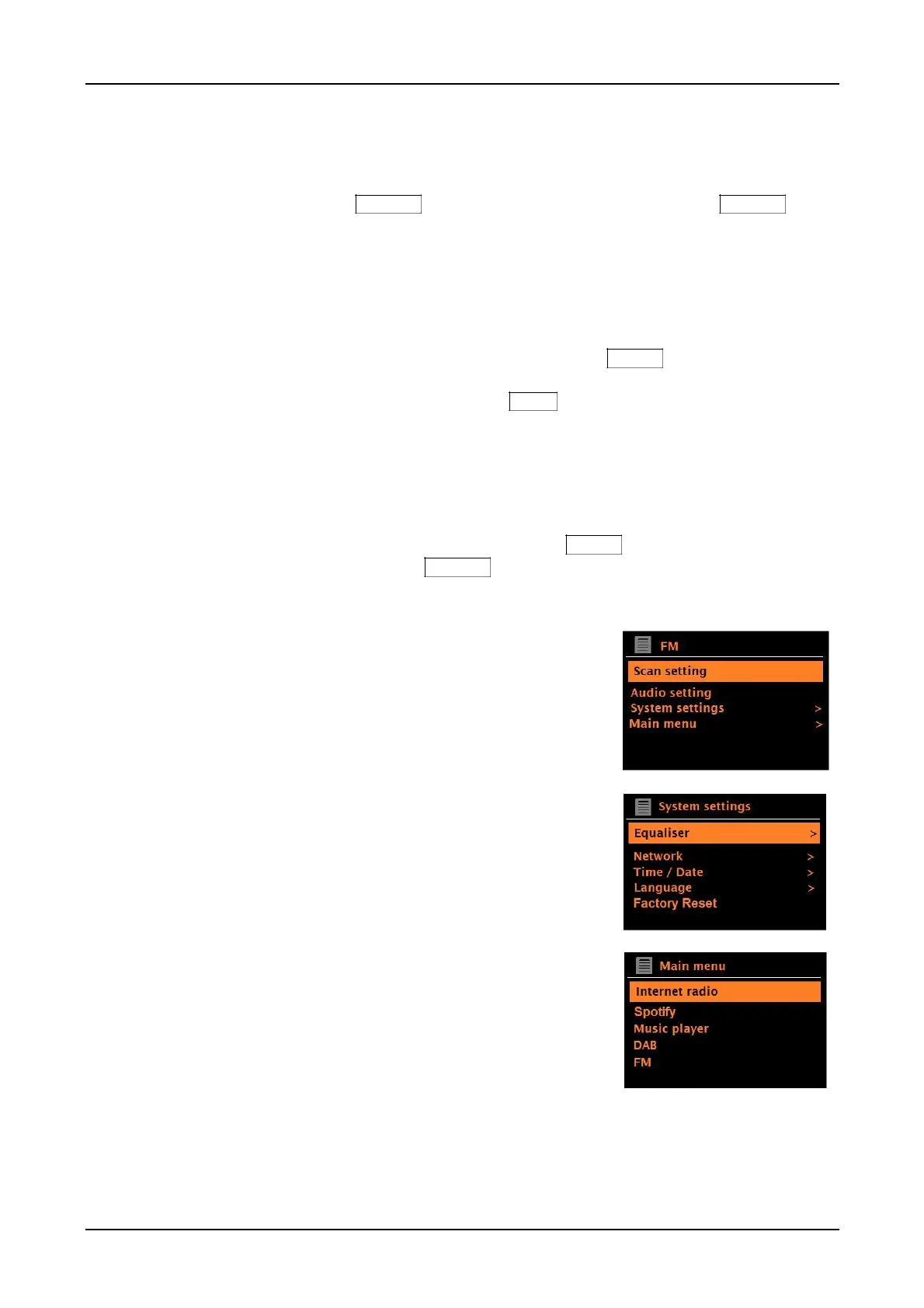
Each mode has a menu, with options specific to that
mode. For example, the FM mode menu has two
mode specific options: Scan setting and Audio setting.
In addition, each mode menu has two final options:
System settings > and Main menu >. The ‘>’
indicates options leading to further menus.
The System settings menu presents system
setting functions to allow the user to setup how the
unit behaves. This includes network, time, language,
and software parameters.
The Main menu presents an alternative method
for selecting listening modes plus sleep and alarm
functions.
Some menus, such as the System settings menu, contain several submenus:
Figure 1 Source Mode Menu Structure



 To Next Page