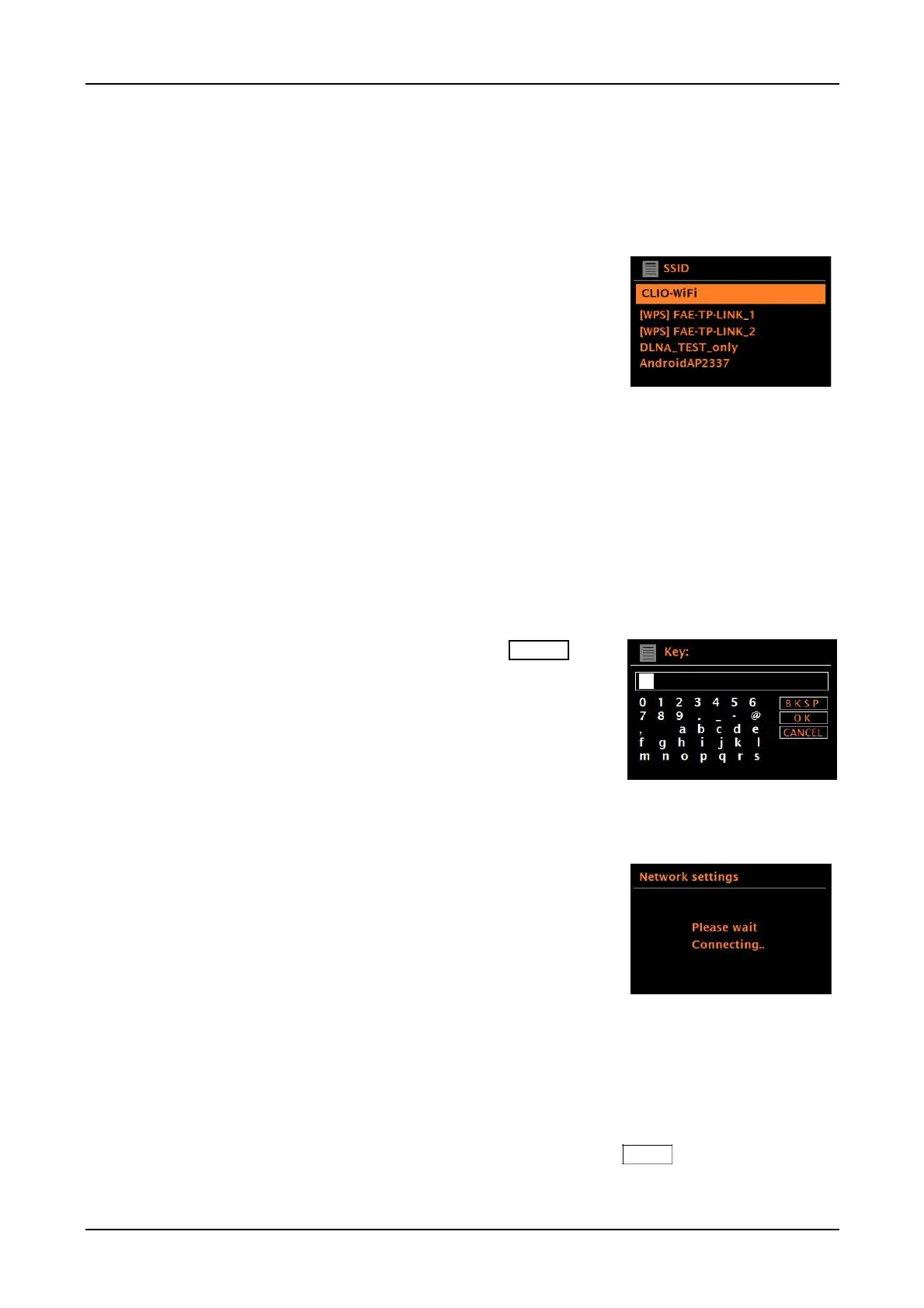
Login details will be stored for the last four wireless networks they have connected to and will
automatically connect to one of them when they are available. If connection to a network is
temporarily lost, the unit will automatically reconnect, typically within 3 minutes or less from when
the network becomes available again. If the network is lost, DAB (optional), FM, Bluetooth,
Auxiliary inputs, and the Optical input can all still be used.
Wi-Fi network (SSID), select your network from the list.
Open network
If the selected network is open (non-encrypted), the unit connects and no further details are required.
An apartment building’s WiFi network may have a firewall. In such cases, please give the unit’s MAC
address (System settings > Network > View Settings) to the IT person to permit usage.
Standard encrypted network
If the wireless network is protected, the next screen presents options to enter the network key or
The default password for most wireless routers is printed on a label on the router itself.
To enter the network’s key (password), rotate the
knob to highlight the relevant characters and briefly press in to
select each character in turn. As each character is selected,
the password is built up and displayed in the field at the top of
The three options – Backspace, OK, and Cancel are
included in the selection loop. These are accessed by
rotating the Menu knob until they are highlighted. You can also
use the remote’s left/right/up/down/play (enter) keys to input
Connects to the selected network.
If connecting fails, the unit returns to a previous screen to try
again. To exit the process, briefly press the Source knob in.
Web Based Configuration
Using PCs, Mac OS, or Android smart devices to connect the unit to your network:
1. Ensure the unit is active, if in Standby or Sleep mode press the Power knob in briefly or press
the Power key on the remote..



 To Next Page