2. Ensure the unit is in Device Setup mode:
• If the unit has not already been configured, it enters Device Setup mode automatically on
• If the unit has previously been configured and already connected to a network, select
> System settings > Network > Clear network settings
This will clear any current network settings and the unit will automatically enter Device
While configuring the unit it is recommended that your computer be disconnected from all other
networks (both wired and wireless).
In Device Setup mode, the unit is set to act as a micro Access Point (µAP) and broadcasts its
CA SOLO (or Duetto, Musica, etc.)_xx:xx:xx:xx:xx:xx
On your computer
3. Ensure the Wi-Fi interface of your computer or device is switched on.
4. Select the network: CA SOLO (or DUETTO, etc.)_xx:xx:xx:xx:xx:xx from your computers list
of available Wi-Fi networks.
5. In a Web browser on the computer or device, navigate to the unit’s Web configuration page
using the following address:
i. IP address 172.24.0.1
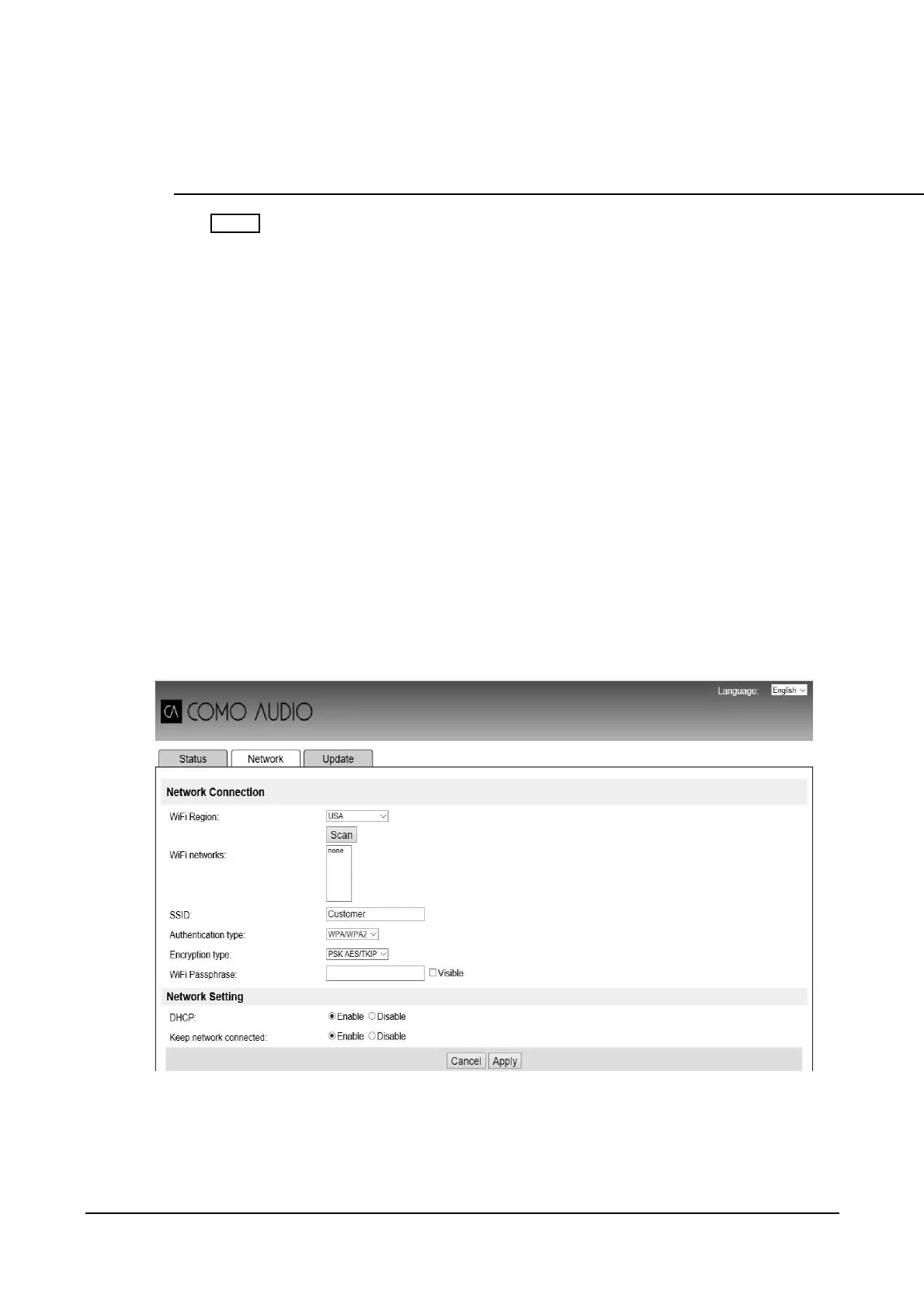
6. The Web Configuration page opens:
7. Click the Network tab.
8. Select Wi-Fi as the Network Type.
9. In the Wi-Fi Region box, select the Wi-Fi region closest to your location.
10. Click Scan.
16



 To Next Page