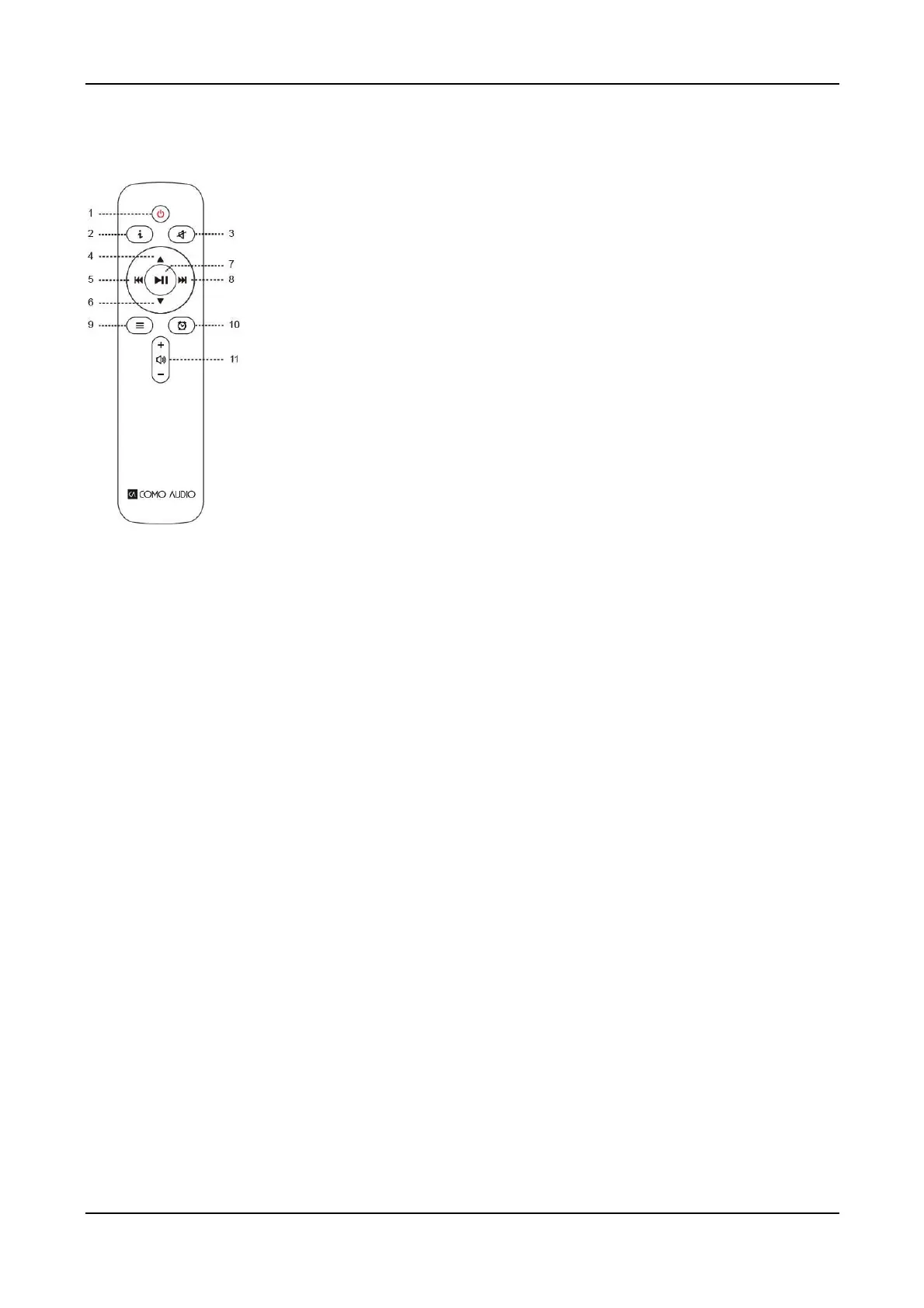
Remote control (Musica remote adds CD controls, Sleep, and Presets)
1. Power icon = Power
2. “i” = Info: Press repeatedly to see more info about the current source playing.
3. Speaker icon with slash = Mute sound; Snooze when alarm sounds.
4. Up = Navigate up when in the menu; Seek up in FM mode; Shows station list in
Internet Radio and DAB mode (use up/down/play keys to navigate and select).
5. Left arrow = Track back; Page back; Move highlight left.
6. Down = Navigate down when in menu; Seek down in FM mode; Shows
station list in DAB mode (use up/down/play keys to navigate and select).
7. Play/Pause= Track Play/Pause; Long press brings up menu (except in Spotify,
Music Player, and Bluetooth modes); Brief press within menu acts as Select;
8. Right arrow = Track forward; Next page; Move highlight right; Press and hold
to fast forward while playing a music track.
9. 3 Lines = Source icon menu (use up/down/play keys to navigate/select source).
10. Alarm clock icon = Alarm menu (use up/down/play keys to navigate and
select); Toggle alarms 1 & 2 on and off in standby.
11. Speaker icon = Volume up/down.
Remote’s display Off feature:
Press any remote key twice except Power and Alarm in standby to toggle the display off/on. When the
display is off, press any key (except Power and Alarm) once to turn the display on for 7 seconds. If the
remote control isn’t nearby, you can also press the Menu or Source knob in twice briefly in standby mode
to turn the display off, twice again to turn it back on, and once while the display is off to turn it on
temporarily. Once the unit is turned on, the display will return to the previous Backlight Menu setting when
placed in standby again.
Note: When it comes time to replace the batteries in the remote control, use new 2 x AAA 1.5V brand
name alkaline batteries, or in the case of Musica’s remote, CR2025.
8



 To Next Page