Alarms
There are two versatile, independent alarms with Snooze function. Each
alarm can be set to activate in a particular mode.
The clock and date must be set in order for the Alarm to function accurately.
To set the clock/calendar automatically, press and hold the Menu knob >
System Settings > Time/Date > Auto Update > Update from Network.
Setting Alarms
To set or change an alarm, either press the remote’s Alarm key and use the navigation keys
and the Play key to select, or press and hold the Menu knob > Main menu > Alarms.
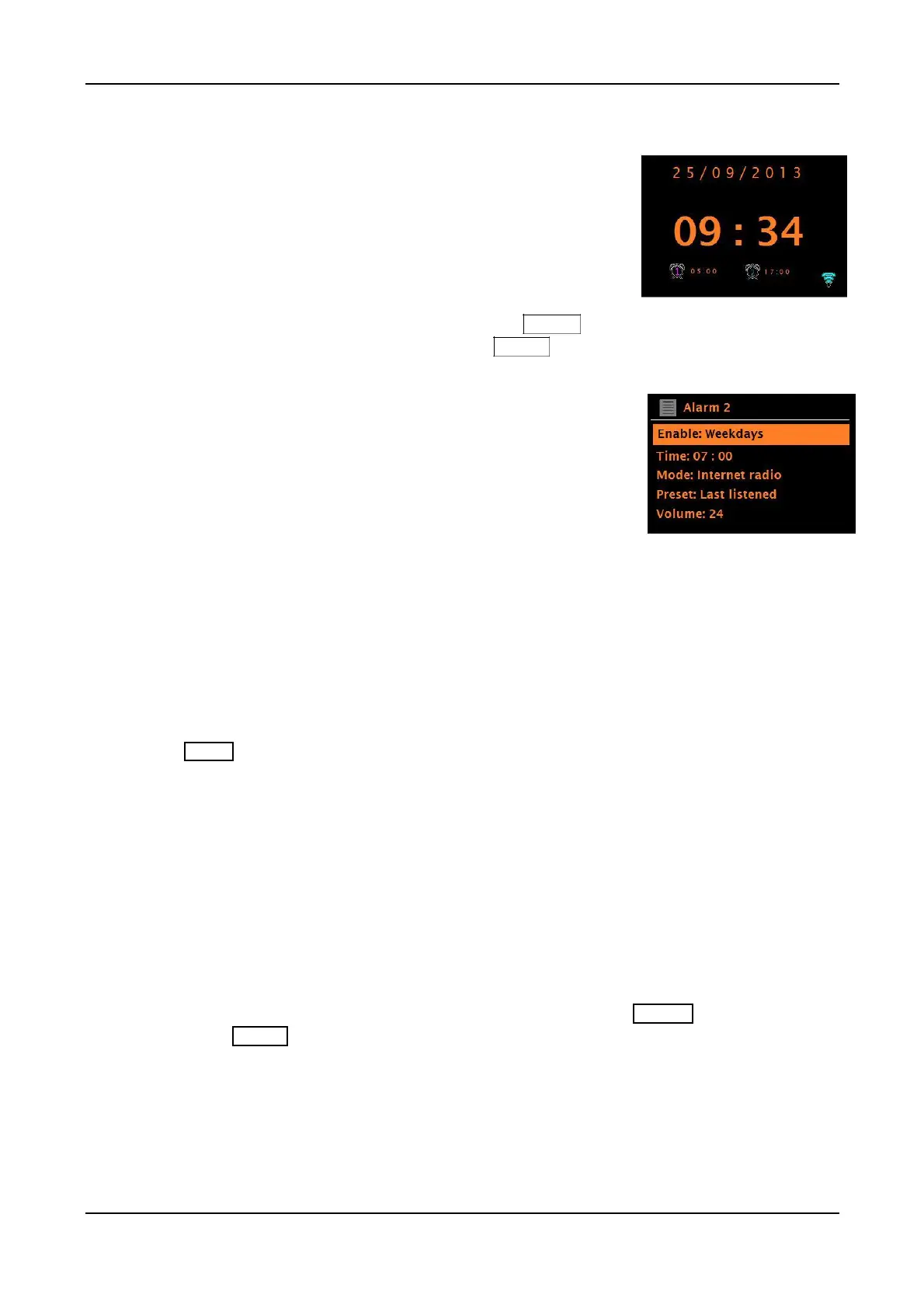
Select the alarm number (1 or 2), then configure the
following parameters:
• Enable: Off, Daily, Once, Weekends, or Weekdays.
• Time: 12:00AM (adjust as necessary).
• Mode: Buzzer, Internet radio, DAB, FM, Aux, or Optical.
• Preset: Last listened or Presets 1-6 (depending on which
Presets have saved stations/sources).
• Volume: 1 – 32 (zero volume is not an option)
To save these settings and set the alarm to wake, scroll down and select Save.
If you briefly press the Source knob (to go Back) or Menu to exit the Alarm settings without saving,
a dialogue screen is displayed asking if you wish to save the changes or not. Alarm settings will
NOT be saved if Save is not selected.
The ‘Now Playing’ screen shows actively set alarms with an icon at the bottom left.
The Standby screen shows actively set alarms with an icon and the alarm time.
At the set time the alarm will sound. To temporarily silence it (Snooze), briefly press
knob or the Mute key on the remote control. Pressing Snooze repeatedly cycles
through the available snooze periods: 5 Mins, 10 Mins, 15 Mins, and 30 Mins.
After starting Snooze, the unit returns to standby for the set period, with the silenced alarm icon
flashing and a countdown of the remaining Snooze period. After the set Snooze time expires, the
If no action is taken while the alarm sounds it will shut off automatically after approximately 60
During Snooze, to change the Snooze time, press the Menu knob or the remote’s Mute key to
select a new Snooze time. Any remaining Snooze time is reset to the selected time period.
Stopping the Alarm or Snooze
To cancel a sounding alarm, or an alarm in Snooze, briefly press the
If you set the Alarm source to wake to Aux in or Optical in and you have a device connected to
the unit, the unit cannot activate the Aux device. The device needs to be on and playing when the unit
wakes in Aux or Optical mode. If there is no sound, the Tone will sound as a back-up.
If you set the Alarm source to wake to an Internet, DAB, or FM station, be sure the station will be
broadcasting when the alarm is set to activate. Otherwise, the Tone will sound as a back-up. When
the backup Tone sounds it has a fixed volume level which cannot be adjusted.
48



 To Next Page