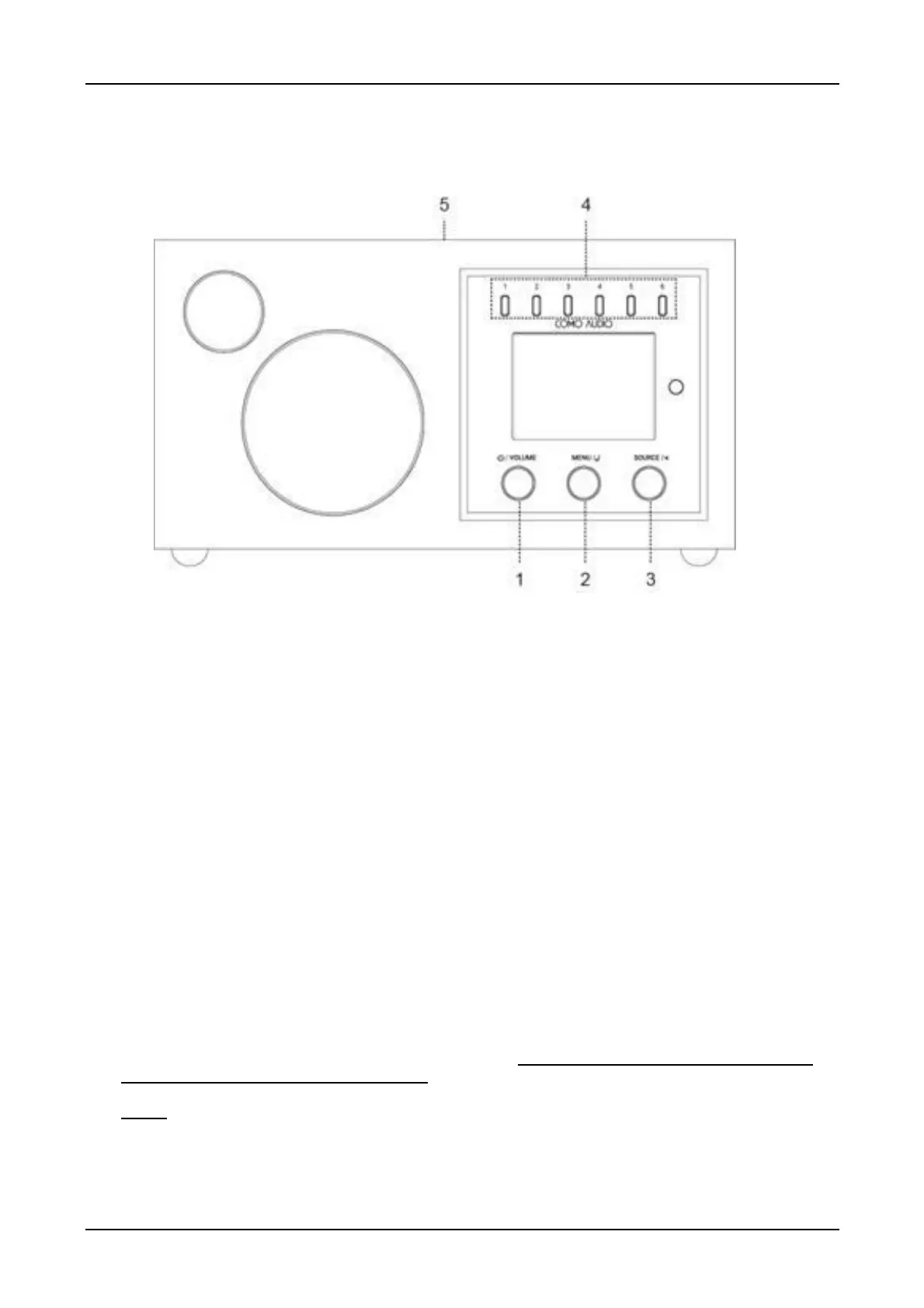
Front panel controls
The above illustration is of the Solo front panel. Controls vary by model.
1. Power/Volume: Push in briefly to turn on or off. Rotate to adjust the volume.
2. Menu: Press and hold to call up the main Menu. Rotate to navigate the Menu and push in briefly
to select.
In DAB mode (optional), rotate to call up the DAB station list and push in briefly to select a DAB station.
In FM mode, rotate to manually tune stations or push in briefly to auto seek to the next strongest FM
station.
When artwork is displayed, such as an album cover or station logo, push in briefly to expand the
image to fill the display. Push in briefly again to return to the standard display.
When the alarm activates, push in briefly to Snooze. Push in briefly again during Snooze to reset
the Snooze timer.
3. Source: Rotate to call up and navigate the source icon menu. Push in briefly to select the
source. When in the main Menu, push in briefly to go back one page with each push.
4. Presets: Press and hold to save a tuned station or a source. Push in briefly to recall the saved station
or source. The Presets are independent and recall is not restricted to whichever source is playing. The
Presets are empty except for a repeating voice message. Note the Como Control app will only list
Presets for the source you’re listening to.
Notes: In CD mode (Musica only), the front panel Presets control the CD player (use the Preset keys on
Musica’s remote when in CD mode or in our App). Presets don’t work when Source menu is displayed.
Hint: The Presets will also power the unit on from standby unless a CD is inside (Musica model only).
5. NFC (top of cabinet): See Page 47 regarding how to use NFC.



 To Next Page