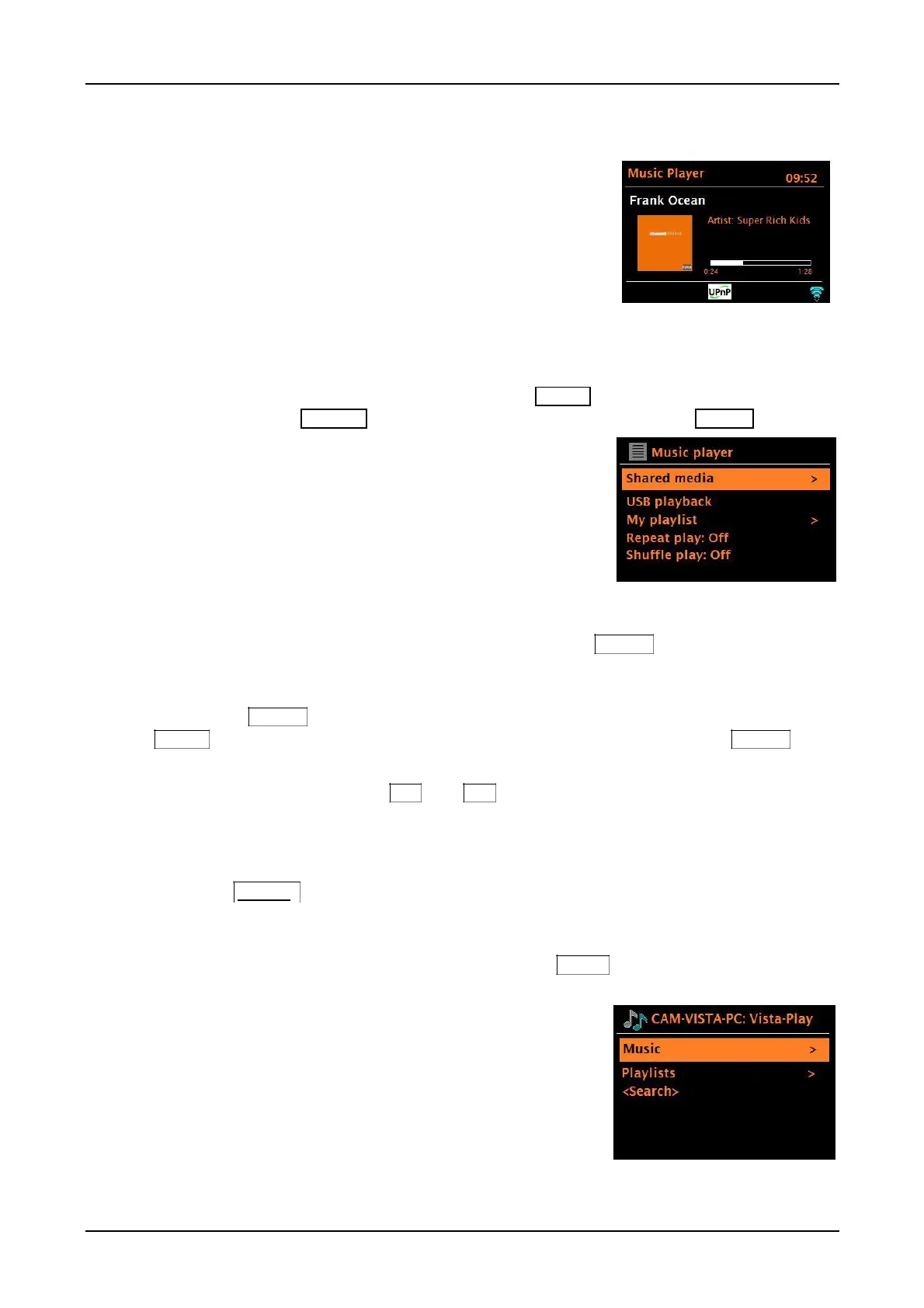
Music player mode
Music player mode plays audio files such as MP3, AAC,
WMA, ALAC (Apple lossless), or FLAC from a computer
on the same network your unit is connected to, or from a
USB Flash stick or a hard drive (not external CD drives).
Note: Some shared media servers do not support certain files.
For example, Windows Media Player typically converts FLAC
files to PCM. This is not a function of the unit.
If you are already playing a music file, you can briefly press the Source knob to quickly return to
the last visited branch of the menu tree. For example, listening to the track 1 of an album through
browsing shared media as described below.
Pressing the Source knob would return you to the track listing for the album. Pressing the Source
knob again would list all available albums by the same artist. Pressing the Source knob
again would list all album artists, and so on.
You can use the remote control’s /<< and >>/ keys to move through tracks.
Shared media (from UPnP media server)
Rotate the Source knob > My Music > Shared media >
If you have set up shared media, you should see an entry consisting of <computer name>:
<Shared media name>, for example Peter - PC: Audio. If you have more than one computer
sharing media, the alternatives are listed. Briefly push the Menu knob to select the shared
media you want to play.
From this point on, the menus are generated from the
shared media server (typically Windows Media Player). The
first menu shows a list of media types, for example Music,
Video, Pictures and Playlists. You can play music and
playlists, not videos or pictures.
There is also a search function which finds tracks in a
similar way to the Internet radio search.



 To Next Page