Low Power Outdoor (LPOD) Amplifier/Block Up Converter (BUC)
Revision 15
Ethernet Interface Operation 4–26 MN-LPOD
4.5.4 Status Pages
Use these pages to access to event logging, operational statistics, status, FET windows, and
operational trending graphs. Click the Status tab, and then click the Summary, Status, FETs,
Events, Statistics, or Trending Graphs hyperlink to continue.
4.5.4.1 Status | Summary
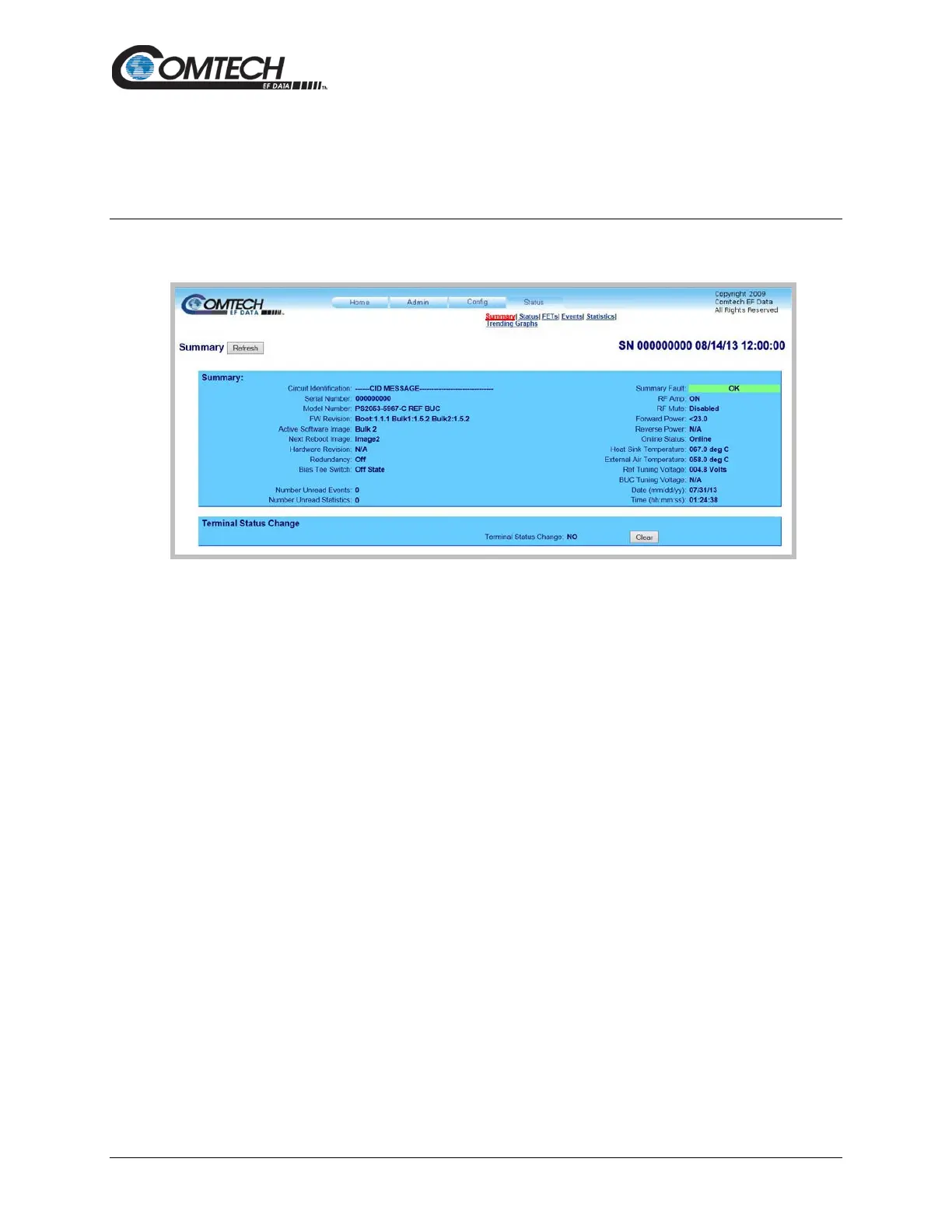
Figure 4-15. ‘Status | Summary’ Page
Summary
Click [Refresh] to see the latest page data.
Summary:
The Summary Fault line indicates that no faults are present with “OK” on green background. If a
fault exists, the Summary Fault message changes to “FAULT” on a red background. Should this
occur, review the logged faults and alarms on the Status | Events page (see Sect. 4.5.4.4).
Terminal Status Change
This section alerts you to any configuration changes that were made to the unit since the last time
the Terminal Status Change flag was reset (i.e., you click [Clear] to reset the message):
• If the status displays NO, no changes have been made to the unit.
• If the status displays YES, then a status change has occurred for one or more of the
following reasons:
o An operating parameter is changed, e.g., when a command that changes an
operational value is executed successfully;
o A fault condition is triggered;
o A redundant switchover occurs.



 To Next Page