Low Power Outdoor (LPOD) Amplifier/Block Up Converter (BUC)
Revision 15
Ethernet Interface Operation 4–11 MN-LPOD
4.4.2 HTTP Interface User Login
Do these steps:
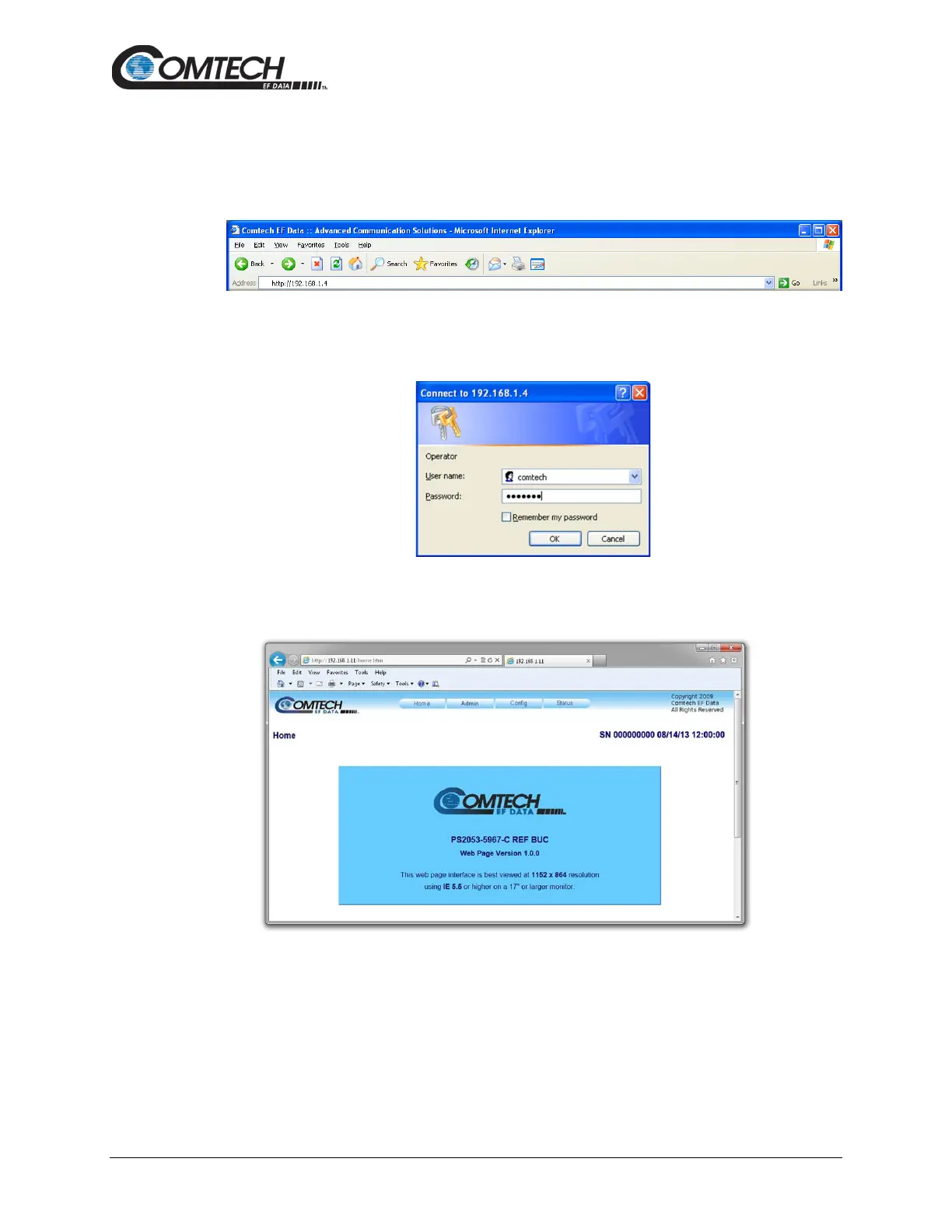
1. From the PC, enter the default Management IP Address for the LPOD (i.e.,
http://192.168.1.4) into the Address area of the browser.
2. In the Login window, type the User name and Password, and then click OK. The default
User Name and Password are both comtech.
Once the valid User Name and Password is accepted, the LPOD HTTP Interface splash page
shows (Figure 4-4). The unit and firmware version in this example will differ from your setup.
Figure 4-4. LPOD HTTP Interface “Splash” Page Example



 To Next Page