Low Power Outdoor (LPOD) Amplifier/Block Up Converter (BUC)
Revision 15
Firmware Update 3–5 MN-LPOD
3.2.2 Configure the Terminal Emulator Program
Read your terminal emulator program user guide or HELP feature for
operating and configuration instructions.
Open the terminal emulator program on the user PC and then configure the program’s serial port
communication and terminal display operation:
• Baud Rate = 38400 bps
• Data Bits = 8
• Stop bits = 1
• Parity = NO
• Local Echo = ON
• Port Flow Control = NONE
• Display New Line Rx/Tx = CR
3.2.3 Get the LPOD Management IP Address and Firmware Information
Refer to Chapter 2. SYSTEM CONNECTORS, INSTALLATION,
AND STARTUP
Section 2.2.3 or Section 2.2.4 to identify your specific power connector.
Perform the following steps:
1. Apply power to the LPOD unit. Your power connection varies depending on your ordered
unit.
2. Identify your default Management IP Address. You will not be able to access the LPOD
HTTP (Web Server) Interface without this information.
3. Get the firmware information using either of these methods:
• To use the HTTP Interface, see Section 3.2.3.1.
• To use the Serial Remote Interface, see Section 3.2.3.2.
3.2.3.1 Use the HTTP Interface to Find the Firmware Information
Chapter 4. ETHERNET INTERFACE OPERATION
Perform the following steps:
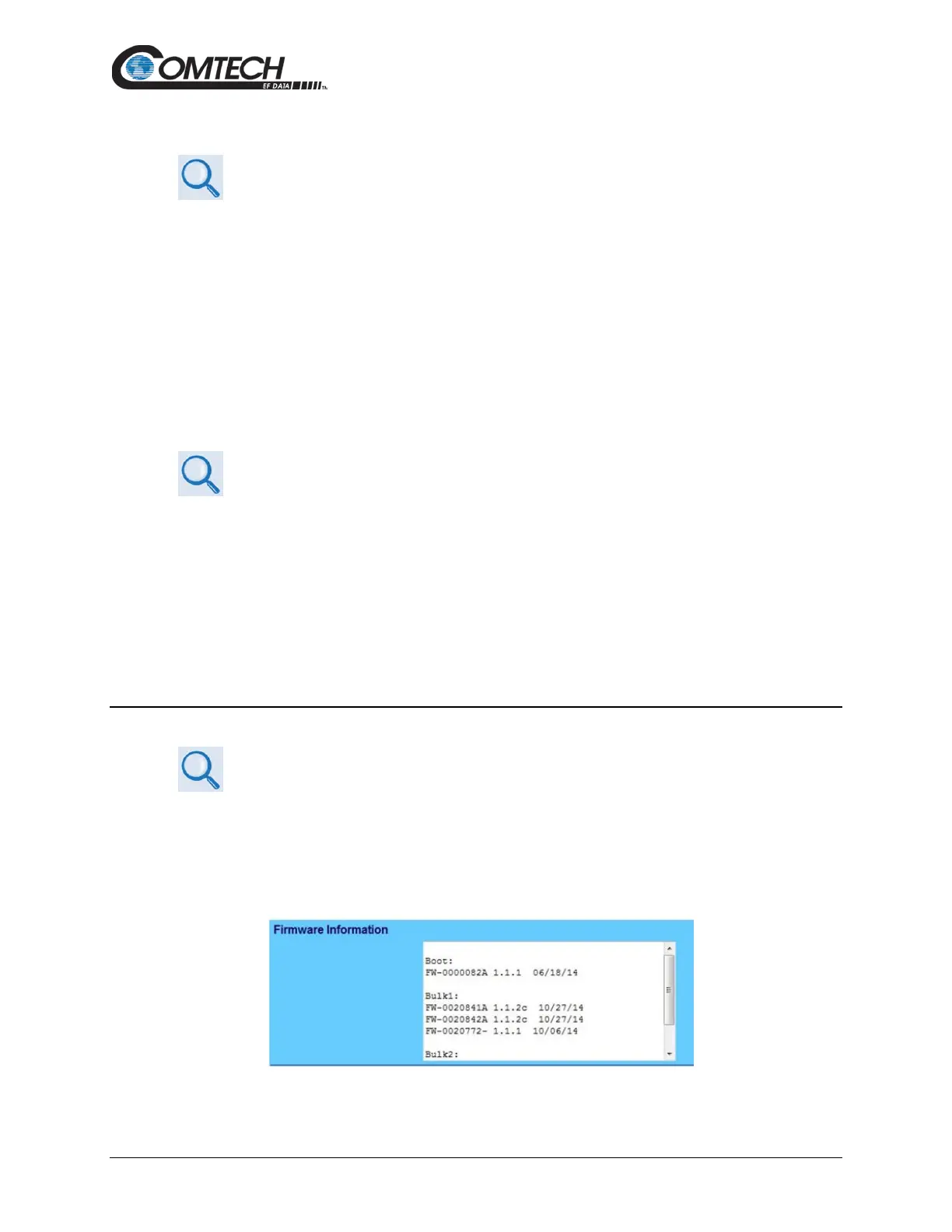
1. Go to one of these pages to review the firmware information:
• The ‘Firmware Information’ section of the ‘Config | Utility’ page provides the
firmware details as Boot, Bulk1, and Bulk2, as shown in this example:



 To Next Page