Low Power Outdoor (LPOD) Amplifier/Block Up Converter (BUC)
Revision 15
Ethernet Interface Operation 4–17 MN-LPOD
4.5.2 Admin (Administration) Pages
These pages are available only to users who have logged in using the
Administrator Name and Password.
Use these administrator pages to set up user access. Click Access or SNMP to continue.
4.5.2.1 Admin | Access
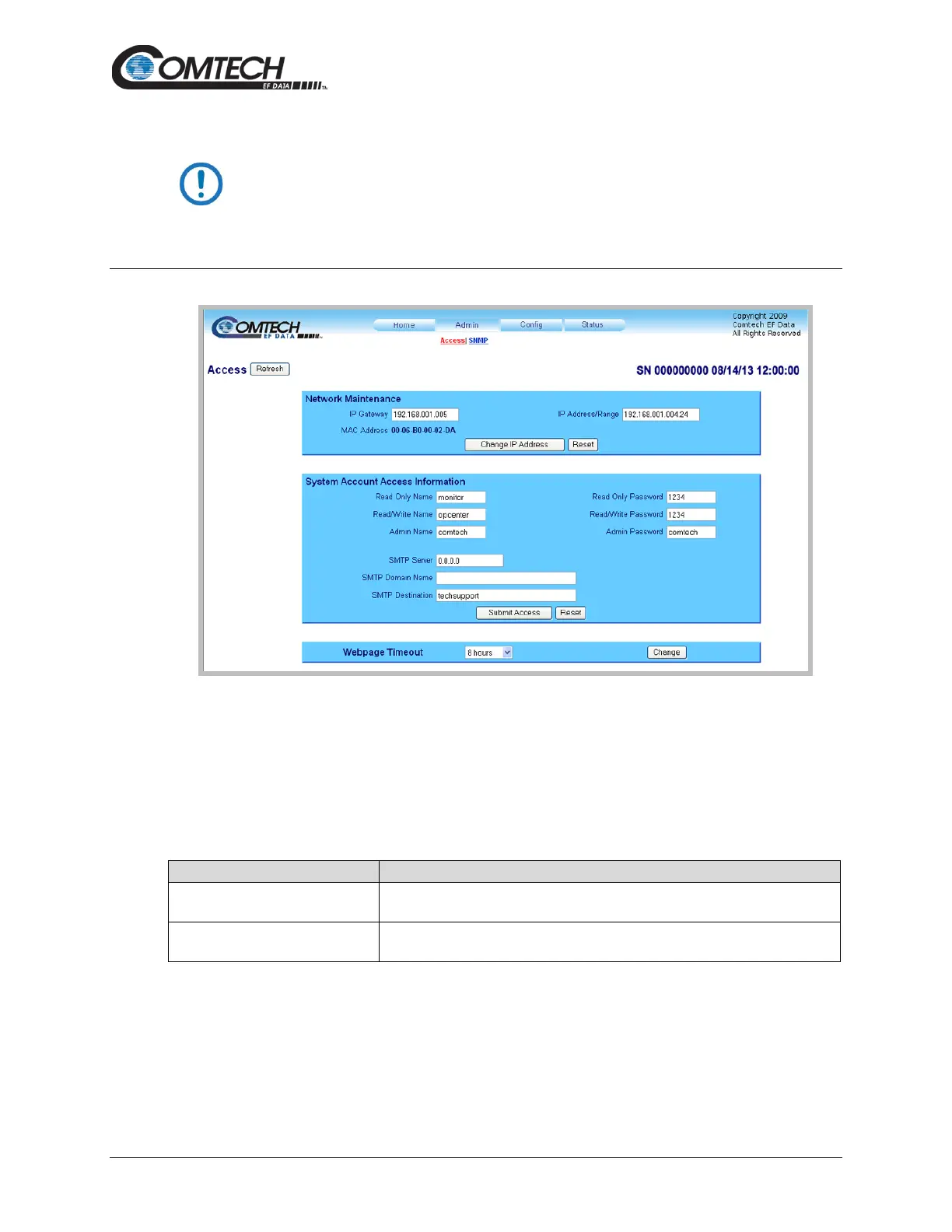
Figure 4-9. ‘Admin | Access’ Page
Access
Click [Refresh] to see the latest page data.
Network Maintenance
IP Gateway, IP Address/Range
Enter the desired IP Gateway Address and IP Address/Range in these text
boxes.
The MAC is set at the factory to a guaranteed unique address that you cannot
modify.
Click [Reset] to restore the previously saved settings.
Click [Change IP Address] to save any changes.



 To Next Page