Low Power Outdoor (LPOD) Amplifier/Block Up Converter (BUC)
Revision 15
Firmware Update 3–10 MN-LPOD
5. On the Amplifiers product page – Select the LPOD product hyperlink;
6. Select the appropriate firmware archive EXE or ZIP file download hyperlink.
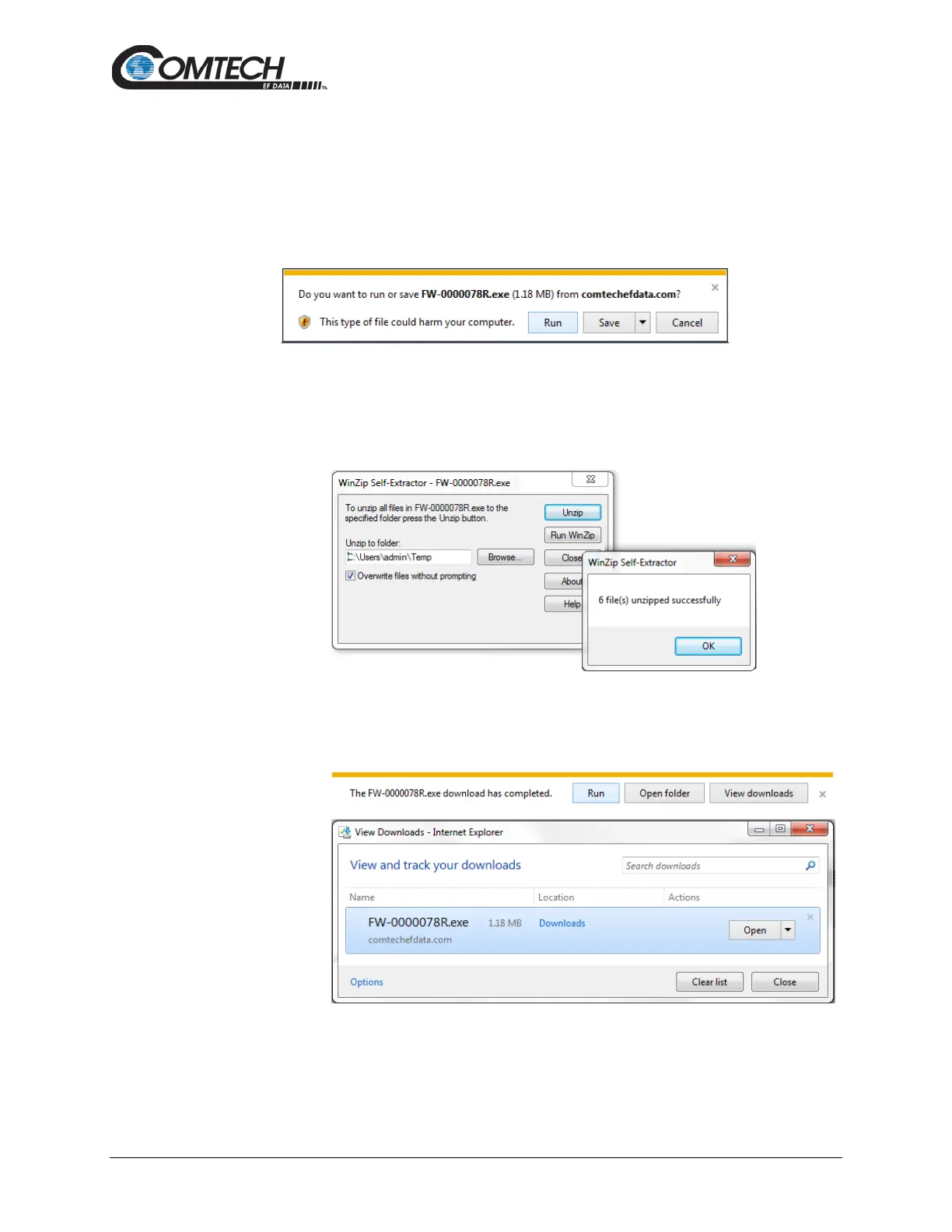
7. Once you select the EXE or ZIP hyperlink, the File Download dialogue opens on your
browser and prompts an action. You may otherwise click [Cancel] to quit the file
download process. Note the following:
• For EXE files:
o Click [Run] to open the self-extractor dialogue window. Use [Browse] to
select your destination folder. Click [Unzip] to extract the files. Your
results display as per this example – click[OK] to close. Your files are now
available for transfer to the LPOD.
o Click [Save] to download the EXE file to your Downloads folder. Once the
download is complete the dialogue prompts you to either [Run] the self-
extracting file, or to open or view the Windows Downloads folder for
further action.



 To Next Page