CVC TECHNOLOGIES, INC. CVC 400 OPERATION MANUAL
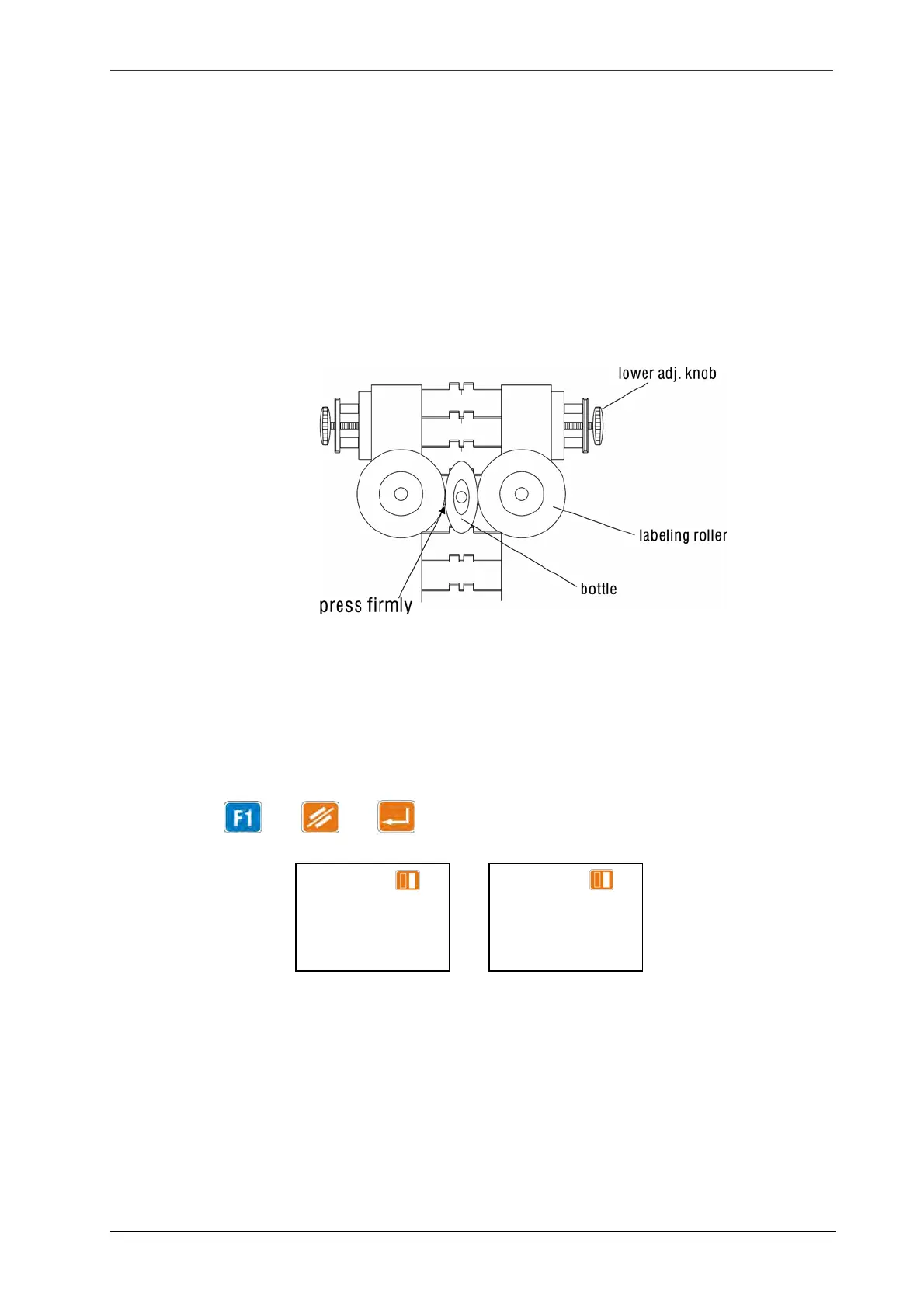
11.6 Labeling Rollers Adjustments (Square/Flat Bottles)
a. Place a product between the two labeling rollers, and then adjust the width using the lower
adjustment knob (Fig 6.1-2).
b. Adjust the rollers to a proper height to meet the label position, using the height adjustment
handwheel (Fig 6.1-2).
c. For special shaped bottles, special rollers should be used which are supplied by the manufacturer
and product samples must be provided by the user.
Fig
11.6-1
11.7 Output Adjustments
The OUTPUT is used to indicate that total number of the production. Use the up or down arrow key to
find this display.
To reset: Press → →
MEMORY: 01 R
F1 LAB SPD:
F2 EXTNSN:
F3 POSITN:
MEMORY: 01 R
F1 OUTPUT:
F2 REMING:
F3 PD SPD:
11 - 4



 To Next Page