CVC TECHNOLOGIES, INC. CVC 400 OPERATION MANUAL
11.15 Product Separator Wheel Adjustments
a. Press key once to turn on the product separator wheel.
b. Press key twice to turn off the product separator.
c. Press key three times to change the speed of the separator wheel. The display will show the
following:
SEPARATOR MOTOR SPEED ADJSUT
KEY "+" OR "-"
d. Press or key to change the speed.
e. To check the actual speed of the separator wheel, press key, the display will show the
following:
SEPARATOR MOTOR VALUE: XXX
f. Press key to return to adjustment display. Press to confirm the new value.
Operation sequence:
→ (adjustment) or →
11 - 12
To save into memory: → Memory (Job) # → key
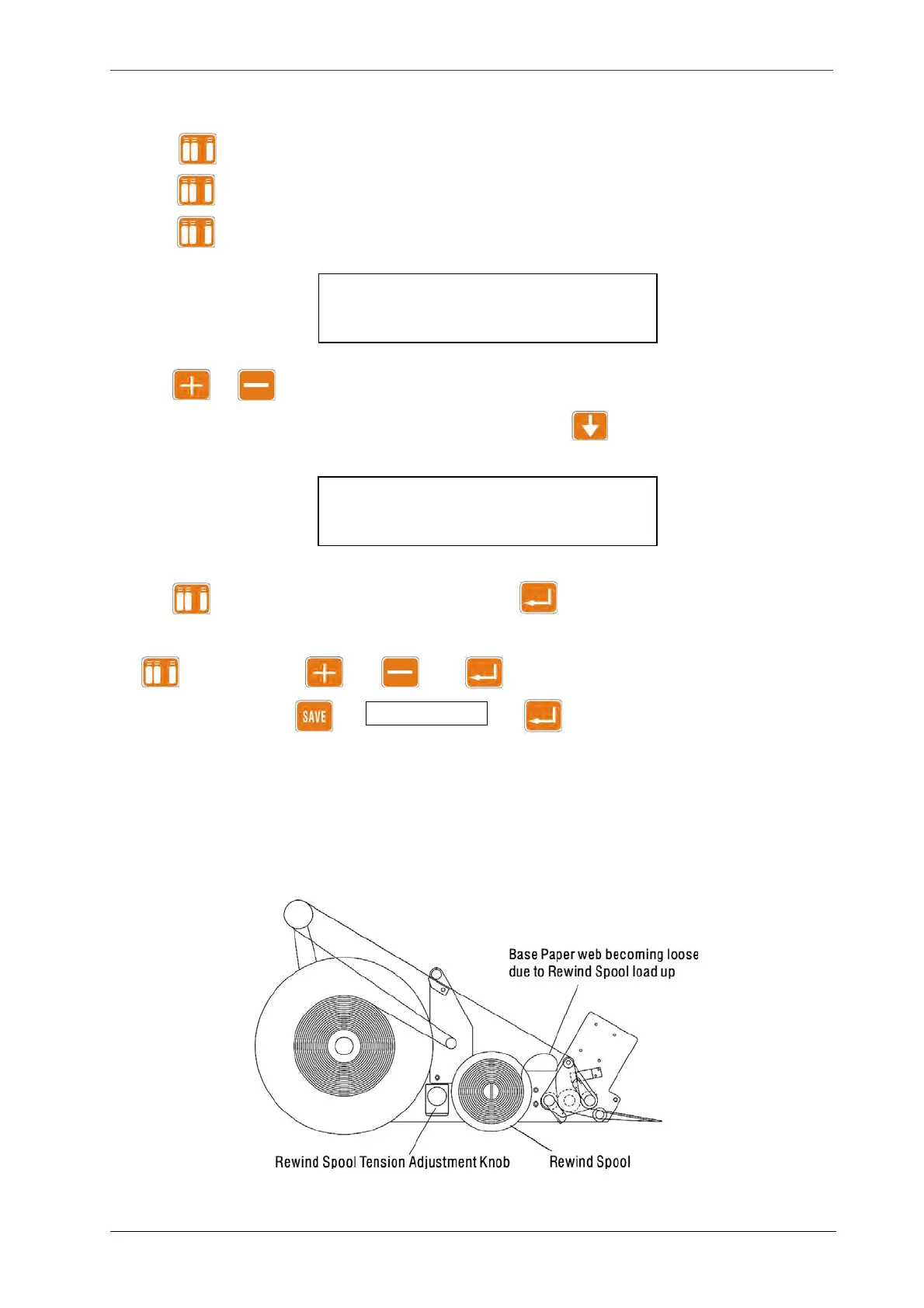
11.16 Rewind Spool Tension Adjustments
If the web is loose during operation, it is necessary to increase the rewind spool tension with the
adjustment knob (Fig 11.16-1).
Fig.11.16-1



 To Next Page