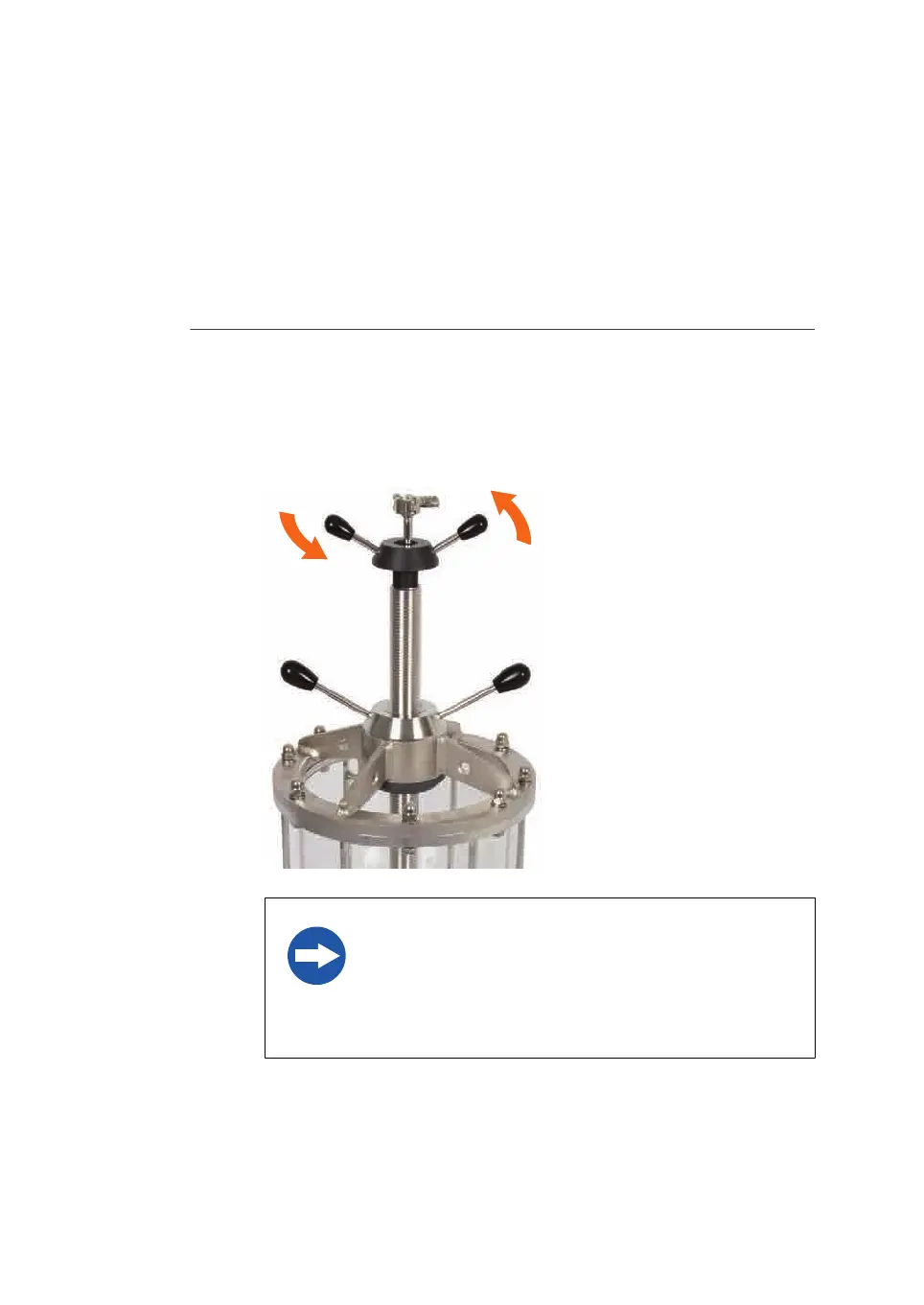
Remove the adapter
T
he instructions below show an example how to remove the adapter from the column
tube.
Note:
The instructions show a BPG 300 column but is applicable even to other BPG
c
olumns.
Step Action
1 Turn the handles on the adjusting handle (or knob) several turns to loosen
t
he adapter O-ring seal, counter-clockwise.
Tip:
Move the adapter down a few millimeters to loosen the O-ring from the glass
wall. Then move it up as far as it will go.
NOTICE
I
f the adapter O-ring seal is dry, it may be damaged by
forced movement of the adapter. Wet the O-ring with
water or 20% ethanol solution. Do NOT grease the O-
ring.
2 Remove the domed nuts and washers from the adapter top plate with help of
a
spanner. Loosen the screws cross-wise according to the illustration below.
6 Maintenance
6
.2 Replacements of nets and O-rings
6.2.1 Replacements in the adapter
82
BPG Columns Operating Instructions 29193223 AB











 To Next Page