113D-Link DWR-961 User Manual
Section 3 - Conguration
Status
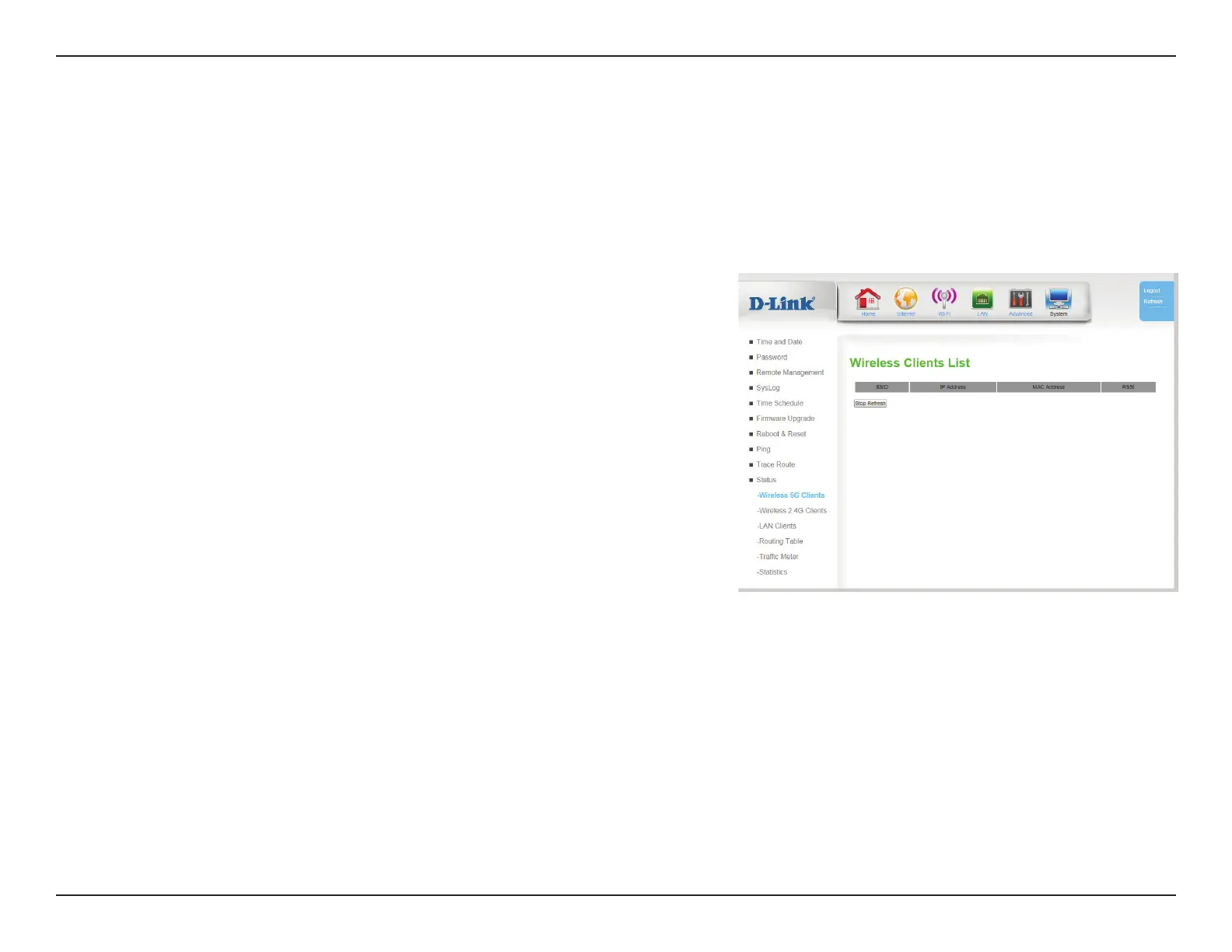
Wireless 5G/2.4G Clients
This page displays a list of currently-connected wireless clients, their IP address, MAC addresses, and signal strength measured by received signal
strength indicator (RSSI). This screen refreshes itself automatically unless you click Stop Refresh.
SSID: Indicates which SSID the device is connected to.
IP Address: Indicates the IP address of the client.
MAC Address: Indicates the MAC address of the client
RSSI: Indicates signal strength measured by received signal strength
indicator (RSSI). In this case, higher numbers indicate stronger
signal.
Stop Refresh: This screen refreshes automatically unless you click Stop
Refresh.









 To Next Page