96D-Link DWR-961 User Manual
Section 3 - Conguration
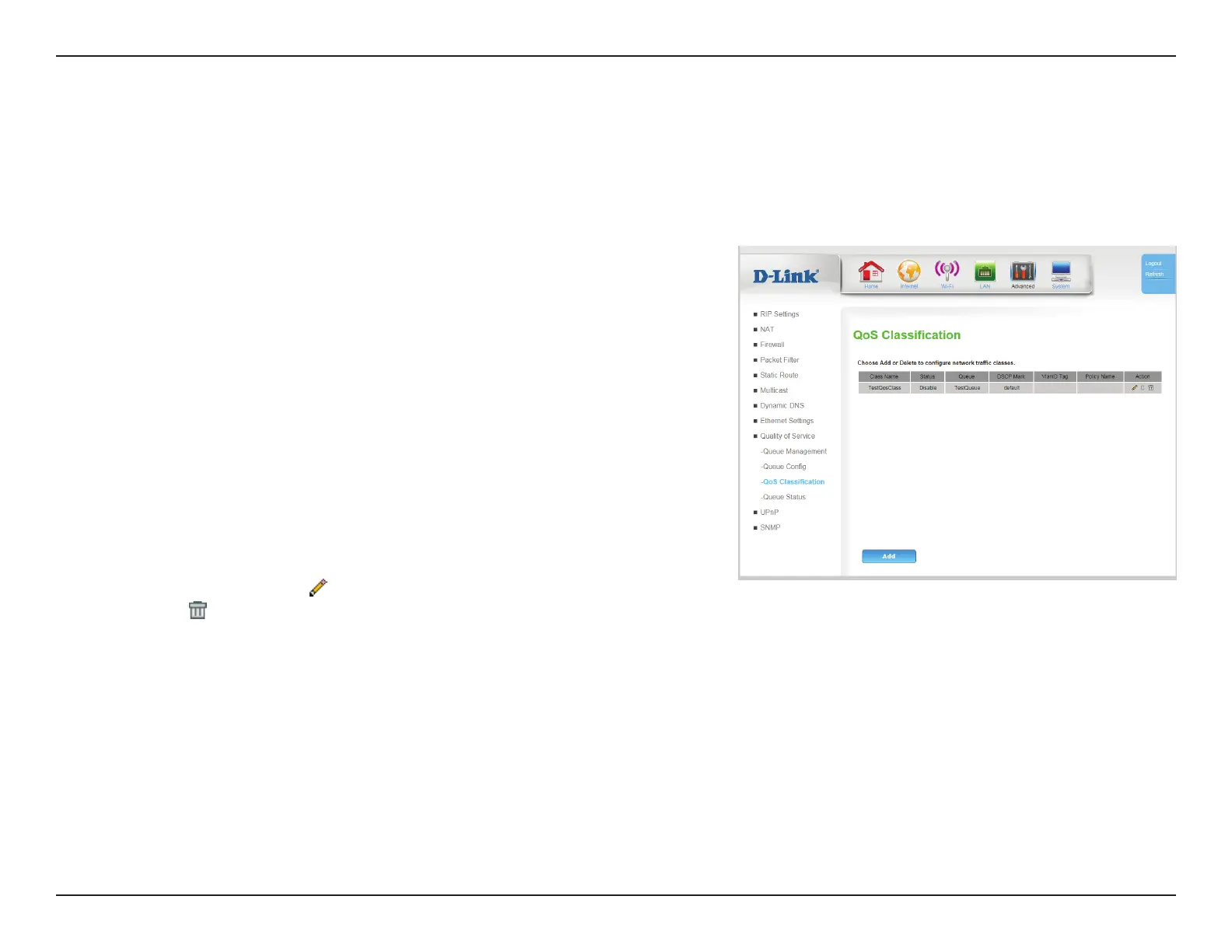
QoS classes are sublters that feed into the larger QoS Queues.
QoS Classication
Class Name: Indicates the name of the queue. This is for user reference only,
and does not aect functionality.
Status: Indicates the current status of the class.
Queue: Indicates which the queue to which the class forwards packets..
DSCP Mark: Indicates the Dierentiated Services Code Point (DSCP) mark
used in the class
VlanID Tag: Indicates the VLAN ID of the class.
Policy Name: Indicate the policy or algorithm used in the class.
Action: Click the pencil (
) icon to edit the queue, click the trash can icon
( ) to delete the queue. Select the C icon to clone the queue.
Add: Click Add to add a new QoS class, described on QoS
Classication - Add on page <OV>.









 To Next Page