3D-Link DWR-961 User Manual
Section 1 - Product Overview
Hardware Overview
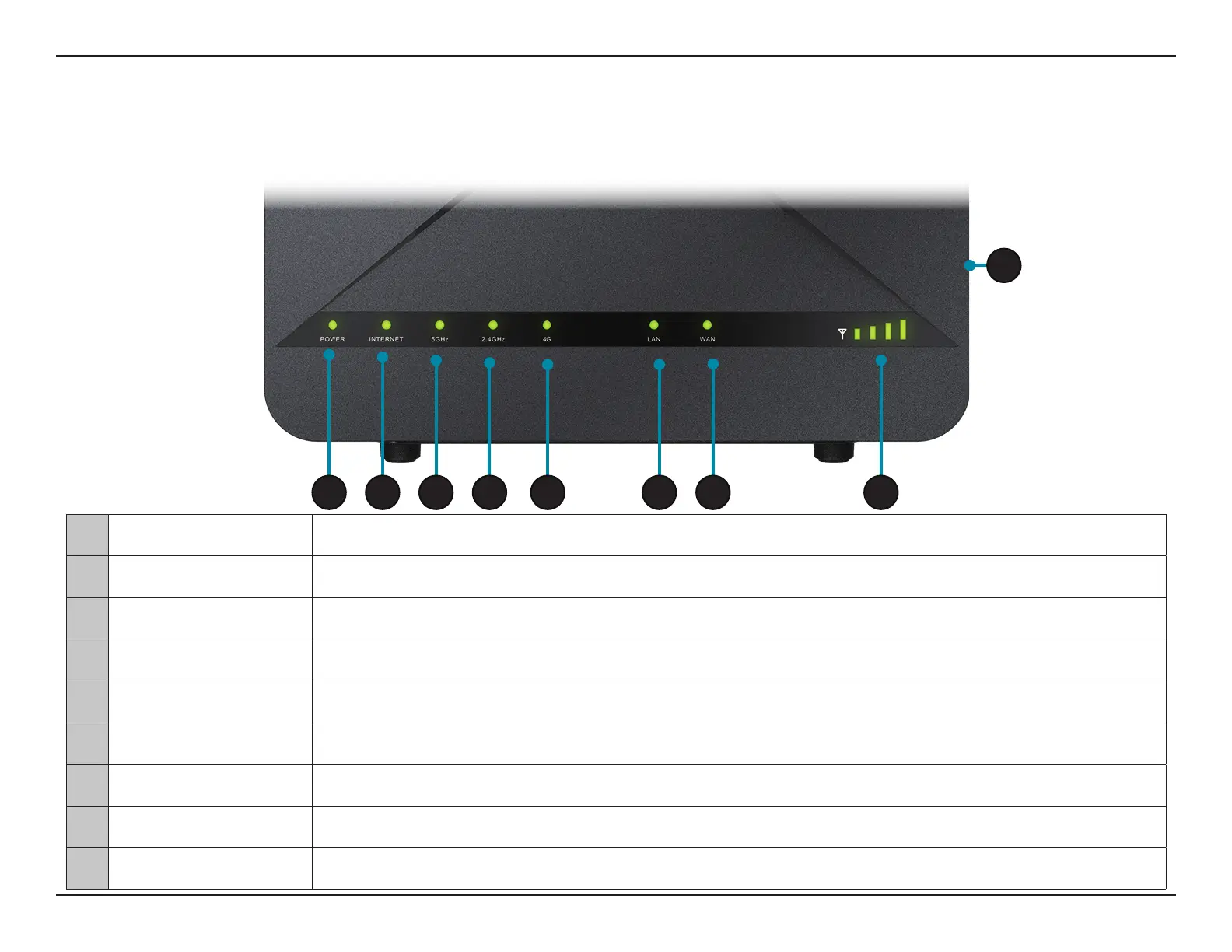
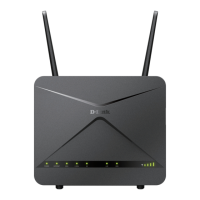
Front View
1 Power LED Will be lit green if the device is powered on and working. Turns red if there is an error.
2 Internet Will be lit if an Internet connection is established, and will blink when data is being transferred.
3 5 GHz Wi-Fi/WPS Will be lit if the 5 GHz wireless function is enabled, blinks when data is transferred or during WPS pairing.
4 2.4 GHz Wi-Fi/WPS Will be lit if the 2.4 GHz wireless function is enabled, blinks when data is transferred or during WPS pairing.
5 4G LED Will be lit if a 4G LTE connection is established, and will blink when data is being transferred.
6 LAN Will be lit if an Ethernet LAN connection is established, and will blink when data is being transferred.
7 WAN Will be lit if an Ethernet WAN connection is established, and will blink when data is being transferred.
8 Signal Strength LED Indicates 4G signal strength with bars. More bars indicates a stronger signal.
9 Power Button Turns the device on or o.
1 2 3 4 5 6 7 8
9









 To Next Page