82D-Link DWR-961 User Manual
Section 3 - Conguration
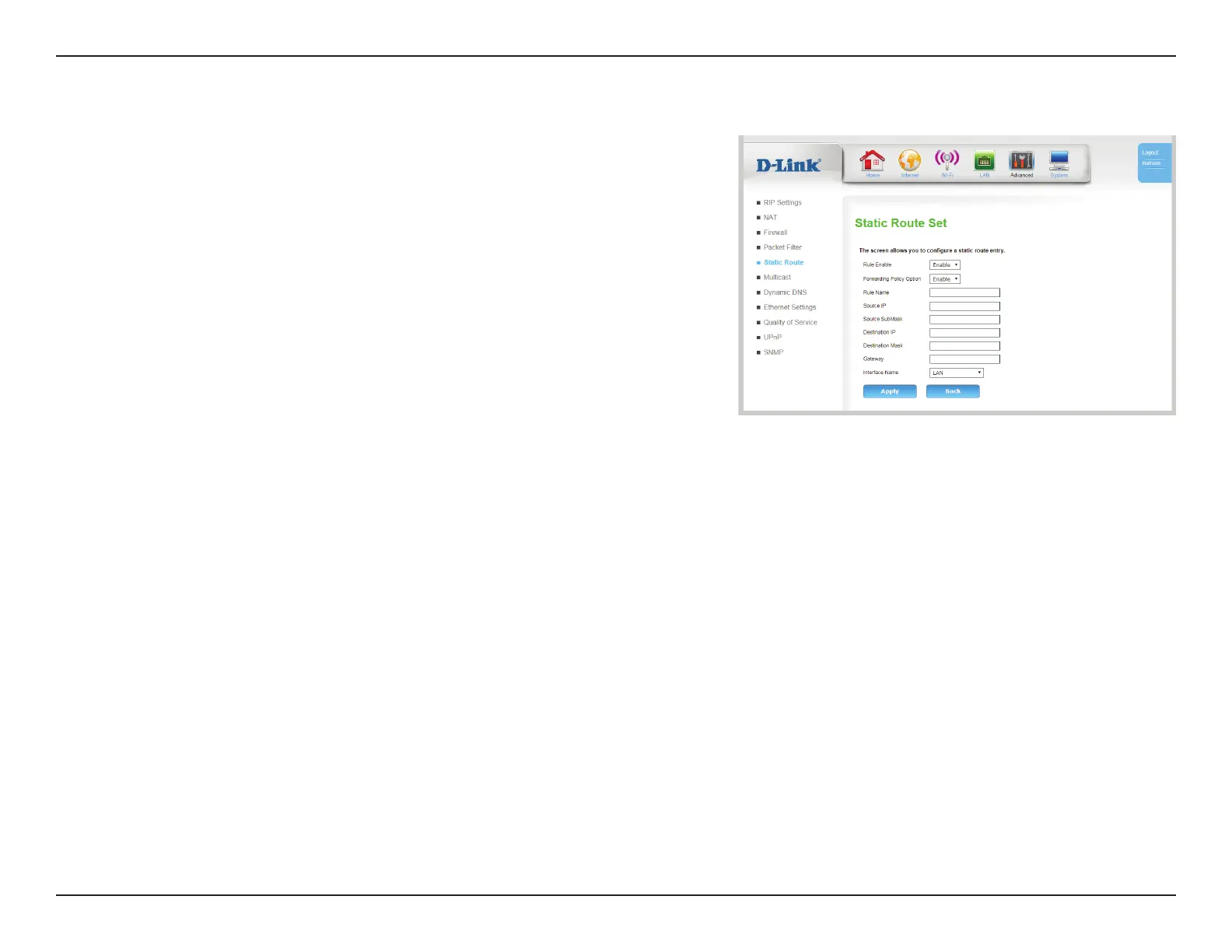
Static Route Set
Rule Status: Specify whether the rule is enabled or disabled.
Policy Status: Specify the policy of the route. If enabled, all packets matching
the destination will always follow the specied route. If disabled,
no packet will be sent along this route.
Rule Name: Specify the name of the static route for reference
Source IP: Specify the source IP of the static route. (Optional)
Source
SubMask:
Specify the source subnet of the static route. (Optional)
Destination
IP:
Specify the destination IP of the static route.
Destination
Mask:
Specify the destination mask of the static route.
Gateway: Specify the gateway that will be used (or avoided) by the static
route.
Interface: Specify the interface used by the static route.
Click Apply to save your settings.









 To Next Page