71D-Link DWR-961 User Manual
Section 3 - Conguration
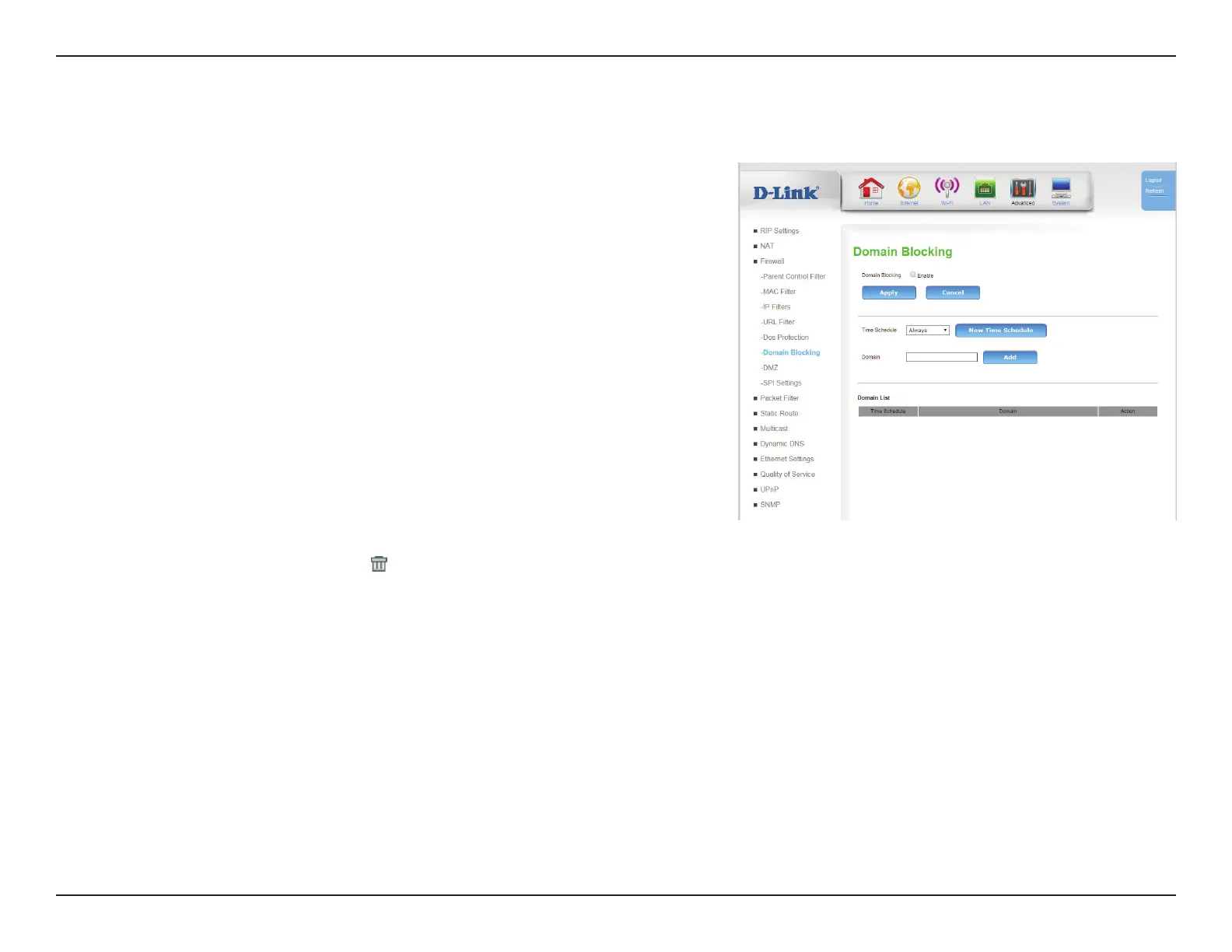
Domain Filter allows you to set up a list of domains that will be blocked from users on your network.
Domain Blocking
Domain
Filter:
Check the box to enable Domain Filtering.
Click Apply to save your settings, or Cancel to revert to your previous settings.
Time
Schedule:
Select a time schedule to apply to the lter. To create a new lter,
click New Time Schedule and see Time Schedule on page 108.
Domain Rule: Enter domain you want to lter. Click Add to add a new lter.
Domain List
Time
Schedule:
Indicates the time schedule during which the lter will apply.
Domain: Indicates the domain to which the lter will apply.
Action: Click the trash can icon (
) to delete the lter.









 To Next Page