29D-Link DWR-961 User Manual
Section 3 - Conguration
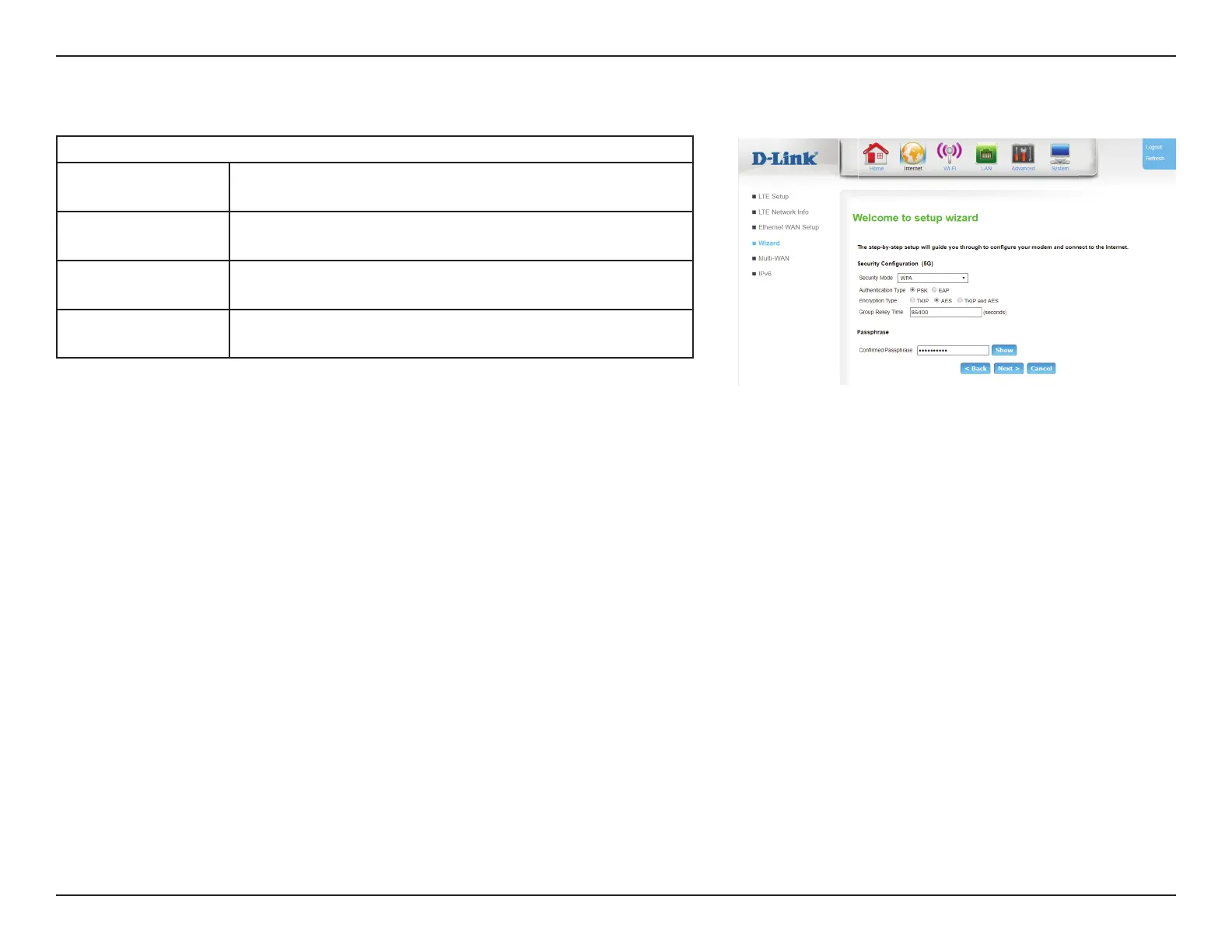
If you chose WPA, WPA2 or WPA/WPA2+TKIP/AES as your security mode:
Authentication
Type:
Choose between PSK or EAP.
Encryption Type: Select TKIP, AES, or TKIP and AES. Note that for WPA+WPA2,
only TKIP and AES will be available.
Group Rekey
Time:
Enter the time in seconds between group key updates.
Passphrase: Specify a passphrase to use. Click Show to view your
passphrase. Click Hide to hide your passphrase.
If you have selected WPA ,WPA2, or WPA/WPA2+TKIP/AES:
Security Conguration
Authentication
Type:
Choose from PSK (Pre-shared key) or EAP (Extensible Authentication
Protocol).
Encryption
Type:
Select TKIP, AES, or TKIP and AES. Note that for WPA+WPA2, only
TKIP and AES will be available.
Group Rekey
Time:
Enter the time in seconds between group key updates.









 To Next Page