When frame filtering is employed, any frames rejected are not treated as valid RX frames (neither RXDFR or
RXFCG are set) so the receiver and the receive frame wait timeout just continues its countdown
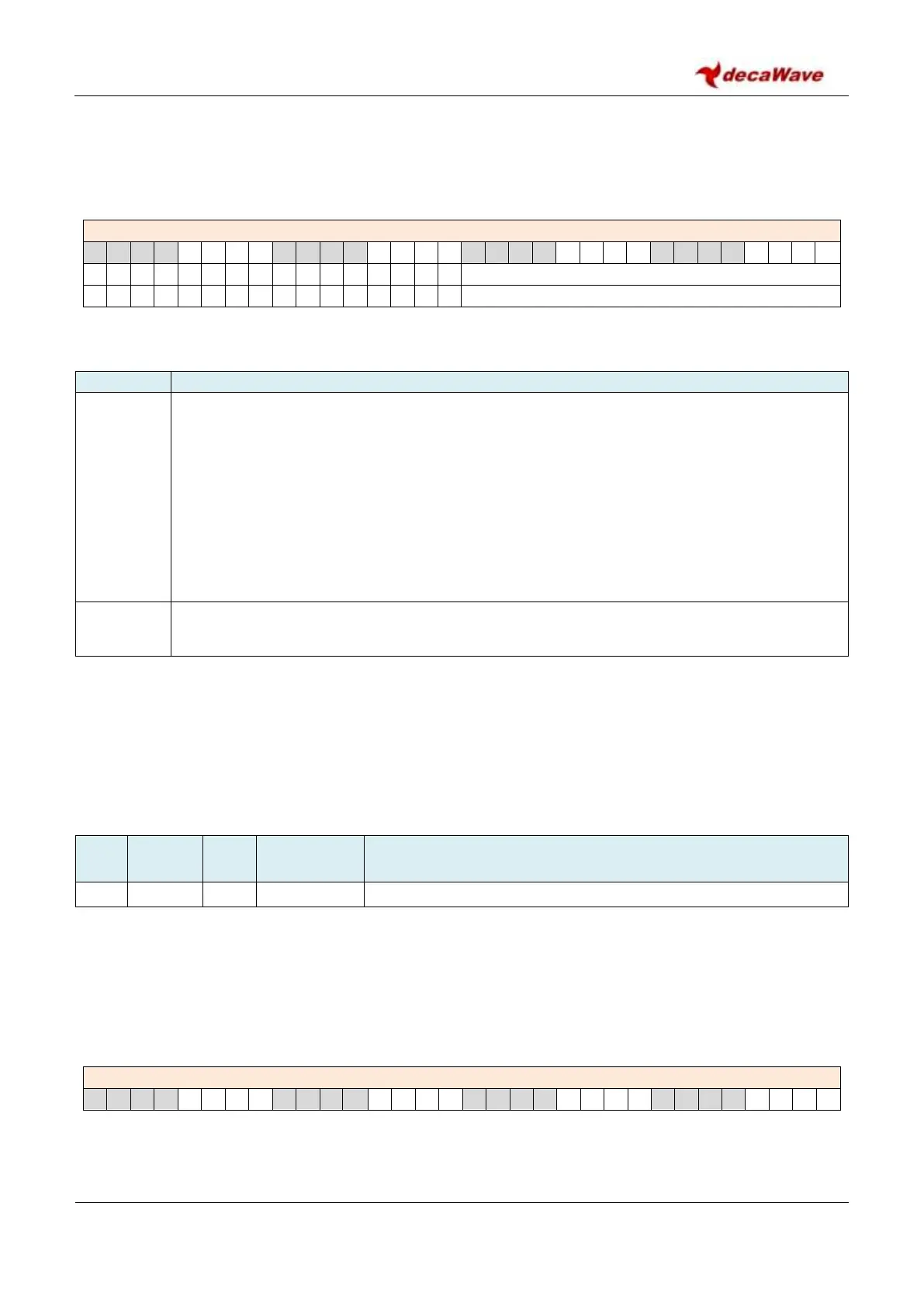
Register file: 0x0C – Receive Frame Wait Timeout Period contains the following fields:
REG:0C:00 – RX_FWTO – Receive Frame Wait Timeout Period
The individual sub-fields are described below:
Description of fields within Register file: 0x0C – Receive Frame Wait Timeout Period
RXFWTO
reg:0C:00
bits:15–0
The Receive Frame Wait Timeout period is a 16-bit field. The units for this parameter are
roughly 1µs, (the exact unit is 512 counts of the fundamental 499.2 MHz UWB clock, or 1.026
µs). When employing the frame wait timeout, RXFWTO should be set to a value greater than
the expected RX frame duration and include an allowance for any uncertainly attaching to the
expected transmission start time of the awaited frame. The Receive Frame Wait Timeout
feature is enabled by the RXWTOE in Register file: 0x04 – System Configuration. When
RXWTOE is set then each time the receiver is enabled a timer is started with the RXFWTO
specified period, and if no data is received before this RX Frame Wait Timeout timer expires,
then the receiver is returned to its idle state and the timeout is signalled by the RXRFTO event
status bit in Register file: 0x0F – System Event Status Register.
These bits are reserved and should always be written as zero.
Note: The frame wait timeout may also be employed with double buffering, where after a frame is received
the DW1000 automatically re-enables the receiver (moving on to potentially receive a new frame in the next
buffer). Here when RXWTOE is set the countdown will be restarted as the receiver re-enables to receive into
the next buffer. See section 4.3 Double Receive Buffer for more information on double buffering.
7.2.15 Register file: 0x0D – System Control Register
Register map register file 0x0D is the system control register and contains a number of TX control fields. Each
field is separately identified and described below. For a general discussion of transmission please refer to
section 3 - Message Transmission. The control bits within the system control register are typically
automatically cleared. The host controller sets the appropriate bit to invoke an activity and the bit is
automatically cleared by the DW1000 as that commanded activity begins.
REG:0D:00 – SYS_CTRL – System Control


 To Next Page