ADVANCE FD Manual 41 Return to top
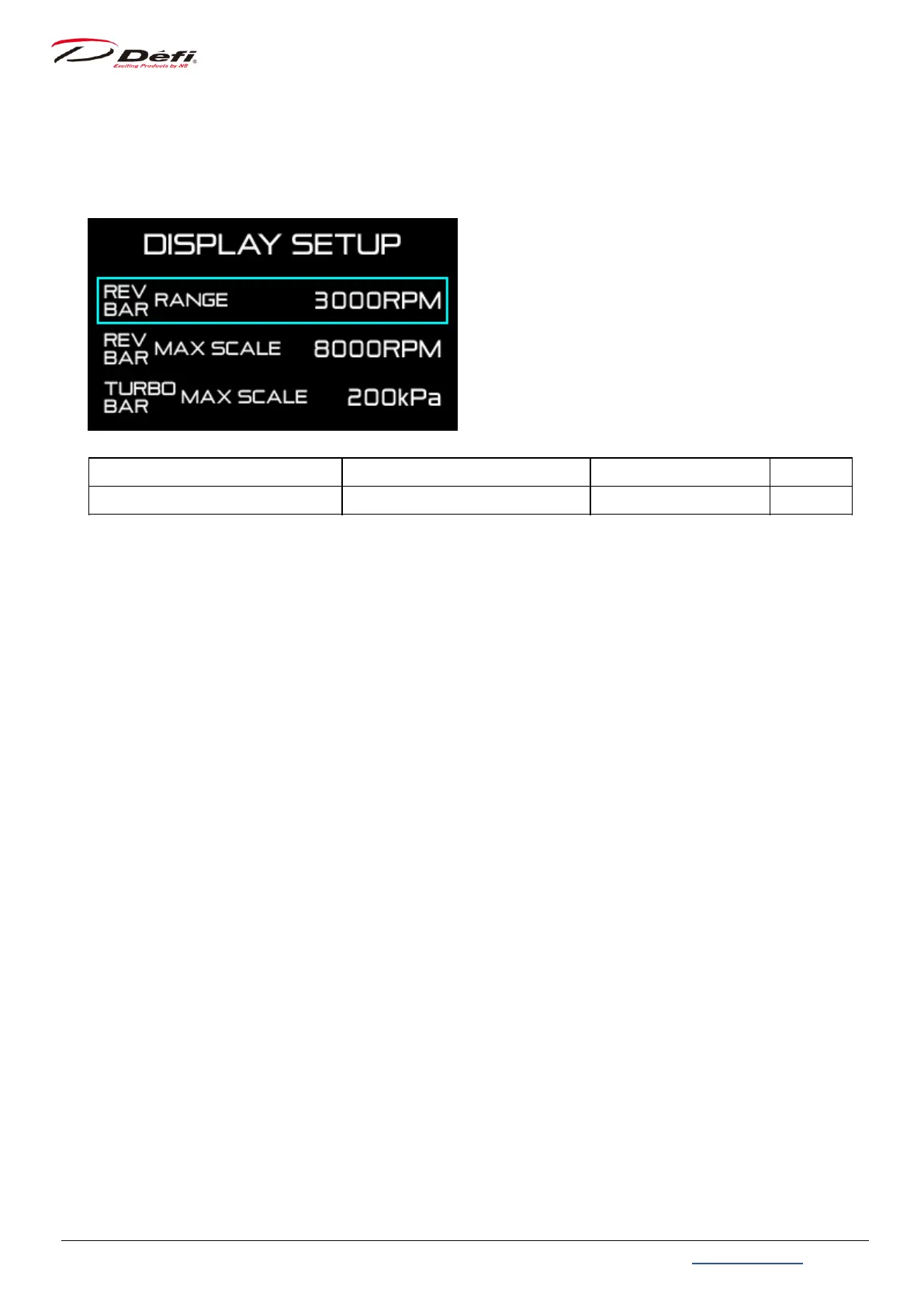
9.4.1. REV BAR scale range setting [REV BAR RANGE]
The scale range of the rev bar (the difference between maximum and minimum scale
values) can be set.
Setting items On the screen Setting options Default
REV BAR scale range setting REV BAR RANGE 3000 / 4000 3000RPM
Use 【F2 button】 to move the selection frame to [REV BAR RANGE].
Select [3000RPM] or [4000RPM] with 【F1 button】.


 To Next Page