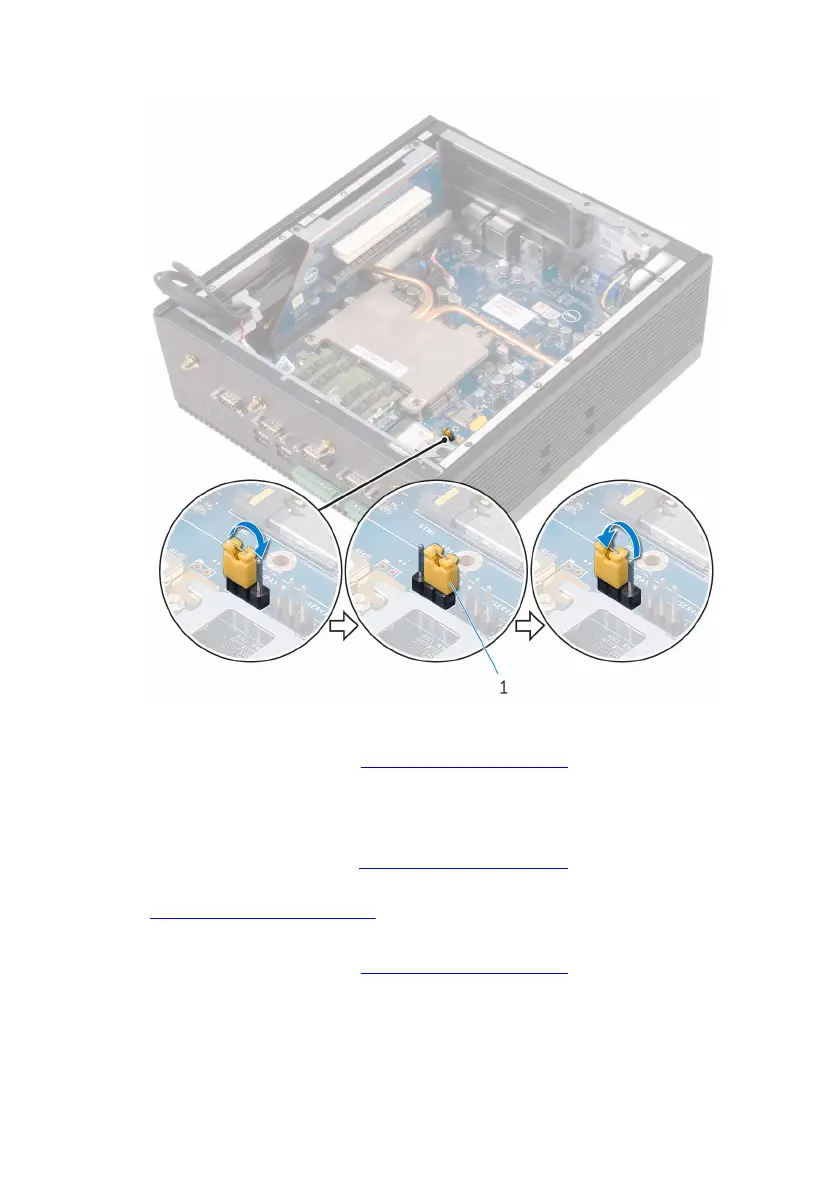
7 Move the jumper plug from pins 2 and 3 and replace it on pins 1 and 2.
1 jumper plug
8 Follow step 2 to step 9 in “Replacing the back cover”.
Clearing CMOS settings
1 Follow step 1 to step 6 in “Removing the back cover”.
2 Locate the CMOS reset jumper (CMOS) on the system board. See
“System-board components”.
3 Move the jumper plug from pins 1 and 2 to 2 and 3.
4 Follow step 2 to step 9 in “Replacing the back cover”.
5 Turn on the Embedded Box PC, and wait until the message stating that
the CMOS has been cleared appears.
6 Shut down the Embedded Box PC.
112


 To Next Page