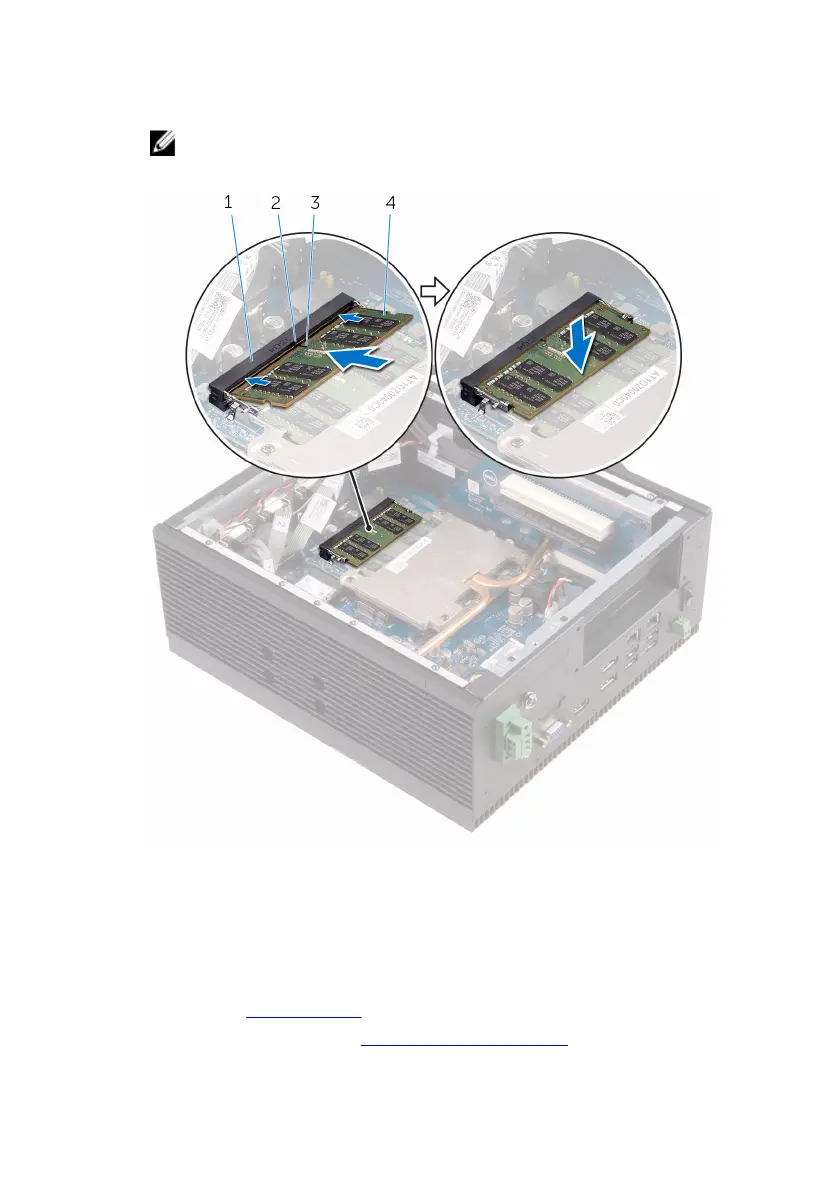
2 Slide the memory module firmly into the slot at an angle and press the
memory module down until it clicks into place.
NOTE: If you do not hear the click, remove the memory module
and reinstall it.
1 memory-module slot 2 tab
3 notch 4 memory module
Post-requisites
1 Replace the PCI/PCIe card (if necessary).
2 Follow step 2 to step 9 in “Replacing the back cover”.
51


 To Next Page